WHEATON
®
OmniSpense
®
ELITE Peristaltic Pump
WHEATON | 800.225.1437 (U.S. & Canada Only) | 856.825.1100 | www.wheaton.com | P/N 50099067 Rev. 5/15/12 WMAN_001
microcassette pump head attached. The running speed of the microcassette is approximately half of the
speed of the standard pump head.
14.0 Memory Storage and Recall Available Registers: (1-9)
All set parameters, including set volume, delay interval, pressure release, dispense count, pump speed,
ramp time, pump direction, etc. can be stored in non-volatile memory, and easily recalled. This is
especially useful when the pump is used in several applications, each requiring its own particular setup
parameters. Stored parameters can be quickly recalled, and the pump made ready for a particular
operation.
14.1 To Store a Parameter
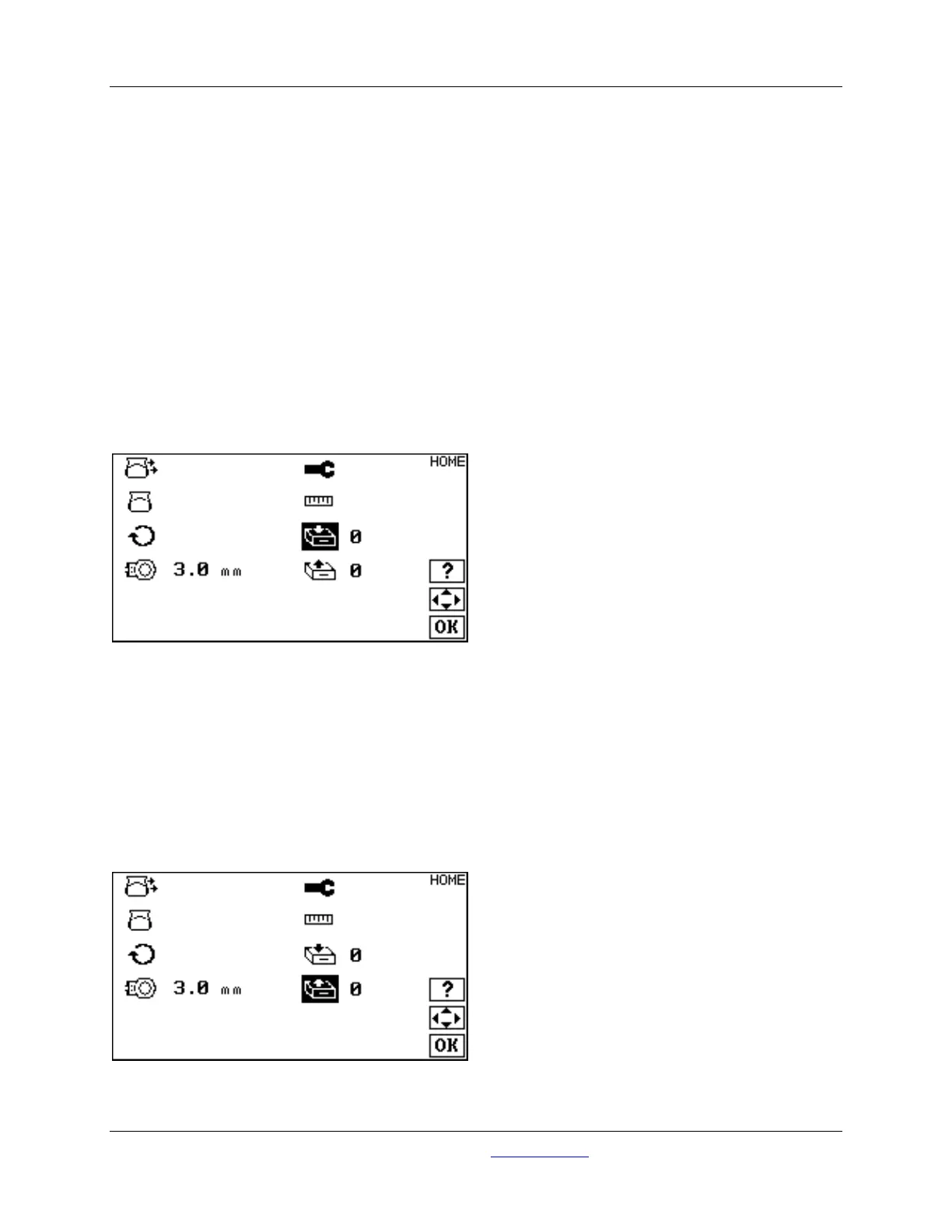
Set all pump parameters to desired settings. Navigate to the HOME screen and select the storage icon:
Use the UP and DOWN and the LEFT and RIGHT to select a storage register (1-9). Press the OK key to
store parameters in non-volatile memory. A special tone will sound to confirm storage of parameters. If
parameters are stored in a register already containing data, the old data will be overwritten with the new
parameters.
14.2 To Recall a Parameter
Press the UP and DOWN and the LEFT and RIGHT keys to recall a storage register (1-9), and then press
OK. A special tone will sound to confirm recall of parameters. If the unit appears to skip over certain
registers when recalling a parameter, it means that the register skipped is empty. An empty storage
register will not be accessible.



 To Next Page