12
Change the Split Point
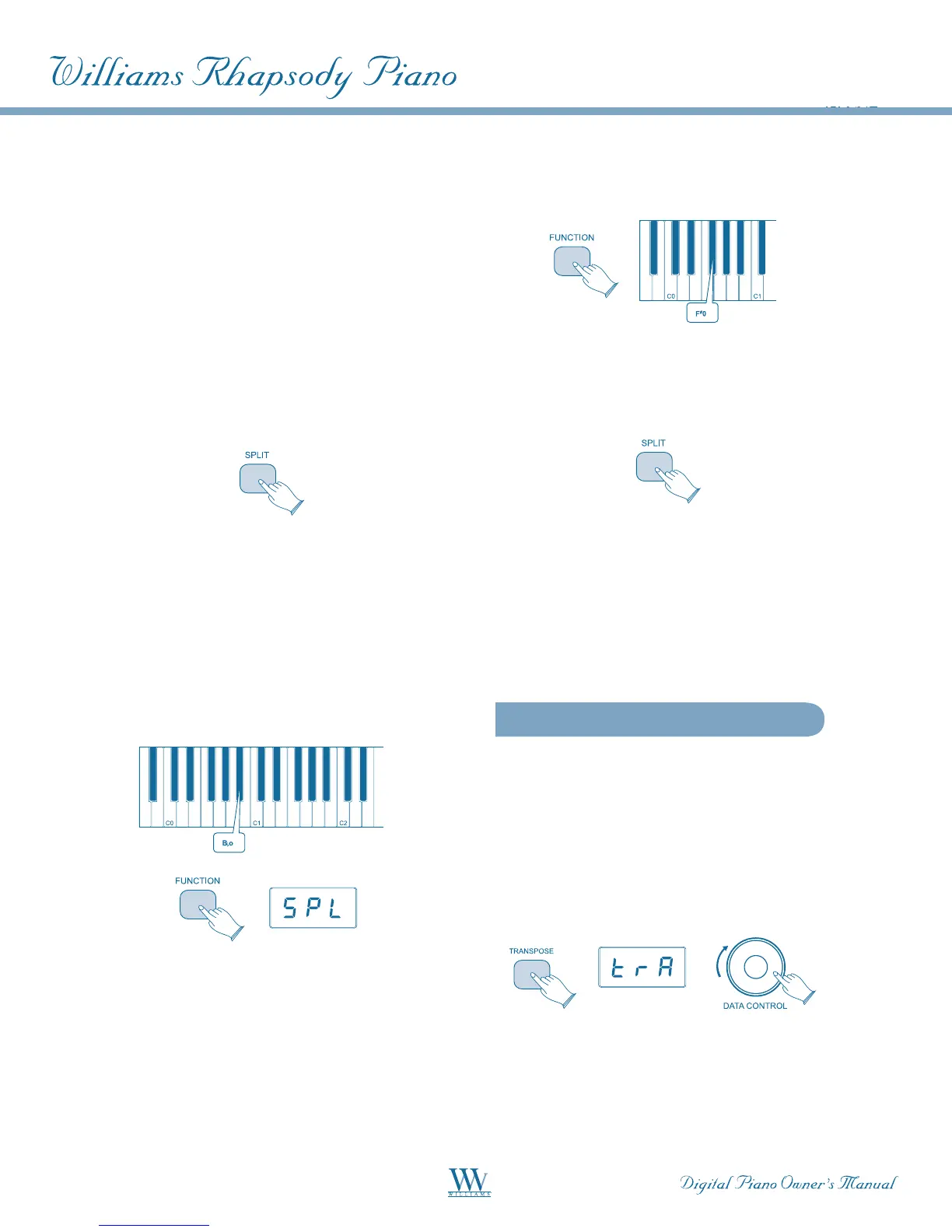
Press and hold the [SPLIT] button for 1 second, then
press the appropriate piano key.
Change the Split (left hand) voice
Press and hold the [SPLIT] button while depressing
thedesiredVoiceSelectbutton.
Change the Main (right hand) voice
Exit Split Mode by pressing the [SPLIT] button again,
select the appropriate voice and then press [SPLIT]
again to re-enter Split mode.
Change the Split volume (left hand)
• Press the [FUNCTION] button to enter Edit
Mode. Press the B
0 key to assign the [DATA
CONTROL] knob to the Split (left hand)
VoiceVolumefunction.
• Turn the [DATA CONTROL] knob to the
desired value (0-127) while striking any
keyboard key to hear the effect.
Change the Split volume (right hand)
• Press the [FUNCTION] button to enter
Edit Mode
• Press the F
#
0 key to assign the [DATA
CONTROL] knob to the Main (right hand)
VoiceVolume.TheLEDwillshow:UO1
• Turn the [DATA CONTROL] knob to the
desired value (0-127) while striking any
keyboard key to hear the effect.
Turn Off Split Mode
Press the [SPLIT] button. The LED will momentarily
display off, then the currently selected voice.
Split Mode MIDI Considerations
TheMain(righthand)Voicewilltransmitonthe
MainMIDItransmitchannel.TheSplitVoicewill
transmit on the Main MIDI transmit channel + 1.
See MIDI Functions for complete MIDI
information(pg.18).
Transpose
The Transpose function will raise or lower the
pitch of the keyboard in semitone increments
from -12 to +12.
To turn Transpose on, press the [TRANSPOSE]
button. The LED will display: TRA. Now use the
[DATA CONTROL] knob to select the desired
transpose value.
Optionally, the transpose value may be specified
by holding down the [TRANSPOSE] button and
pressing a keyboard key between C2 and C4,
thereby selecting the value indicated on the next page.















 To Next Page