8
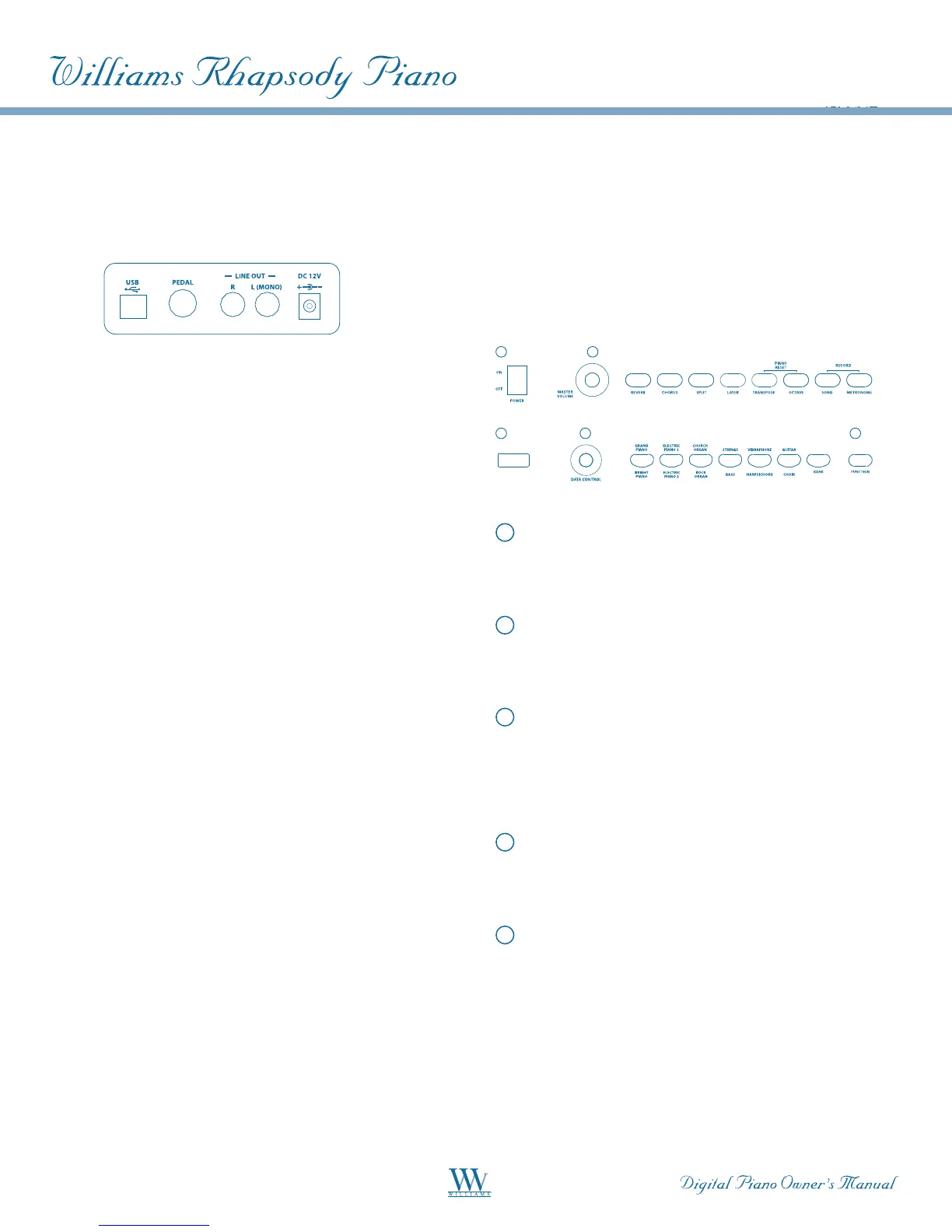
CONNECTOR PANEL
The connector jacks are located on the rear panel
of the piano.
USB-MIDI
This jack allows the transfer of MIDI information
over USB to a computer. Because your Rhapsody is
USB Class Compliant, there is no need to install a
driver to enable it to work with OSX, Windows XP,
VistaorWindows7.JustplugitinandtheOSwilldo
the rest. The Rhapsody will work with all standard
MIDI based computer software.
Pedals
The Rhapsody digital piano features two pedals. Be
certain the pedal cable from the base is connected to
the Pedal jack on the rear of the piano.
Soft Pedal (left): The Soft Pedal controls the sound
volume. Press the pedal to decrease the output sound
volume.
Sustain (right): This performs the same function as
the damper pedal on an actual acoustic piano, letting
you sustain the sound of the voices even after releas-
ing your fingers from the keys
Stereo/ Mono Line Out
The output jacks supply a line-level signal for external
amplification. Use both jacks for stereo or just the
Leftjackformono.TheMainVolumeknobcontrols
the output level.
DC 12V Input
Connection for the included DC power adapter.
Please use only the provided adapter.
Headphones
The Headphone jack allows playing in silence.
When headphones are plugged in, the speakers are
mute. This jack is located on the bottom panel of
the piano.
PANEL CONTROLS
A
B
D
E
C
A
Power On/Off
Rocker-type switch for turning the Rhapsody on
and off.
B
Master Volume
Turn the knob to the left to lower the speaker
volume, or to the right to increase it.
C
Function
The Function button places the Rhapsody to Edit
mode, enabling the modification of the parameters of
many features such as touch sensitivity, splits, layers
and MIDI control, among others.
D
LED Display
The LED will display the appropriate status, function,
value, voice or mode for the current operation.
E
Data Control Knob
The [DATA CONTROL] knob changes parameter
values for voice, function, volume (0-127),
metronometempo(20-280),reverb/chorusdepth
(0-127), time signature, transpose value (-12 - +12),
octave setting (-3 - +3), Master Tuning setting (-64
- +63), track, MIDI channel/program number and
Bank MSB/LSB values (0-127).















 To Next Page