13
C2 C
#
2 D2 D
#
2 E2 F2 F
#
2 G2
-12 -11 -10 -9 -8 -7 -6 -5
G
#
2 A2 A
#
2 B2 C3 C
#
3 D3 D
#
3
-4 -3 -2 -1 0 +1 +2 +3
E3 F3 F
#
3 G3 G
#
3 A3 A
#
3 B3 C4
+4 +5 +6 +7 +8 +9 +10 +11 +12
NOTE: The (Transpose/Octave) Button will remain
lit while active. To deactivate (Transpose/Octave),
simply press the button and the Rhapsody will return
to its default configuration.
Octave
The Octave function will raise or lower the keyboard
pitch in octave increments from -3 to +3.
To enable the Octave function, press and hold the
[OCTAVE]button.TheLEDwilldisplay:OCT.
Now use the [DATA CONTROL] knob to select
the desired pitch.
NOTE: The (Transpose/Octave) Button will remain lit
while active. To deactivate (Transpose/Octave), simply
press the button and the Rhapsody will return to its
default configuration.
Metronome
The built-in metronome will help maintain
accurate timing while recording a song. The time
signature and tempo may be adjusted for the song
to be recorded. To turn the metronome on, press the
metronome button.
Tempo
The tempo of the metronome may range from 20 to
280beatsperminute(BPM).Tochangethetempo,
simply use the [DATA CONTROL] knob. The LED
will now display the desired tempo.
Though the [DATA CONTROL] knob may be used
to edit a variety of functions on the Rhapsody, it will
always revert to its default function of controlling
metronome tempo if left inactive for 10 seconds.
Specify Metronome Time Signature
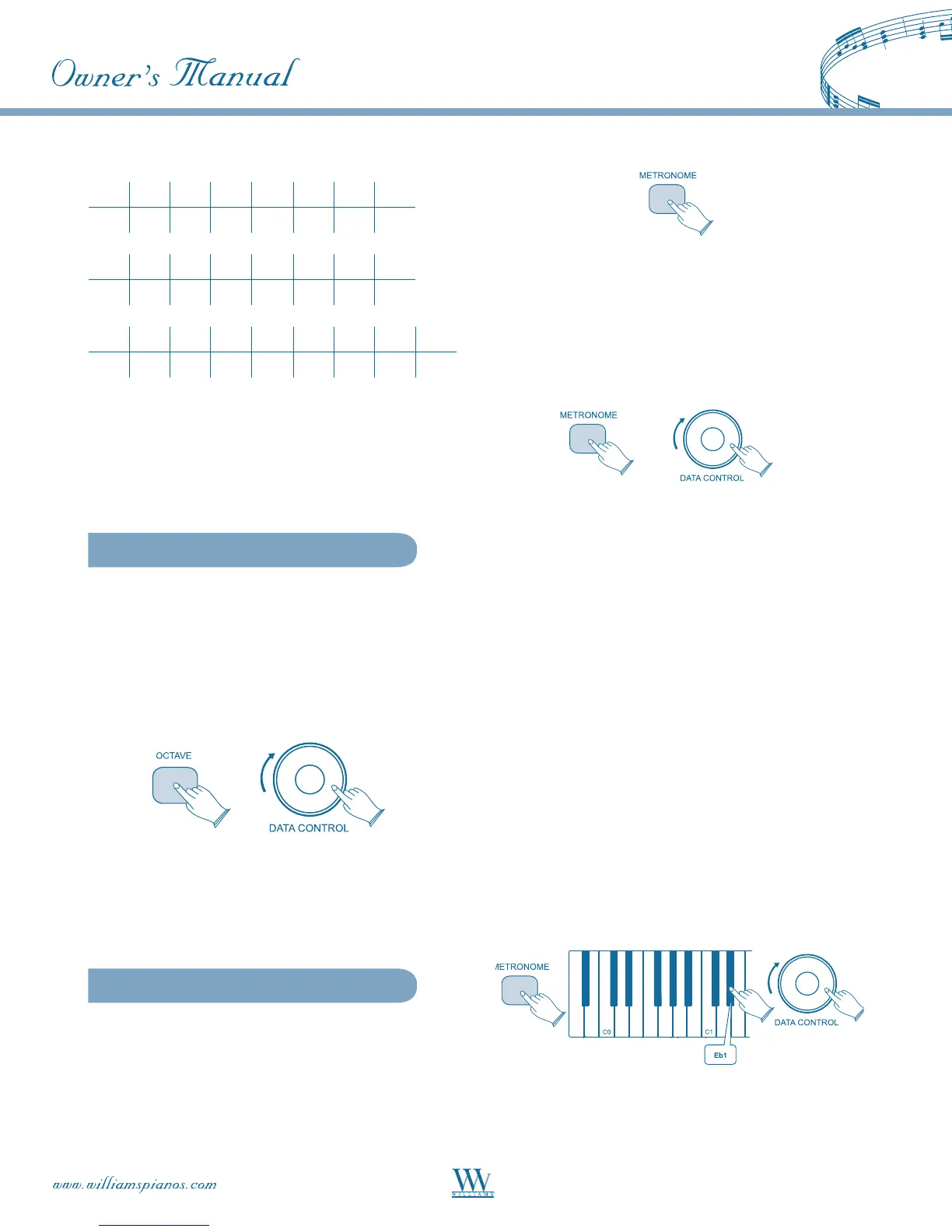
Available time signatures are: 2/2, 2/4, 3/4, 4/4, 5/4,
6/8,7/8,9/8and12/8.
To select the desired time signature:
• Press [FUNCTION] and depress the
Metronome Time Signature key (Eb1) on
the keyboard. The LED will display: TS9.
• Turn the [DATA CONTROL] knob until the
desired time signature is indicated in the LED.
4/4 time will appear as 4.4.
NOTE: The tempo and time signature may not be
changed during song recording.















 To Next Page