11
Layer Mode
In Layer mode two voices may be played
simultaneously, each at selected volumes.
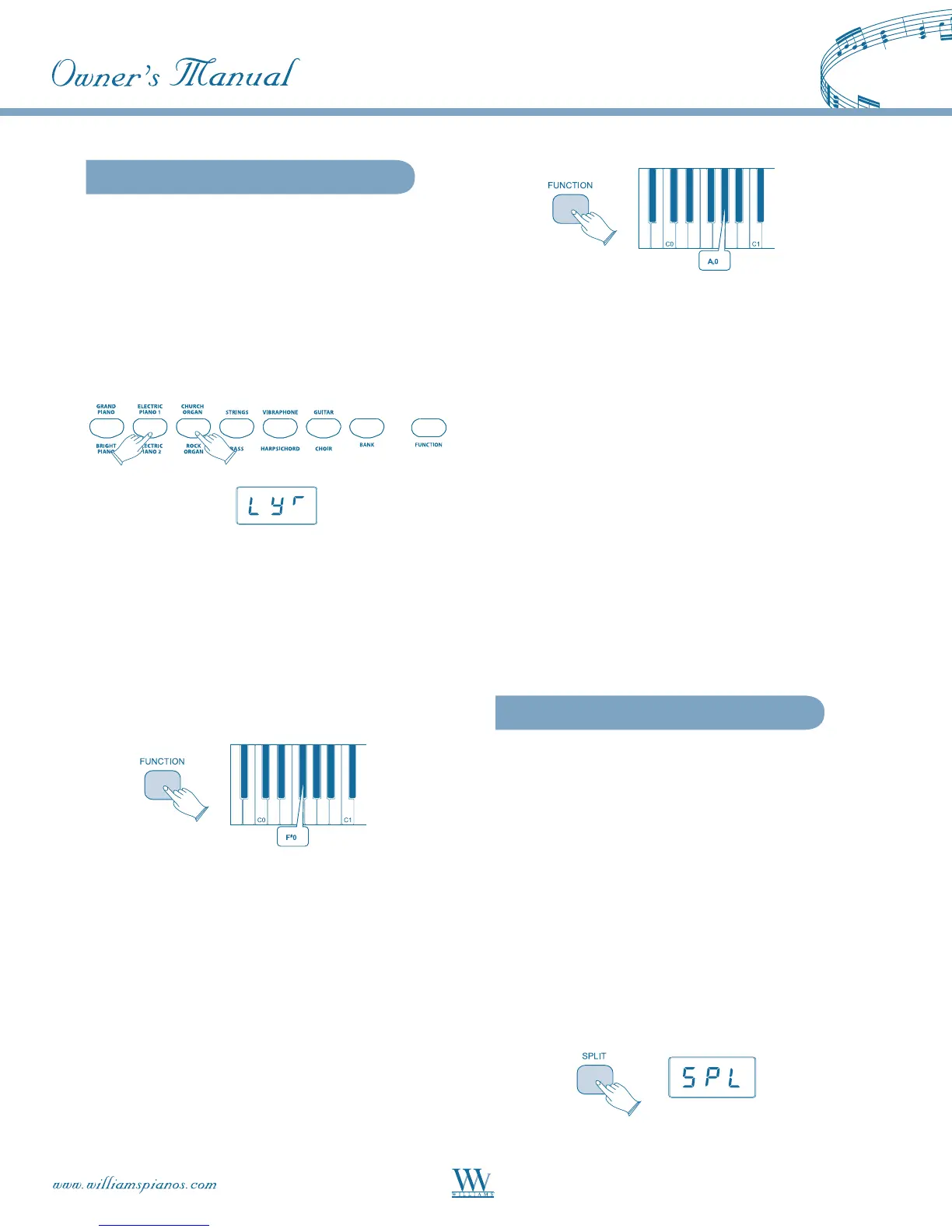
To enter Layer mode, press and hold the button to
select the Main sound, then press the button for Layer
sound, and release. The buttons will light, the two
voices will sound simultaneously and the LED will
indicate: LYR.
To adjust the volume of the Main voice:
• Press the [FUNCTION] button to enter
edit mode.
• PresstheVoiceVolumekey(F#0).
The LED will display: UO1.
• Turn the [DATA CONTROL] knob to the
desired volume (0-127).
To adjust the volume of the Layer voice:
• Press the [FUNCTION] button to enter
edit mode.
• PresstheLayerVolumekey(Ab0).The
LED will display: LYR.
• Turn the [DATA CONTROL] knob to the
desired volume (0-127).
NOTE: If Split Mode (below) is engaged and Layer
Mode is selected, the Layer Voice will only be applied to
the keys to the right of the split point. The Left Hand
Voice will remain specified for Split Mode.
MIDI Considerations
TheMainVoicewillbetransmittedontheselected
MainMIDITransmitChannel.TheLayerVoicewill
be played on the selected MIDI Transmit Channel +2.
SoiftheMainVoiceistransmittingonMIDI
channel1,theLayerVoicewillbetransmittedon
MIDI channel 3. For more information, see Main
MIDITransmitChannelinMIDIFunctions(pg.18).
Turn Off Layer Mode
To turn Layer Mode off, select a single voice.
Split Mode
Split Mode allows the keyboard to be divided into
two sections so that different voices may be played
with the left and right hands.
The volume may be independently adjusted for each
voice, the Split Point (the highest note played with the
lefthand)maybeadjustedandtheSplitVoicemaybe
changed as desired.
Enter Split Mode
Press the [SPLIT] button. The LED will show: SPL.
The Split (left hand) voice will be Upright Bass and
the Split Point will be B2.















 To Next Page