17
EDIT FUNCTIONS
In Edit Mode, the function of the [DATA CONTROL]
knob is changed to specify a number of different
values. The [DATA CONTROL] knob will "time out"
after 10 seconds and return to default metronome
tempo.
Keyboard control keys are used to select the
function upon which the [DATA CONTROL] knob
will have an effect.
Use of Function Key
Please refer to the appropriate sections earlier in this
manual for proper use of the [DATA CONTROL]
knob when editing the Metronome, Layer, Split,
Transpose and Octave functions of the Rhapsody.
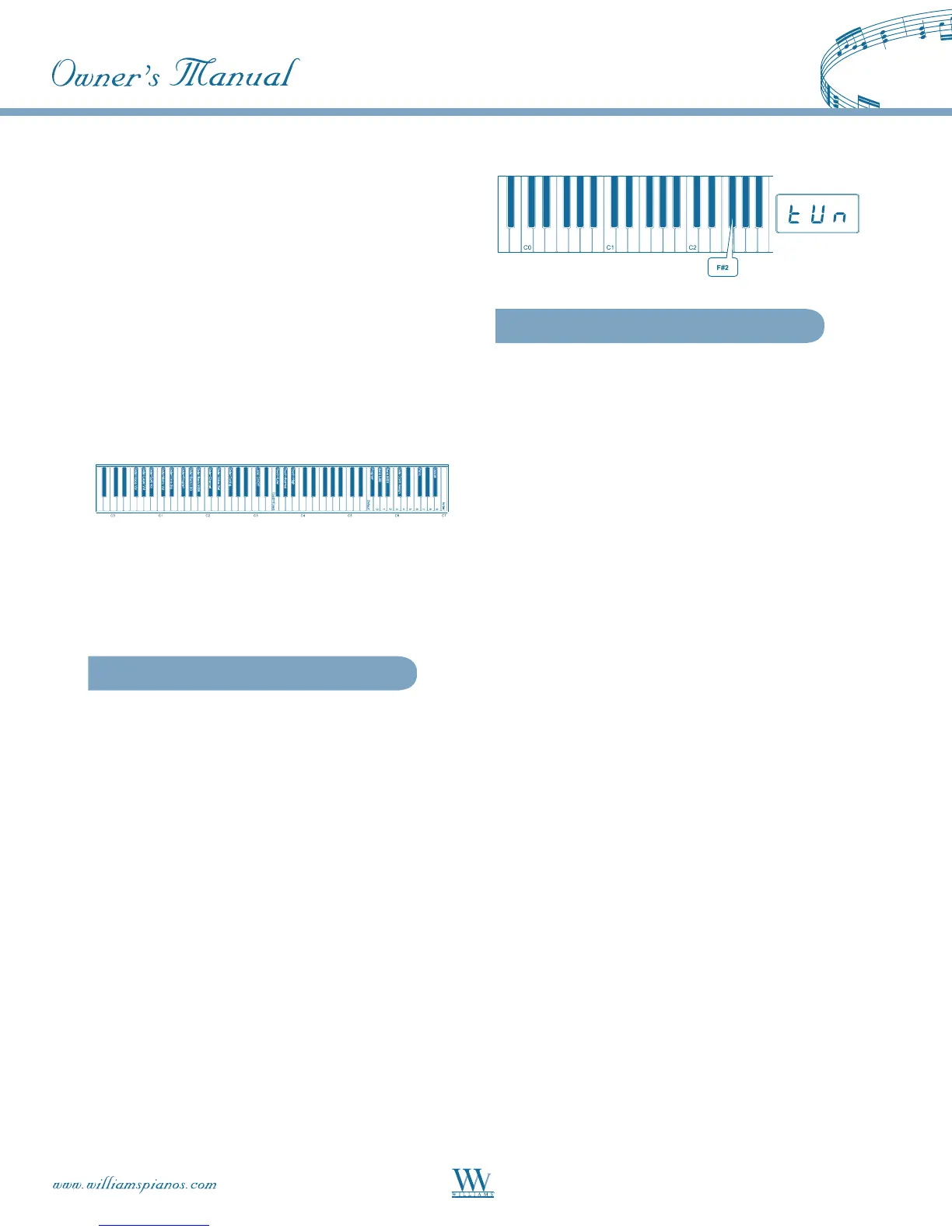
Master Tuning
The Rhapsody is tuned to A440 when the power is
turned on and does not require tuning. However, if
desired, in order to play along with other instruments
or recordings that are tuned differently, the tuning
may be adjusted in semitone increments from -64 to
+63 (One full tone).
To change the Master Tuning:
• Press the [FUNCTION] key to enter
Edit Mode
• Press the F
#
2 key to select the [DATA
CONTROL] knob to the Master Tuning
Function. The LED will show: TUN.
• Turn the [DATA CONTROL] knob to the
desired value (-64 - 63).
NOTE: Master tuning must always be manually
adjusted back to -0-.
Touch (Sensitivity)
The Touch Select function allows the choice of 3
sensitivity settings or velocity curves which determine
how the force with which you hit the keys affects the
volume of the notes played. This piano provides you
with four different keyboard sensitivity options:
Normal (A
3 key): This is the default setting and
should work well for most players who play with an
average amount of force. When selected, the LED
display shows: NOR.
Low (F
#
3 key): This setting generates lower
velocity values for the same force and is useful for
playing more quietly, even with a heavy touch.
When selected, the LED display shows: LO.
High (B
3 key): The high setting generates higher
velocity values for the same force and is useful for
playing more loudly, even with a light touch. When
selected, the LED shows: HI.
To Set the Keyboard Sensitivity:
Depress the [FUNCTION] button to enter Edit
Mode. Press the desired Touch Select key (Ab3, F#3,
Bb3, F3). The LED display will show the selected
touch setting.















 To Next Page