Max temp. in the panel has
been exceeded – re-
configure and check the
panel, see section 13 for
re-configuration of the
smoke panel
If other errors or an “Internal error” are indicated, please contact WindowMaster.
14.2 Fault indication on break glass unit
If the smoke panel loses the mains connection (230V), the green LED on the break glass unit (WSK 501 / 502 / 503 / 504) will flash.
The green LED will flash until the system goes into alarm (check power supply (error message 10.2)).
With the standard settings it can take up to 10min before the loss of connection is registred.
15 Hardware error
If there are any hardware error on the panel it will be indicated by the diodes (yellow diode is lit).
15.1 Error on the Power supply
Mains power failure will trigger an error. Within the first minute after te failure has been detected, the green LED in the break glass
unit will start to blink. After 30 minutes (parameter setting), the error is indicated via LED blink sequence, see “Fault detection on the
smoke panel”, and the windows will close.
Furthermore, non connected, wrong connected or ”dead” batteries can trigger an error on the ”Power supply”.
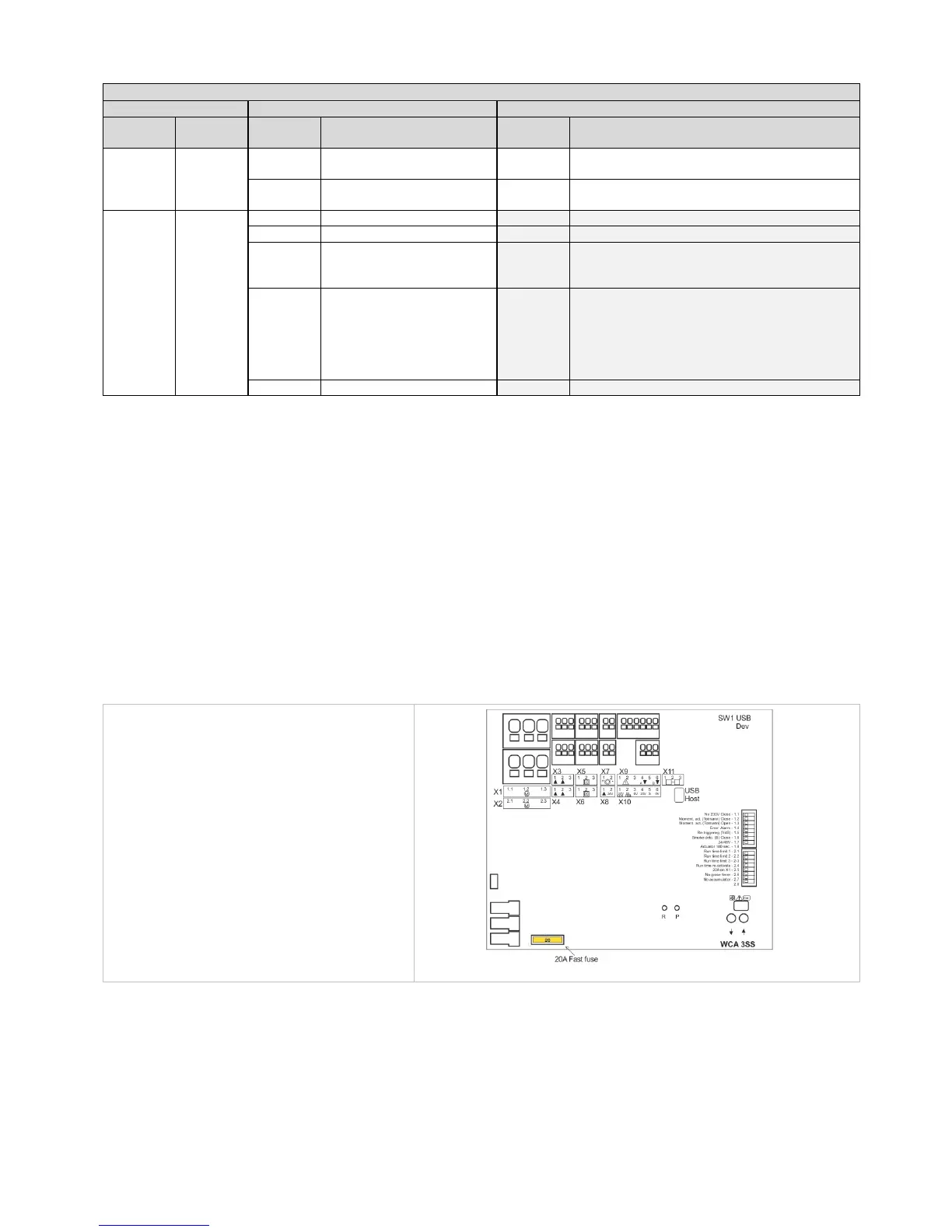
15.1.1 Blown fuse – 20A fast
Additionally, an error on the ”Battery status” can also be triggered if the fuse (20A fast) is blown.
16 Commissioning and test run
In case of hardware error please see chapter 14 “‘Hardware error”. To configure the smoke panel press „↑“ and „↓“ (on the main
card) at the same time for 5-10 seconds, see section 13.
The break glass unit WSK 50x will only give an acoustic fault signal if the door on the break glass unit is closed or if the door
contact on the break glass unit is pressed.
We recommend that the software of the panel is updated during the annual maintenance check!
We recommend that the commissioning of the smoke panel should be done by a competent smoke ventilation controls installer.



 To Next Page