Page 31
Winkhaus STV
Operating Manual EAV 0124653 0505
Subject to technical changes
Winkhaus STV GmbH & Co. KG · Berkeser Str. 6 · D-98617 Meiningen · Germany · www.winkhaus.de · stv@winkhaus.de
The wireless receiver saves the keys of the wireless hand-held transmitter in the se-
quence entered.
• To teach-in, press the P1 key of the circuit board of the wireless receiver.
• The green LED lights up.
• Release the P1 key.
ON/OFF mode:
• The default setting of the relay of the receiver is “Pulse”.
• You can program it as an ON/OFF relay for additional applications (specified by the
respective application).
• For this purpose, press the P1 key of the receiver until the green LED lights up.
• Release the key again.
• Press the P1 key once more.
• The LED flashes and the relay is switched to the ON/OFF mode.
• Use the same procedure to get to the pulse mode.
• Then, the LED will be lit continuously.
Displaying the occupied memory units:
• Press and hold the P1 key of the receiver until the green LED lights up.
• Keep the key pressed until the LED goes off.
• Then release the key immediately.
The display is a binary code: LED green = 1, LED red = 0
4.4. Wireless receiver for additional applications
(e.g. garage door control units)
NOTICE!
The teaching-in per hand-held transmitter is not possible for this receiver.
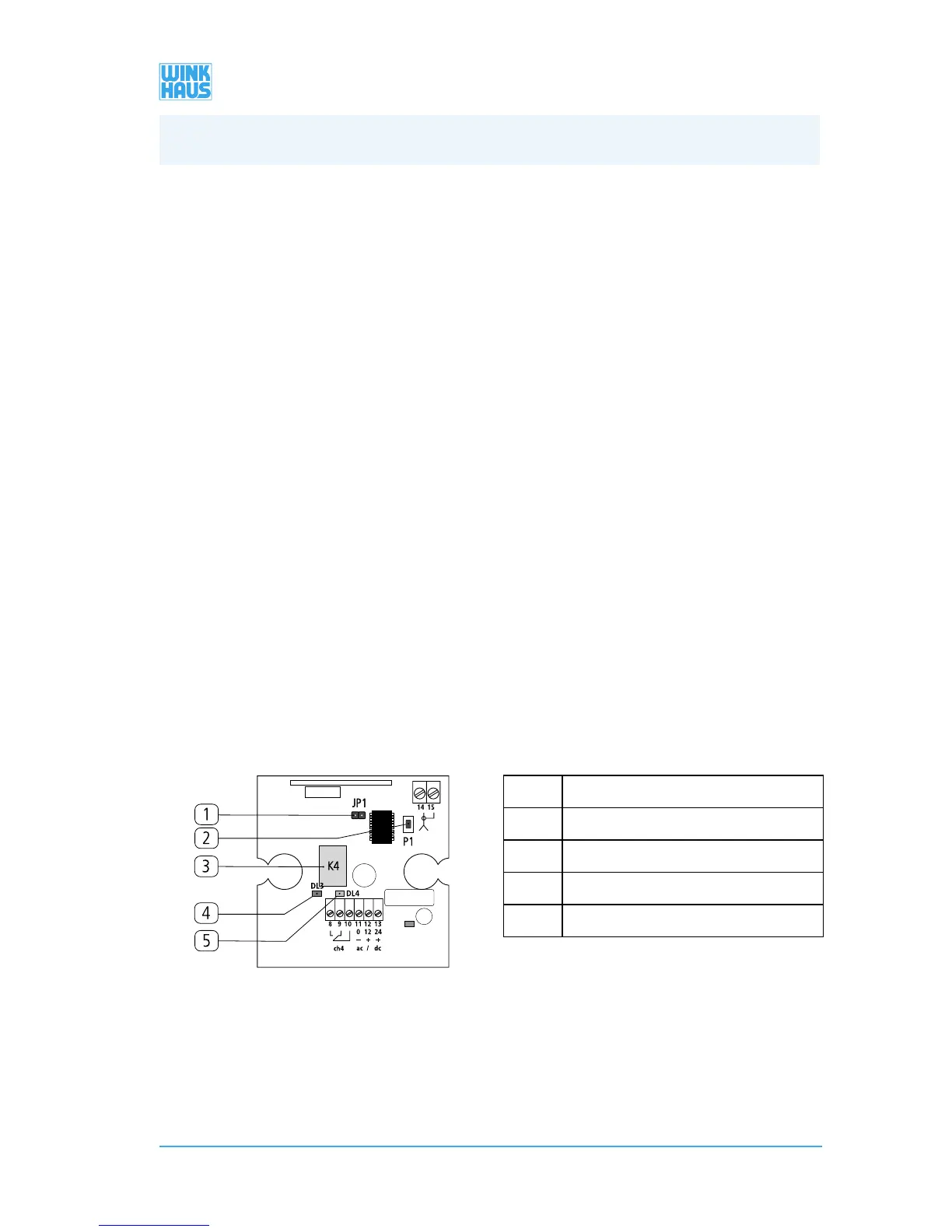
Teaching-in via the wireless receiver (item no.: 1231777)
[1] „JP1 jumper“
[2] „P1 key”
[3] „K4 relay ”
[4] „red LED”
[5] „green LED”
4. Operation/Programming


 To Next Page