4-5
SECTION 4 -
APPLIANCES AND SYSTEMS
1. Both the chassis engine and the generator
engine must be shut off and 120 Volt AC
shoreline unplugged.
2. An interior light should be turned on to
provide a small load which draws off the
battery surface charge.
Water Pump Switch
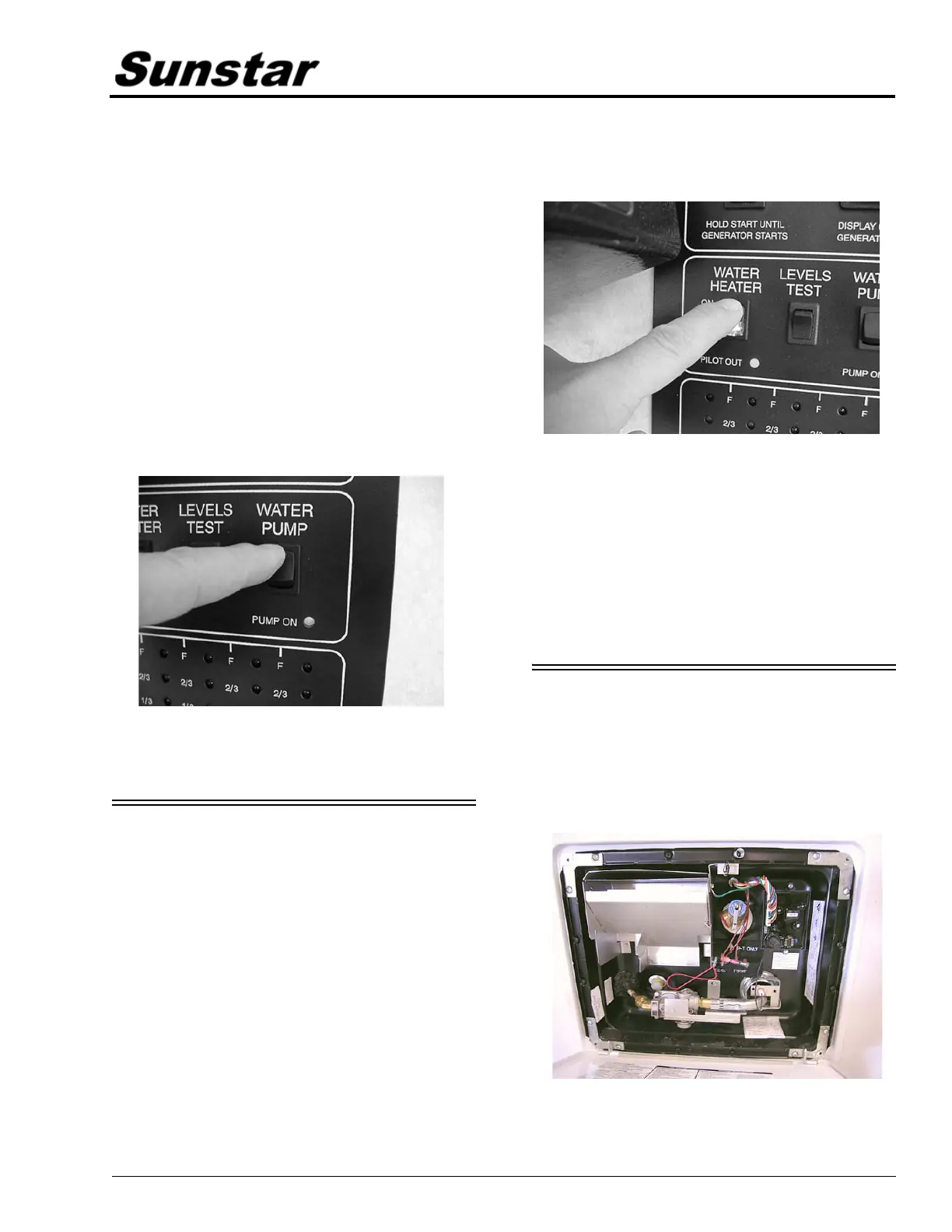
When use of the self-contained water system
is desired, turn the “Water Pump” switch on. The
“Pump On” light will illuminate when the pump
switch is on and the system is operable. Water
will be available as soon as a faucet is opened.
Refer to “Water Pump” for additional
information on the water pump and initial start-
up.
(Some models may also have a pump switch in the
water system compartment on the outside of the
coach.)
WATER HEATER – GAS
Read the Water Heater Operating Guide in
your InfoCase for complete safety warnings,
operating instructions and maintenance
information before operating the water heater.
Be sure the water heater is filled with water
before starting either electric or propane
operation.
To fill the water heater, turn the Water Pump
switch on and open a hot water faucet anywhere
in the coach. When water begins to flow steadily
from the faucet, the water heater is full.
Propane Gas Operation
• Press the Water Heater switch on the Monitor
Panel.
• The “Pilot Out” light will glow for about 10-
15 seconds, then it will go out. The “Heater
On” indicator will remain lit.
• If the “Pilot Out” light comes on during
propane operation, it means that the burner
has gone into “lockout” mode and must be
restarted. If this happens, turn the Water
Heater switch off for about 5 minutes, then
turn it back on.
PRESSURE-TEMPERATURE
RELIEF VALVE
On occasion, water may be seen seeping from
the water heater pressure temperature relief
valve. This is no cause for repair or replacement
of the valve.
Water Heater Exterior Service Access



 To Next Page