English | 4 | Software
26 | 89014484; Version 1 | Operating instructions MT Series
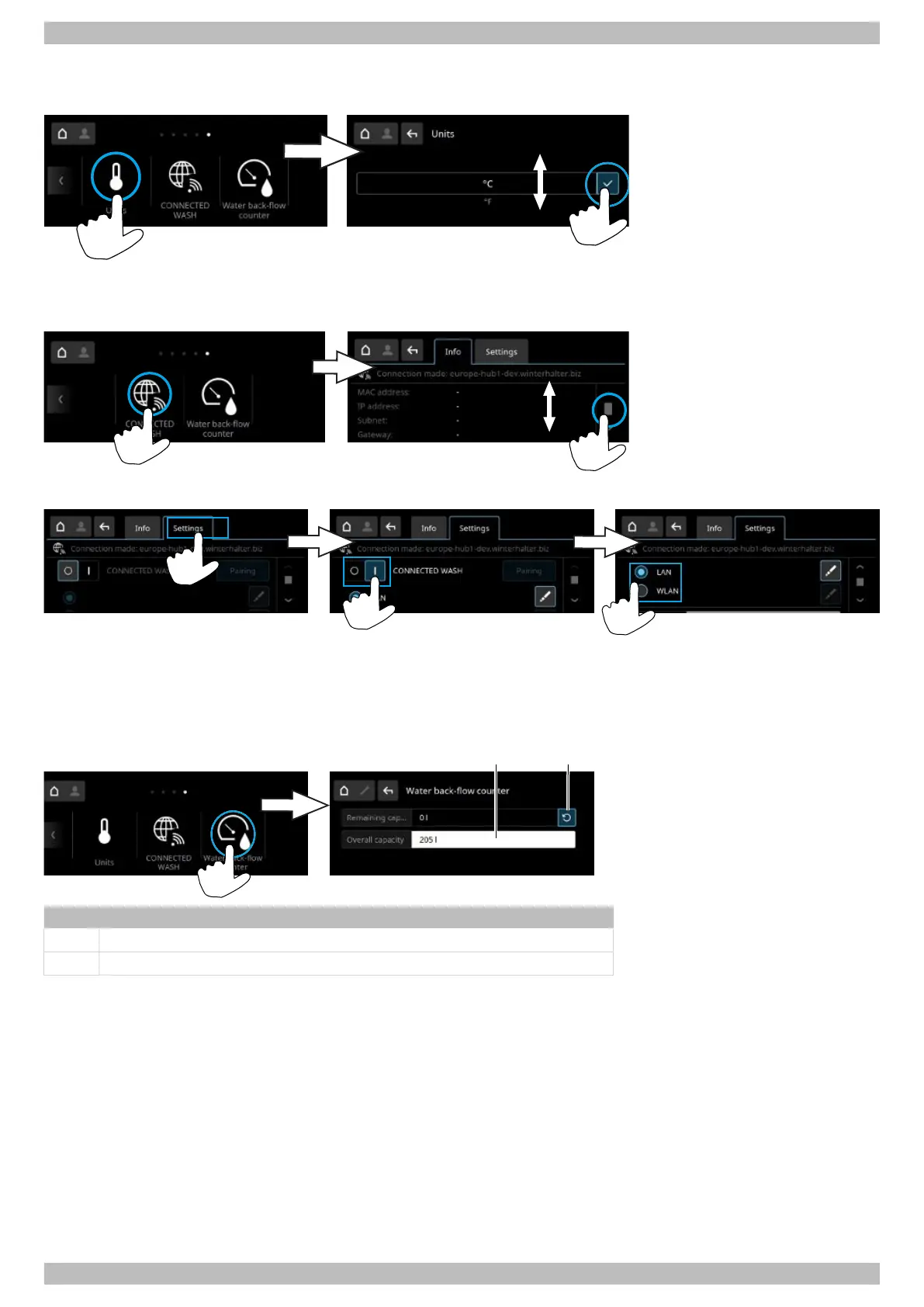
4.2.10 Units
In this menu the unit and temperature indicator are changed.
4.2.11 CONNECTED WASH
The link to the CONNECTED WASH system is configured in this menu.
Activating CONNECTED WASH
You will find detailed information and instructions on the website: www.connected-wash.com
4.2.12 Water back-flow counter
This menu is used to set the total capacity of an external water treatment system. If the external water treatment system
has been regenerated or replaced, the water countdown meter will need to be reset.
Item Description
1 Set the total capacity
2 Reset the water countdown meter




 To Next Page