English | 5 | Commissioning
30 | 89014484; Version 1 | Operating instructions MT Series
Connecting the mains cable
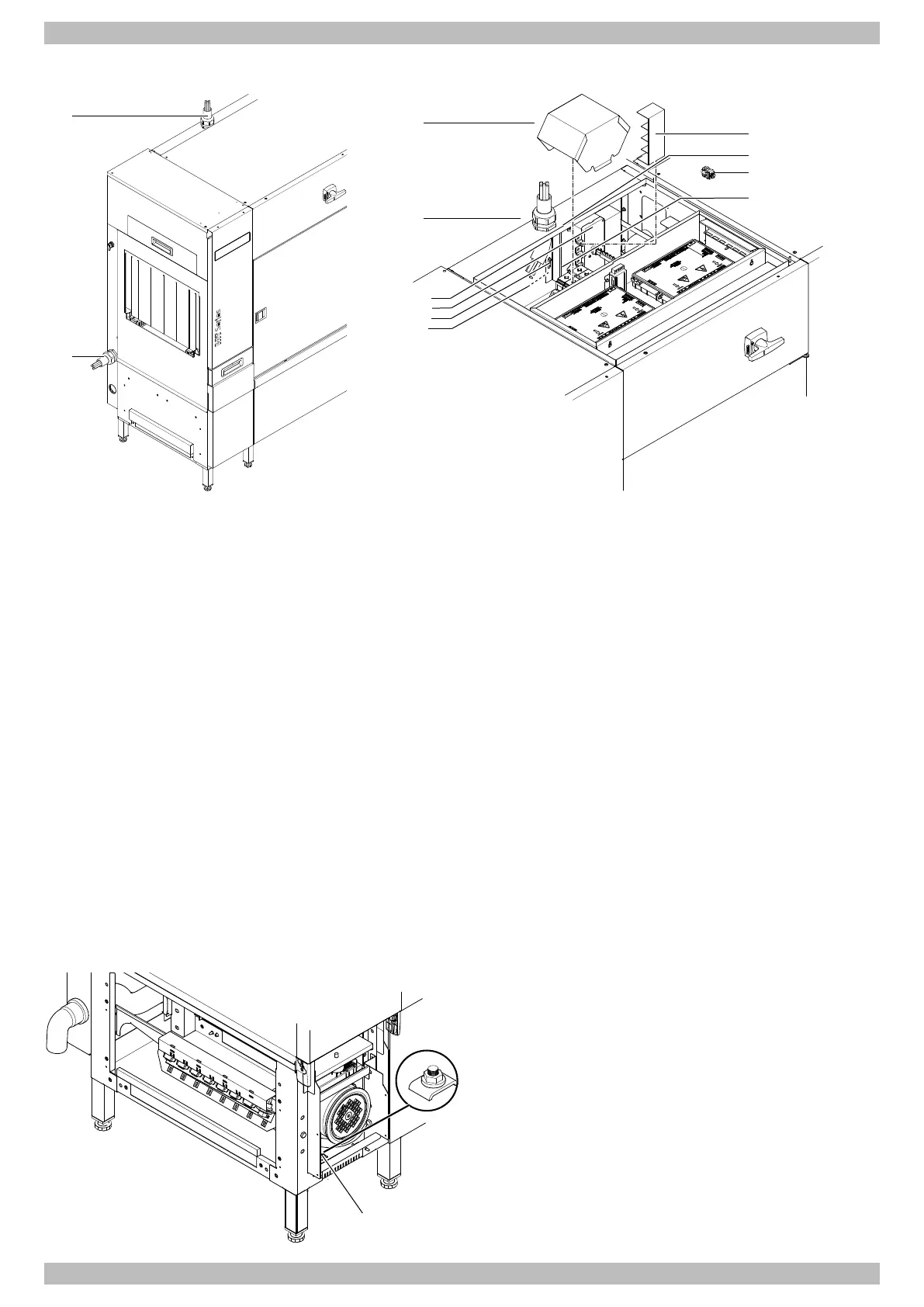
Ø Install at the desired position in the inlet zone or on the top of the warewasher cable gland (1).
Ø Remove the switch box cover of the last main wash zone.
Ø If a ClimatePlus heat pump is present, remove the electrical switch box.
Ø Remove the protective cap from the terminal block (2).
Ø Remove the cover (3) from the main switch.
Ø Feed the mains cable through the cable gland and tighten firmly.
Ø Feed the mains cable to the main switch in the last main wash zone.
Ø Attach tubular cable lugs to wires L1, L2, L3 and N and screw onto the main switch (4).
or
Attach wire end ferrules to stripped wire ends and screw onto the main switch (4) using a connection terminal (5).
Ø Attach the wire end ferrule to the stripped wire end of the PE cable and connect to the free connection in the terminal
block (6) (terminal on the rear panel on the rinse zone side).
Ø Check the phase sequence to ensure that the power supply is rotating clockwise as required.
Ø Fit the cover of the main switch.
Ø Fit the protective cap of the terminal block.
Ø Install the electrical switch box if using a ClimatePlus heat pump.
Ø Fit the switch box cover.
Note:If a three-phase mains supply (200V and 230V) is used without a neutral conductor (N), there is no blue
neutral conductor terminal.
Establishing equipotential bonding
Ø Connect the warewasher to the on-site equipotential
bonding system.
Ø See the drawing for the position of the connecting screw
(1).




 To Next Page