Operation | 6 | English
Operating instructions MT Series | 89014484; Version 1 | 35
Ø Wash light objects in a washing cage so that they are held in a stable position. Alternatively, cover the wash rack with
a second coarse mesh wash rack.
Starting the washing process
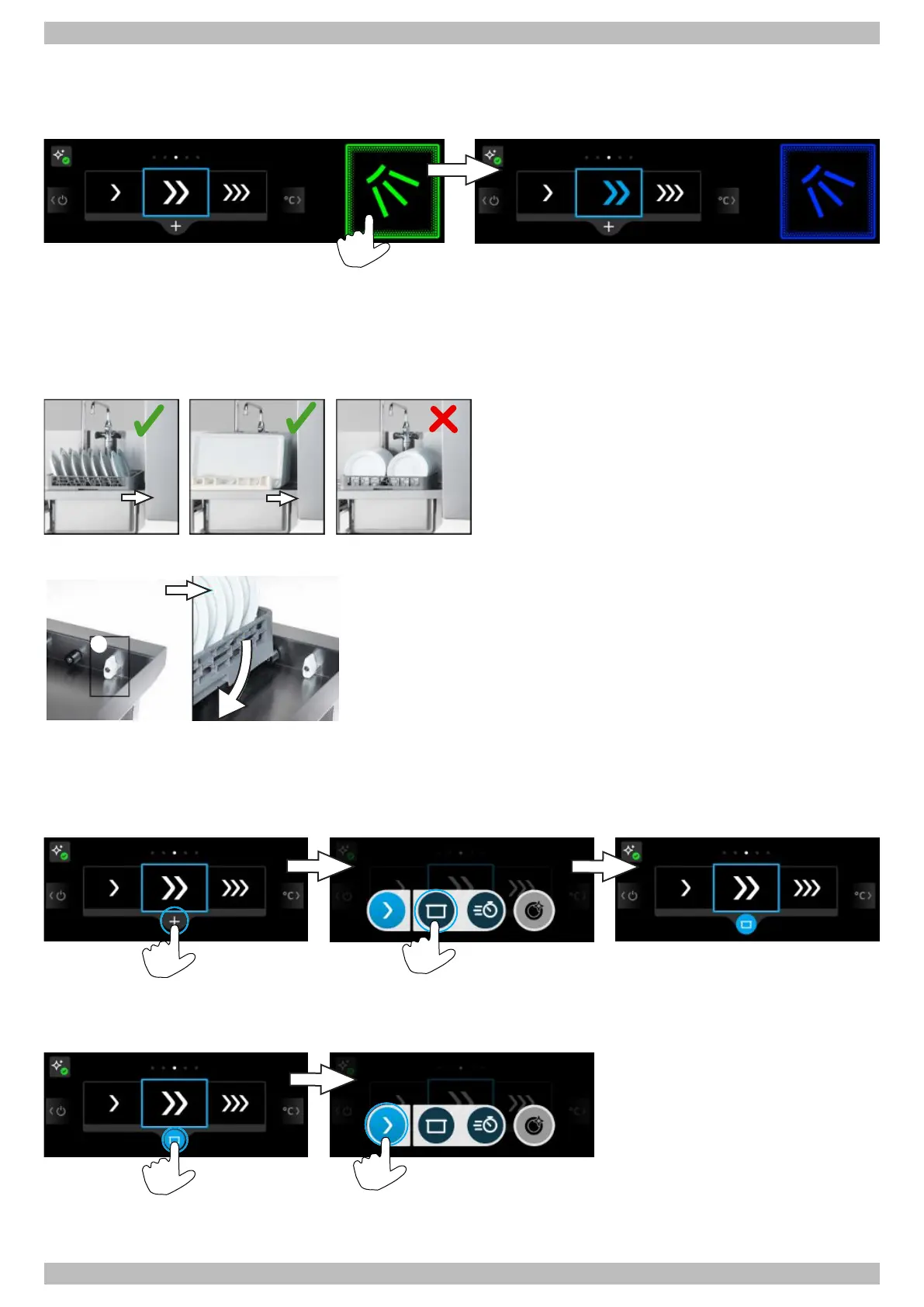
Ø Press the start button.
ð All zones and the rack conveyor are switched on.
ð The start button turns blue.
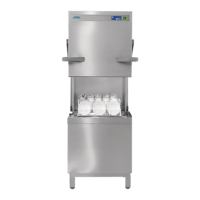
Ø Arrange the items on the wash rack correctly and push it into the warewasher.
Ø CAUTION!Crushing hazard! Do not reach into the area between the wash items and the warewasher housing.
Removing the wash racks from the outlet roller table
The table limit switch stops the rack conveyor to prevent the
drive from being blocked if the wash racks are not removed
from the outlet roller table.
Ø Remove the wash rack from the outlet roller table before
the table limit switch (a) is triggered.
Ø CAUTION!Crushing hazard! Do not reach into the area
between the wash items and the warewasher housing.
Stop washing process
Ø Press start button.
ð Start button turns green.
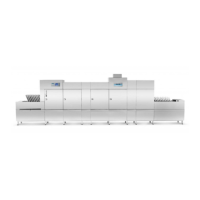
Activating alternative wash mode
The alternative wash mode stays active until it is deactivated, another wash mode is selected or the warewasher is
switched off.
Deactivating alternative wash mode
Wash breaks
Ø Do not switch the warewasher off during wash breaks.




 To Next Page