English | 8 | Cleaning and maintenance
42 | 89014484; Version 1 | Operating instructions MT Series
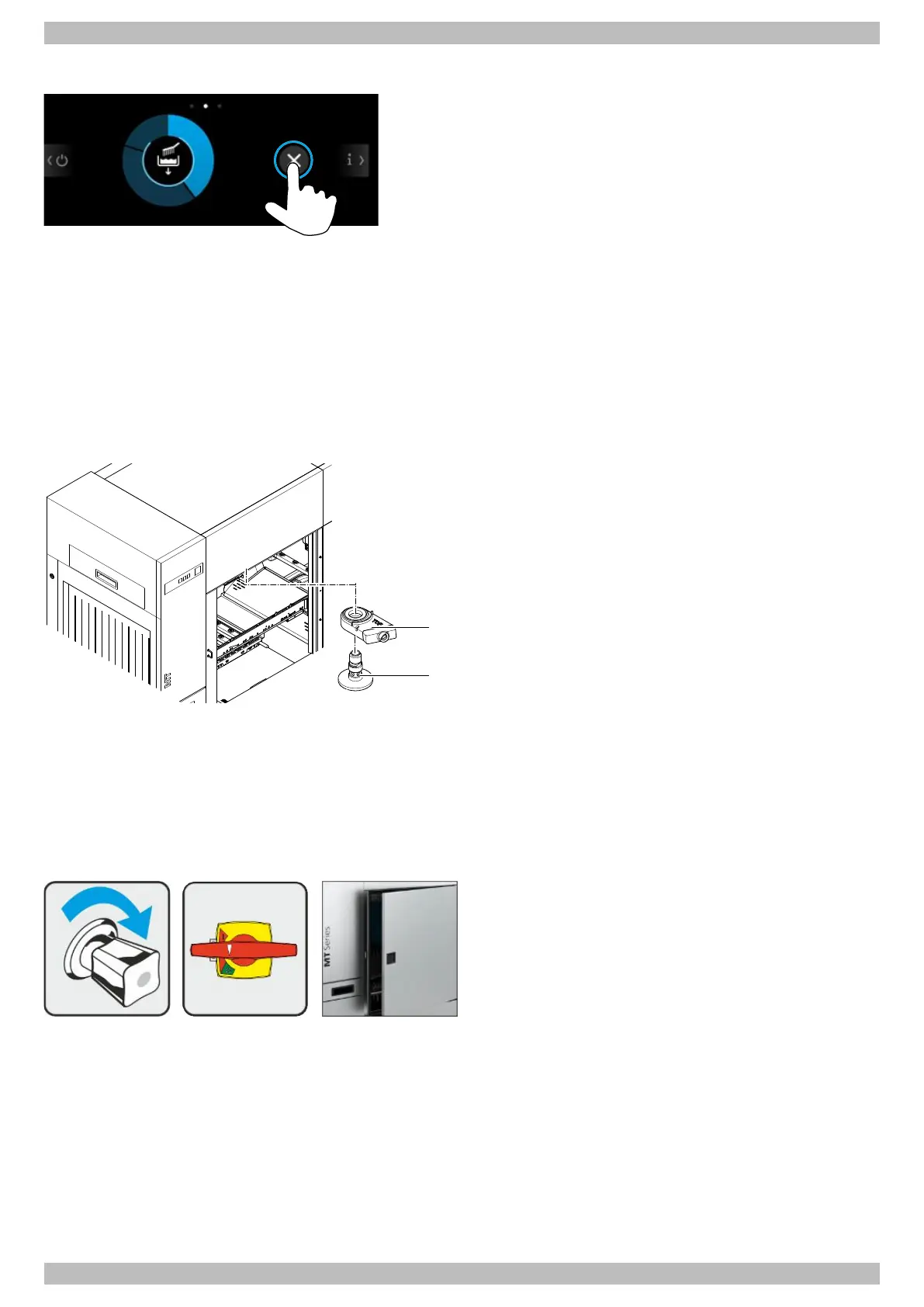
Cancelling the self-cleaning programme
Cleaning the warewasher interior
Make sure that there are no rusting foreign bodies inside the warewasher that could also cause stainless steel to rust.
Rust particles can come from non-rust-free wash items, from cleaning aids, damaged wire grate racks or from water pipes
that are not protected against rust.
To achieve an optimal wash result and to increase the service life of the warewasher, we recommend cleaning the interior
daily.
Ø Hose down the interior with a water hose.
Ø Remove dirt with a brush or cloth.
Cleaning the ceiling cleaning jet
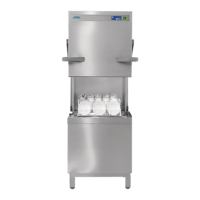
There is a ceiling cleaning jet in every zone.
Ø Remove the upper wash arm case.
Ø Unscrew the knurled screw (2).
Ø Remove the ceiling cleaning jet (1) and rinse it with wa-
ter.
Ø Ensure that the jet is free of blockages.
Ø Reinstall the ceiling cleaning jet.
Ø Ensure that the label reading TOP is facing upwards.
Cleaning the outside of the warewasher
Ø Do not spray the warewasher and the surrounding area (panels, floor) with a steam jet or high-pressure cleaner.
Ensure when cleaning the floor that the plinth of the warewasher is not flooded, to prevent an uncontrolled inflow of
water.
Ø Clean the display with a damp cloth.
Ø Clean the external surfaces using a stainless steel cleaner and stainless steel polish.
After cleaning
Ø Switch off the main switch (horizontal position).
Ø Note:Risk of damage to heat pump! The warewasher must not be switched off using the main switch. Switch off the
warewasher using the display and wait 15 seconds before switching off the main switch.




 To Next Page