48
WPS-100-DVR-4CH Installation and Users Manual
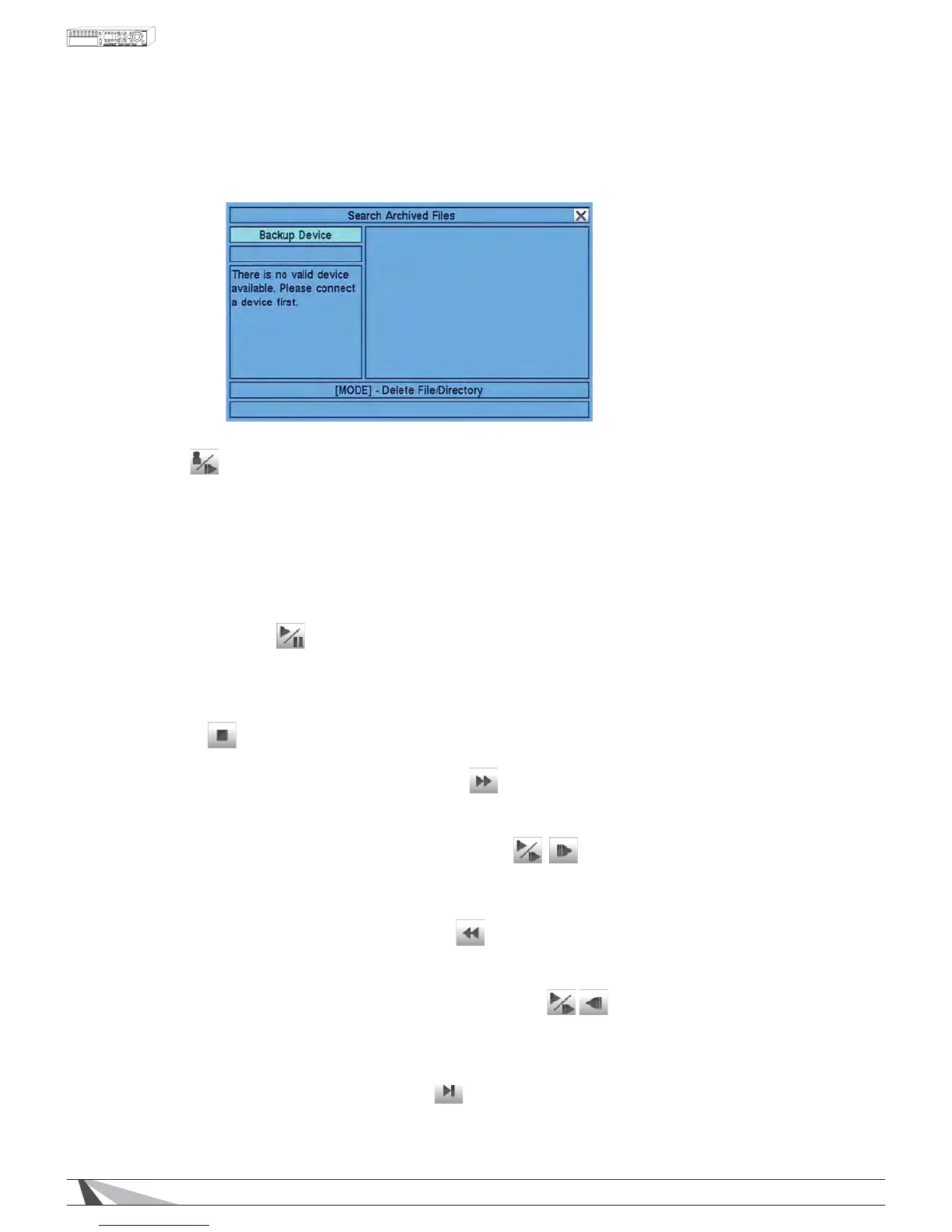
7.5 PLAYBACK SEARCH RESULTS
2QFHSOD\LQJEDFNYLGHRXVHWKHIROORZLQJFRQWUROVWRRSHUDWHDQGDUFKLYHthe video and audio:
To navigate and operate this menu:
MODE
Use the button on the remote control to toggle live and playback mode.
Playback mode is indicated by a red box around the camera title of the focus camera (the camera
EHLQJFRQWUROOHG,ILQDVSOLWZLQGRZGLVSOD\WKHIRFXVZLQGRZZLOOÀUVWVZLWFKWRSOD\EDFNPRGH$
second press of the MODE button will toggle additional windows to playback mode. Continue to press the
MODE button to return to live mode (indicated by a green box around the camera title of the focus
FDPHUD$OWHUQDWLYHO\XVHWKHPRXVHWRVHOHFWWKLVLFRQ
Refer to Section 4.3 Basic Operations for instructions on how to change the camera(s) in the playback
ZLQGRZV$IWHUWKHFDPHUDVDUHVHWXVHWKHIROORZLQJEXWWRQVWRFRQWUROWKHSOD\EDFN
3/$<3$86(ʇ,,
3UHVVWKLVEXWWRQRQWKHUHPRWHFRQWUROWRSOD\RUSDXVHWKHUHFRUGHGYLGHRDQGDXGLRDW;VSHHG
,IWKHSOD\EDFNLVSDXVHGSUHVVWKLVEXWWRQDJDLQWRUHVXPHSOD\EDFN
$OWHUQDWLYHO\XVHWKHPRXVHWRVHOHFWWKLVLFRQ$XGLRFDQRQO\EHSOD\HGDWIRUZDUGVSHHG;DQGZKHQ
the associated cameras is played back in a full window view.
6723ʄ)
Press this button on the remote control to stop playback of the recorded video and audio and return to Live video.
)$67)25:$5'ʇʇʇ215(027(&21752/
3UHVVWKLVEXWWRQIRUIDVWIRUZDUGSOD\EDFN(DFKWLPHWKLVEXWWRQLVSUHVVHGWKHIRUZDUGSOD\EDFNVSHHG
ZLOOLQFUHDVHLQVSHHGIURP;;;XSWR;DQGWKHQEDFNWR;
6/2:)25:$5'%877216(4215(027(&21752/
3UHVVWKLVEXWWRQRQWKHUHPRWHFRQWUROIRUVORZIRUZDUGSOD\EDFN(DFKWLPHWKLVEXWWRQLVSUHVVHGSOD\EDFNVSHHG
ZLOOLQFUHDVHLQVSHHGIURP;;;XSWR&DQGWKHQEDFNWR;$OWHUQDWLYHO\XVHWKHPRXVHWRVHOHFWWKHLFRQ
sequence using the Fast/Slow button to toggle the playback speed.
)$675(9(56(ʉʉʉ215(027(&21752/
3UHVVWKLVEXWWRQIRUIDVWUHYHUVHSOD\EDFN(DFKWLPHWKLVEXWWRQLVSUHVVHGWKHUHYHUVHSOD\EDFNVSHHG
ZLOOLQFUHDVHLQVSHHGIURP;;;XSWR;DQGWKHQEDFNWR;
6/2:%$&.:$5'%8772102'(215(027(&21752/
3UHVVWKLVEXWWRQRQWKHUHPRWHFRQWUROIRUVORZEDFNZDUGSOD\EDFN(DFKWLPHWKLVEXWWRQLVSUHVVHGSOD\EDFN
VSHHGZLOOLQFUHDVHLQVSHHGIURP;;;XSWR&DQGWKHQEDFNWR;$OWHUQDWLYHO\XVHWKHPRXVHWRVHOHFW
the icon sequence using the Fast/Slow button to toggle the playback speed.
6,1*/(67(3ʇ, ʈ215(027(&21752/
Press this button to play the recorded video frame by frame.


 To Next Page