49
WPS-100-DVR-4CH Installation and Users Manual
7.6 ARCHIVE (BACKUP) SEARCH RESULTS
Once playing back video from the Search RSWLRQXVHWKHIROORZLQJFRQWUROVWRDUFKLYHEDFNXS
the video and audio:
The following is a brief description for the operations in the Backup menu:
ʆʈʉʇ
Press these buttons on the remote control to select an item.
$OWHUQDWLYHO\XVHWKHPRXVHWRVHOHFWDQLWHP
&23< )
Press this button on the remote control to start the backup (copy) procedure. A Copy icon will be
displayed the lower-right corner of the Status Bar indicating that the selected video and audio is being
FRSLHGWRWKHVWRUDJHGHYLFH$OWHUQDWLYHO\XVHWKHPRXVHWRVHOHFWWKHCopy function.
6723ʄ)
Press this button on the remote control to stop copying and return to the previous display. The Copy icon
will disappear from the Status Bar$OWHUQDWLYHO\XVHWKHPRXVHWRVHOHFWWKHVWRSIXQFWLRQ
(6&
Press the ESC button on the remote control to escape from this menu and return to the Smart Search menu.
$OWHUQDWLYHO\XVHWKHPRXVHWRH[LWWKHVXEPHQXE\FOLFNLQJRQWKH´Xµ$QRWKHUPHWKRGWRHVFDSHLVWR
XVHWKHPRXVHWR´ULJKWFOLFNµDQGH[LWWKHVXEPHQX
%$&.83'(9,&(
Press the +/- buttons on the remote control to select the connected backup device.
$OWHUQDWLYHO\XVHWKHPRXVHWRVHOHFWWKHEDFNXSGHYLFH
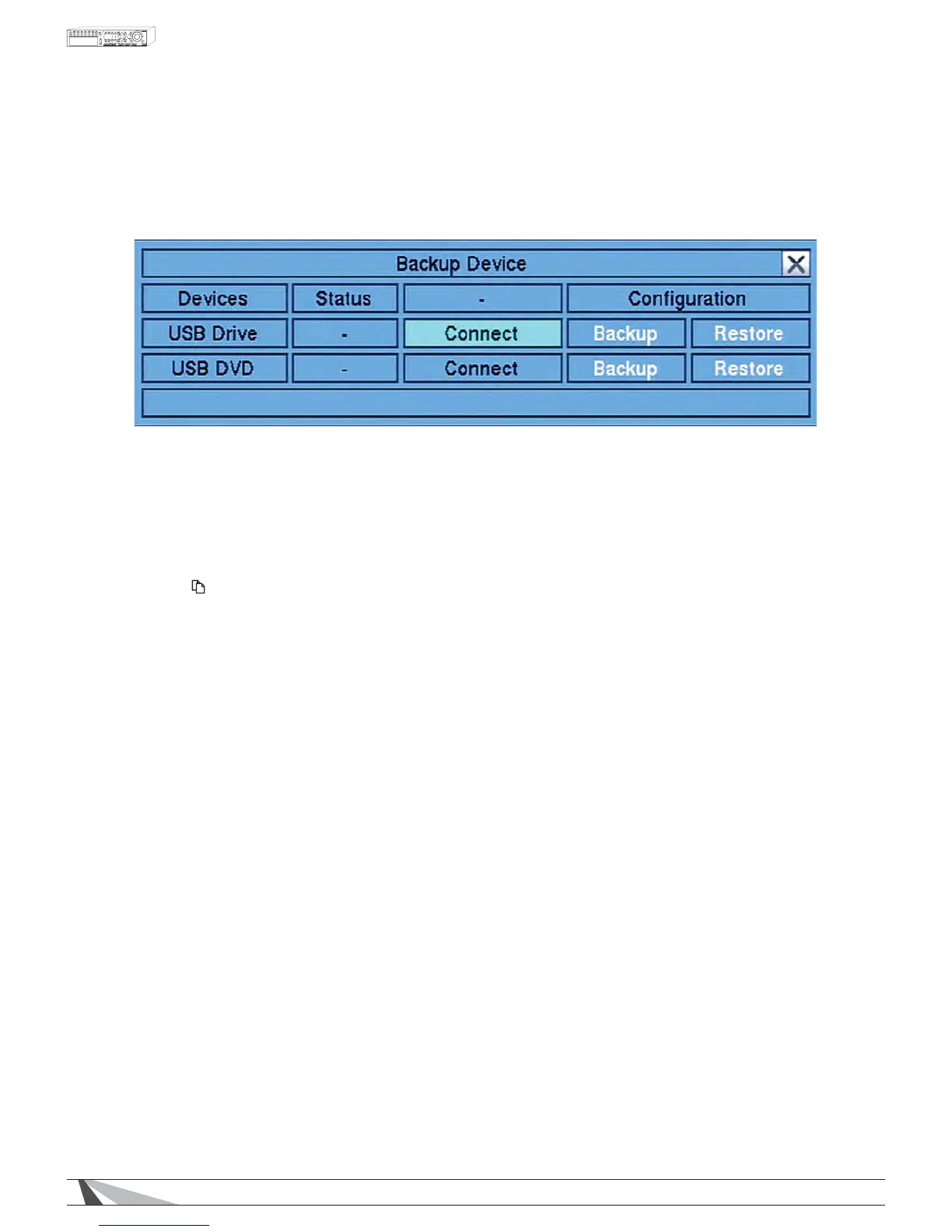
1RWH)ROORZWKHVWHSVGHVFULEHGLQSection 5.3 Backup Device to connect the backup device before
copying.
%$&.8363(('
Press the +/- buttons on the remote control to select a speed from 1-9 with 1 the lowest speed and 9 the
KLJKHVWVSHHG$OWHUQDWLYHO\XVHWKHPRXVHWRVHOHFWWKHEDFNXSVSHHG
',5(&725<
(QWHUWKHGLUHFWRU\WRVWRUHWKHEDFNXSÀOHV3OHDVHIROORZWKH7H[W,QSXWPHWKRGGHVFULEHGLQSection
4.1WRHQWHUWKHEDFNXSGLUHFWRU\$OWHUQDWLYHO\XVHWKHPRXVHDQGWKHSRSXSNH\ERDUGWRHQWHUWKH
directory.


 To Next Page