74
WPS-100-DVR-4CH Installation and Users Manual
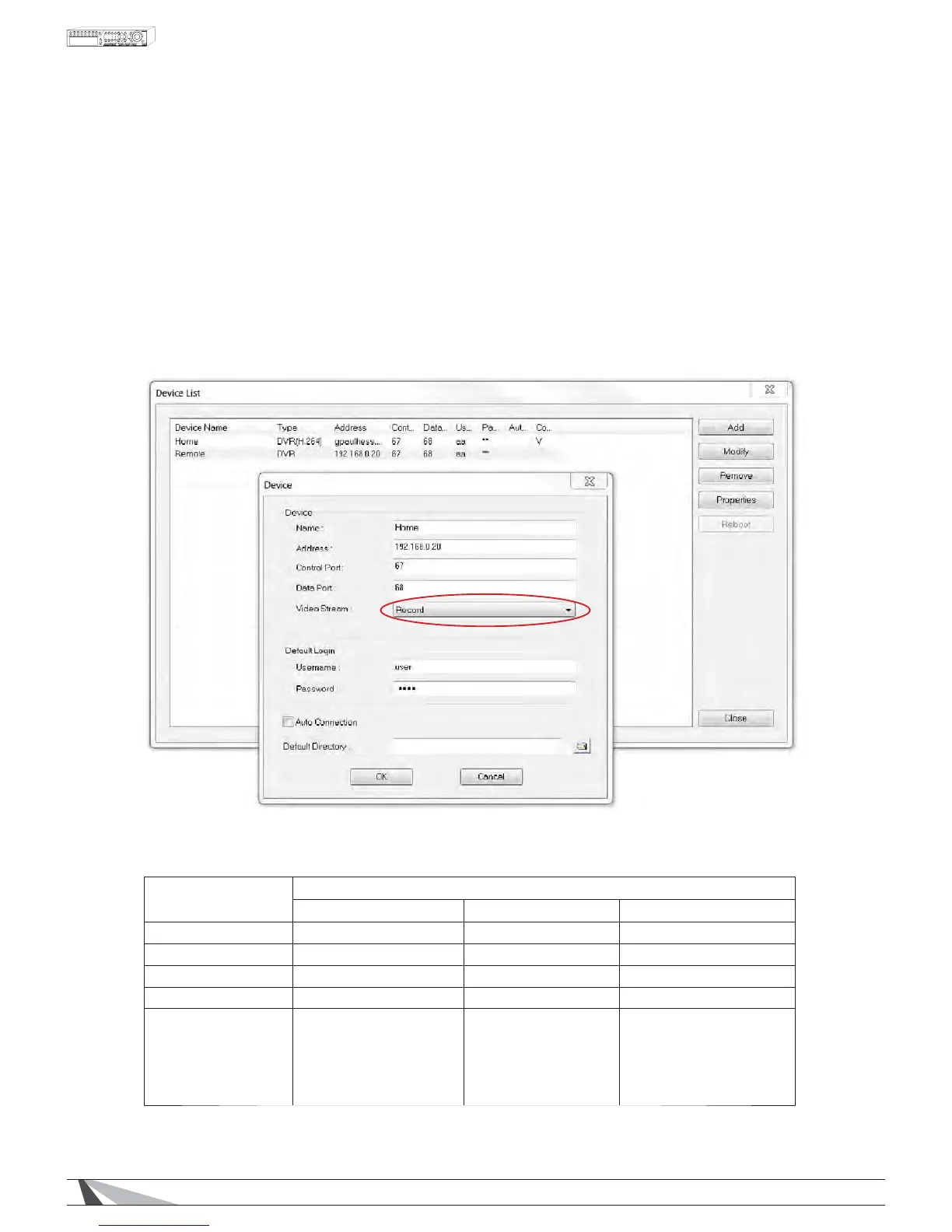
2. Adjust the Video Stream accordingly.
5(&25'
If RecordLVVHOHFWHGWKH3&ZLOOPDWFKWKH%HVW5(&5HVROXWLRQVHWWLQJIRXQGLQPre-Camera tab.
The RecordVHWWLQJZLWK&RPSUHVVLRQVHWWR1RUPDOVHHSection 9.3.4) delivers the best video performance
but requires the network to offer the necessary bandwidth capacity. See Section 9.3.4 for more information
on the Record setting.
(;75$
If Extra LVVHOHFWHGWKH3&ZLOOXVHWKHH[WUDQHWZRUNVWUHDP'XDO6WUHDPWRUHGXFHEDQGZLGWK
consumption and speed video delivery to the remote PC. In the Network tab select one of the four
QCIF options listed in Video Stream. See 9.3.3 for more information on the Video Stream setting.
RECOMMENDED SETTINGS:
Recommended Settings for typical networks
Fiber /Cable DSL / 3G Smartphone
Record Setting D1 D1 CIF
Compression Normal Normal Normal
Record Quality 9 5 1
Video Stream Record 4&,)6XSHUÀQH QCIF Fair
Notes For the best quality
video recording to the
DVR and streaming to
remote devices on a
high speed network
For high quality video
recording to the DVR
and smooth motion
steaming to medium
speed networks
)RUWKHPRVWHIÀFLHQW
use of hard drive space
and steaming to devices
on a slow network


 To Next Page