77
WPS-100-DVR-4CH Installation and Users Manual
6($5&+23(5$7,21
3/$<%$&.23(5$7,21
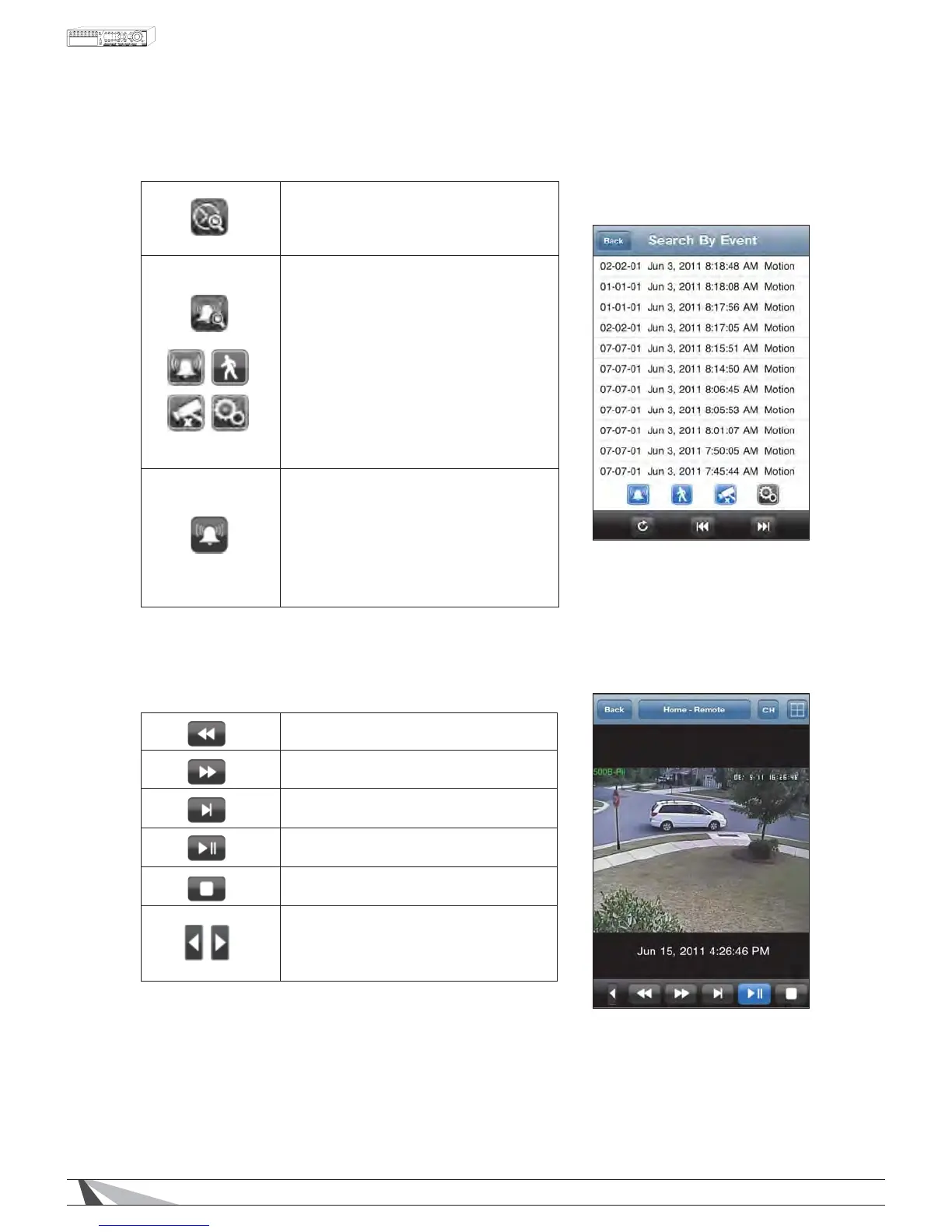
Search By Time - Select month-day-year-
hour-minute of the video to be viewed
and press to begin playback.
Search By Event – A chronological list of
events will be displayed beginning with
WKHPRVWUHFHQWHYHQWÀUVW8VHWKHFWD
and RWD icons to scroll to more pages
of this list. This search can be further
UHÀQHGE\ALARM, MOTION, VIDEO
LOSS and SYSTEM LOG events shown by
these four icons. Events of these types
can be hidden from view by toggling
the associated icon and selecting the
REFRESH button.
Alarm In/Out – This feature is not
available on WPS-100-DVR-4CH.
Fast Reverse
Fast Forward
Single Step
Play / Pause
Stop
Playback function menus are split
across two pages. Press these buttons
to scroll to the next function menu.


 To Next Page