EN-28
Withings Aura
v2.0 | July, 2015
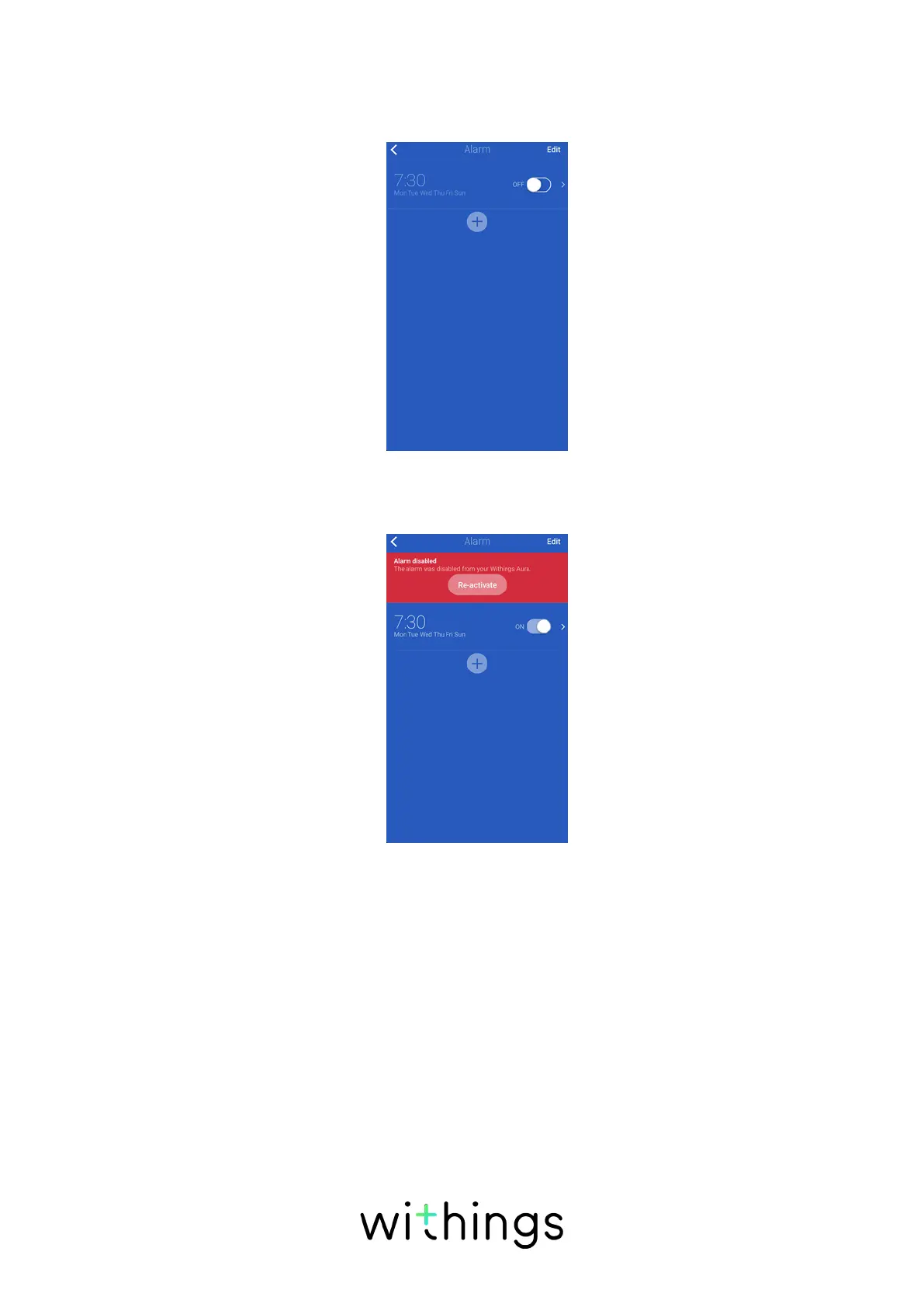
Enabling the Alarm from the Withings Health Mate
If your alarm is set but not enabled, you can enable it by tapping the
Withings Aura widget and tapping the slider of your alarm.
If all alarms have been disabled from the Connected Alarm Clock, tap Reactivate
from the Withings Aura widget.
Enabling the Alarm from the Connected Alarm Clock
Once you have set up your alarm from the Withings Health Mate app,
you can easily enable it from the Connected Alarm Clock if it has been
deactivated from there. To do so, touch and hold the right side of your
Connected Alarm Clock for two to three seconds. The word “ON” is displayed on
your Connected Alarm Clock and you retrieve the same alarm setup as before
the alarm deactivation. For example, if two alarms were deactivated in the
Withings Health Mate app and one was activated, you’ll go back to this setup.
Alarms that have been disabled from the Withings Health Mate app can only be
reactivated from the app.


 To Next Page