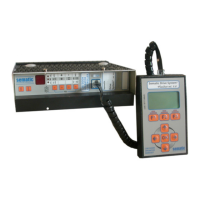
There is a fault if the State LED is blinking. The
faults can be read by WPT.
8.1 The door does not move
8.1.1 The door does not move at all
- Check that the power is ON. The POWER LED
must light up if D1 is connected and the circu-
it breaker in the elevator control panel is ON
- Check WATCHDOG LED, switch OFF/ON or repla-
ce electronic unit in case it always lights up or
blinks.
- Check that the motor and encoder wires are
connected correctly (plug X4 and X10) and the
motor is not overheated (<= 60° C).
- Check that the control panel is sending an Open
or Close command (I1-I2/X1, Led I1, I2).
- Check if there is too high friction if door is
moved manually. If the state LED flashes read
the faults by using WPT, switch ON/OFF.
- Check if the the open force limitation is deacti-
vated (S1/7 OFF).
8.1.2 The door does not open
- Check that the OPEN command LED I1 lits up
when an open command is present (I1/X1 low).
- Check that the CLOSE command LED I2 does
not light up (I2/X1 not low). A close command
overrides the open command.
- Check that the landing door lock is not jammed.
- Check if the open force limitation is active
(S1/7 ON) and the friction is too high.
8.1.3 The door does not close
- Check that the CLOSE command LED I2 lits up
or the Input I2/X1 is switched on COM.
- The closing force may be too low (or friction
too high). Turn CLOSE FORCE potentiometer
slightly clockwise to increase the closing force,
but watch the maximum allowed force!
8.1.4 The door only partly opens or closes
- Check that the open and close signal times
(LEDs I1, I2) from the elevator controller are
long enough. The door moves only as long as
command is set.
Door Drive
MIDI / SUPRA
Operating instructions
Blatt/
sheet
D823MGB.012
Datum/
date
01.03.2004
Stand/
version
B-18.12.2008
Geprüft/
approved
WAT/MZE
EXCELLENCE IN COMPONENTS
Änderungen vorbehalten! Subject to change without notice!
8 Troubleshooting



 To Next Page