Door Drive
MIDI / SUPRA
Operating instructions
Blatt/
sheet
D823MGB.019
Datum/
date
01.03.2004
Stand/
version
B-18.12.2008
Geprüft/
approved
WAT/MZE
EXCELLENCE IN COMPONENTS
Änderungen vorbehalten! Subject to change without notice!
Valid for software revision starting from
„WHD SUPRA Vx.x, dd.mm.jjjj“
11.1 Introduction
The WHD- MIDI / SUPRA-electronic is equipped
with a serial communication interface RS 485 to
watch/modify data stored in the electronic. Some
data (for example the speed values) are stored in a
memory which is independent from power supply,
this memory is called EEPROM. For use of the
Wittur programming Tool see Operating instruc-
tions D276Mxx.
Wrong adjustments may damage the door
mechanic.
11.2 Connecting the
Wittur Programming Tool
to the WHD SUPRA-electronic
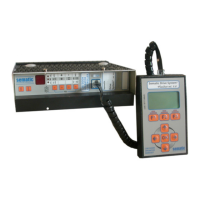
The Programming Tool can be connected directly
to the WHD MIDI / SUPRA board at the plug X8,
there are no further adjustments are neccessary.
Switch off the WPT before conecting to door drive.
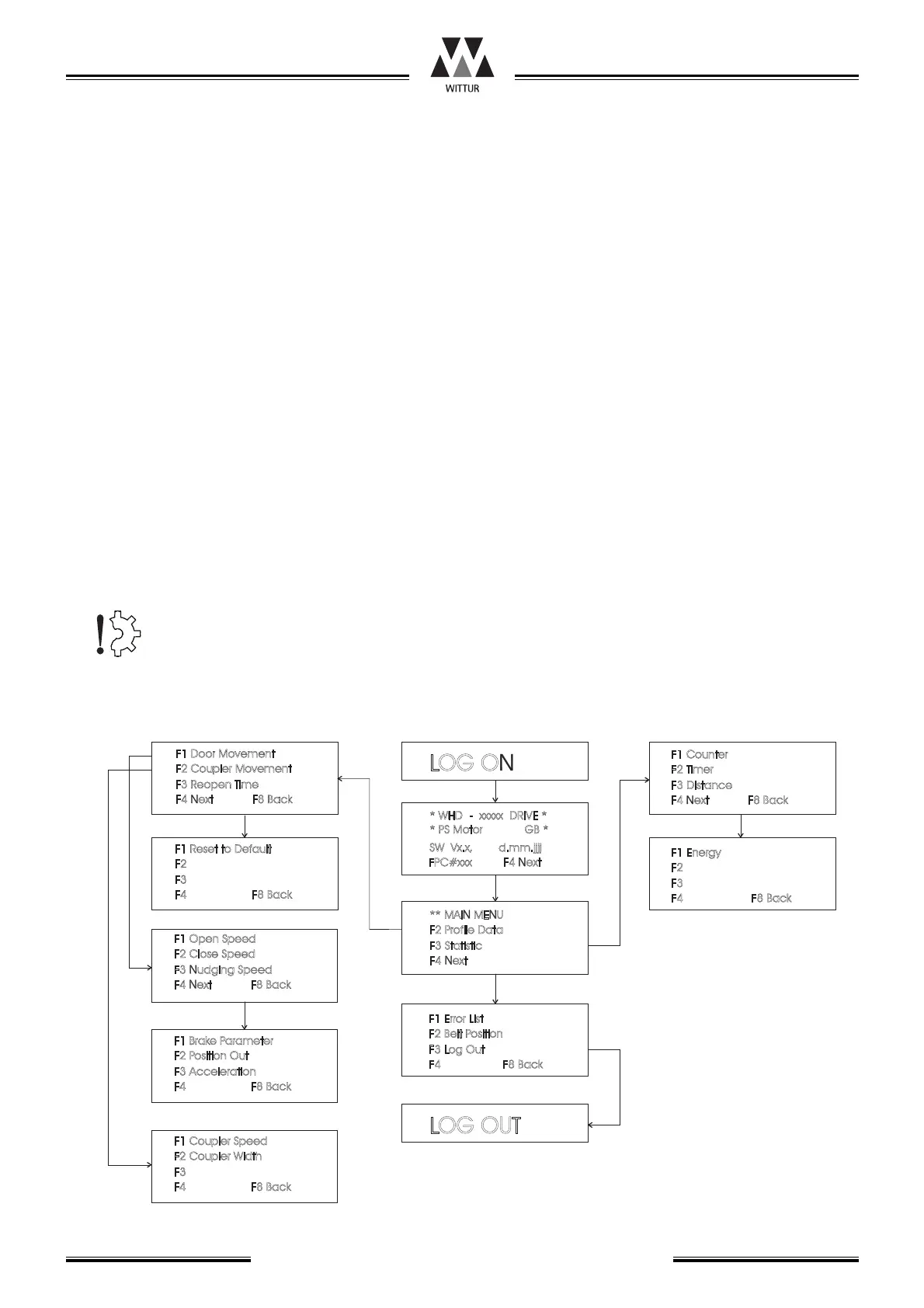
11 Wittur Programming Tool Interface Software description
LOGON
LOGOUT
F1DoorMovement
F2CouplerMovement
F3ReopenTime
F4NextF8Back
**MAINMENU
F1ErrorList
F2ProfileData
F2BeltPosition
F3Statistic
F3LogOut
F4Next
F4F8Back
F1BrakeParameter
F1CouplerSpeed
F1Energy
F2PositionOut
F2CouplerWidth
F2
F3Acceleration
F3
F3
F4F8Back
F4F8Back
F4F8Back
F1OpenSpeed
F1Counter
F2CloseSpeed
F2Timer
F3NudgingSpeed
F3Distance
F4NextF8Back
F4NextF8Back
*WHD-xxxxxDRIVE*
SWVx.x,d.mm.jjjj
*PSMotorGB*
FPC#xxx
F4Next
11.4.2
11.4.2
11.4.3
11.4.6
11.4.7
11.4.1
11.4.1
11.4.1
11.4.8
11.4.4
11.4.5
F1ResettoDefault
F2
F3
F4F8Back



 To Next Page