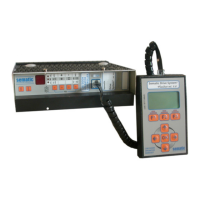
Door Drive
MIDI / SUPRA
Operating instructions
Blatt/
sheet
D823MGB.014
Datum/
date
01.03.2004
Stand/
version
B-18.12.2008
Geprüft/
approved
WAT/FLE
EXCELLENCE IN COMPONENTS
Änderungen vorbehalten! Subject to change without notice!
8.5 Reset of coupler width
If the coupler parameter must be reset (e.g. remo-
ve or change of coupler system......) continue like
described below:
Before “Reset of coupler width” is done, do prepa-
ration for learning described in paragraph 9.1,
item 3 and 4 page 15 (manual closing of door
panels, but don’t close coupler vanes!).
By pressing the learn button for at least 10
seconds (until State LED flashes fast) the coupler
width is cleared and a new learning is started.
After resetting the coupler width, continue with
start-up procedure like described in paragraph 9.2
“Learning of door parameter” starting with item 2.
8.6 Reset of all door parameters
(this function can be activated by service
tool only, see item “11.4.2.2 Reset to
default)
If the door parameter must be reset to default
(e.g. change of electronic from one door to anot-
her, removing or changing of coupler system.....)
continue like described below:
Before “reset to default” is done, do preparation
for learning, described in paragraph 9.1, item 3
and 4 page 15 (manual closing of door panels, but
don’t close coupler vanes!).
By pressing the LEARN button for at least 10
seconds (until State LED flashes fast) parameter
coupler width is cleared and new learn cycle is
started.
After resetting the door parameter, continue with
start-up procedure like described in paragraph 9.2
“Learning of door parameter” starting with item 2.



 To Next Page