Door Drive
MIDI / SUPRA
Operating instructions
Blatt/
sheet
D823MGB.016
Datum/
date
01.03.2004
Stand/
version
B-18.12.2008
Geprüft/
approved
WAT/FLE
EXCELLENCE IN COMPONENTS
Änderungen vorbehalten! Subject to change without notice!
9.2 Learning of door parameter
1 Switch power on.
Press the LEARN button for about
1 second IMMEDIATELY after
power up.
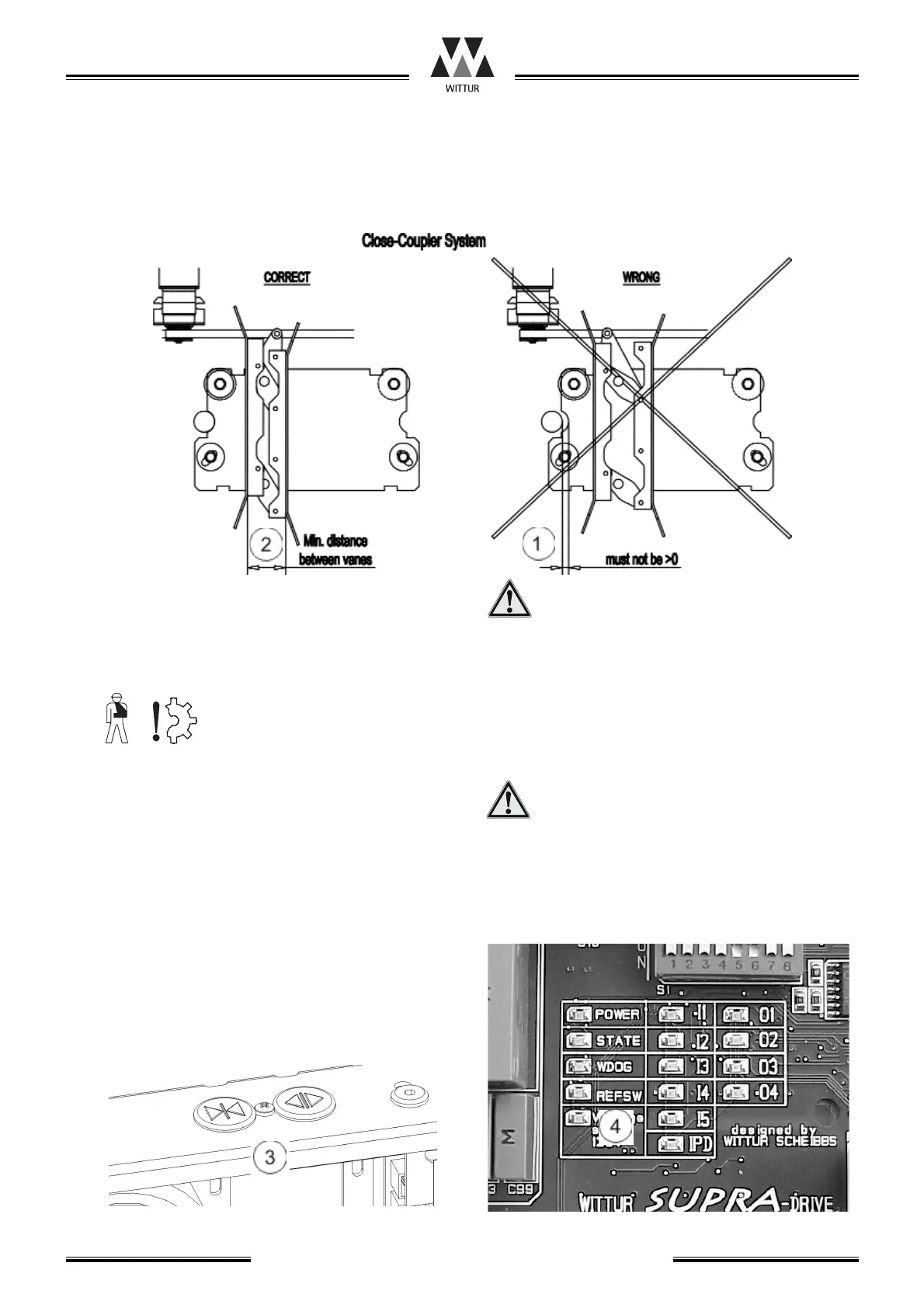
2 Now the door must be driven in close direction
by Test Drive Button (3).
3 The door might now run in wrong direction in
respect to command. Use that test drive button
which drives the door in close direction and
drive until door panels are fully closed (REF
SWITCH LED (4) must be on).
4 If the motor was running in wrong direction the
electronic corrects the motor rotation direction
when the reference switch edge is detected and
learning procedure is re-initialized.
Is no reference switch available the direc-
tion of the motor rotation has to be chan-
ged by pressing the Learn button twice
then continue with item 2.
5 During the next door movement cycles the
learning of door width is done. When the STATE
LED is off --> learning done.
Take care that the commands are available
in end positions for more than one second,
that the electronic has time enough to
detect the mechanical end position.
6 The parameters are stored automatically after
learning procedure.



 To Next Page