27 VoIPNetworkServicesGmbH,Justus‐von‐Liebig‐Str.26,31535Neustadt
1) Basic
Set the basic information provided by your VOIP Service Provider, such as Phone Number,
Account, password, SIP Proxy and so on.
Field Name Description
Line Enable If or not enable the line.
Peer To Peer If or not enable PEER to PEER.
If enable, SIP-1 will not send register request to SIP server;
but in Status/ SIP Account Status webpage, Status is
Registered; lines 1 can dial out, but the external line
number cannot dialed line1.
Proxy Server The IP address or the domain of SIP Server
Outbound Server The IP address or the domain of Outbound Server
Backup Outbound Server The IP address or the domain of Backup Outbound Server
Proxy port SIP Service port, default is 5060
Outbound Port Outbound Proxy’s Service port, default is 5060
Backup Outbound Port Backup Outbound Proxy’s Service port, default is 5060
Display Name The number will be displayed on LCD
Phone Number Enter telephone number provided by SIP Proxy
Account Enter SIP account provided by SIP Proxy
Password Enter SIP password provided by SIP Proxy
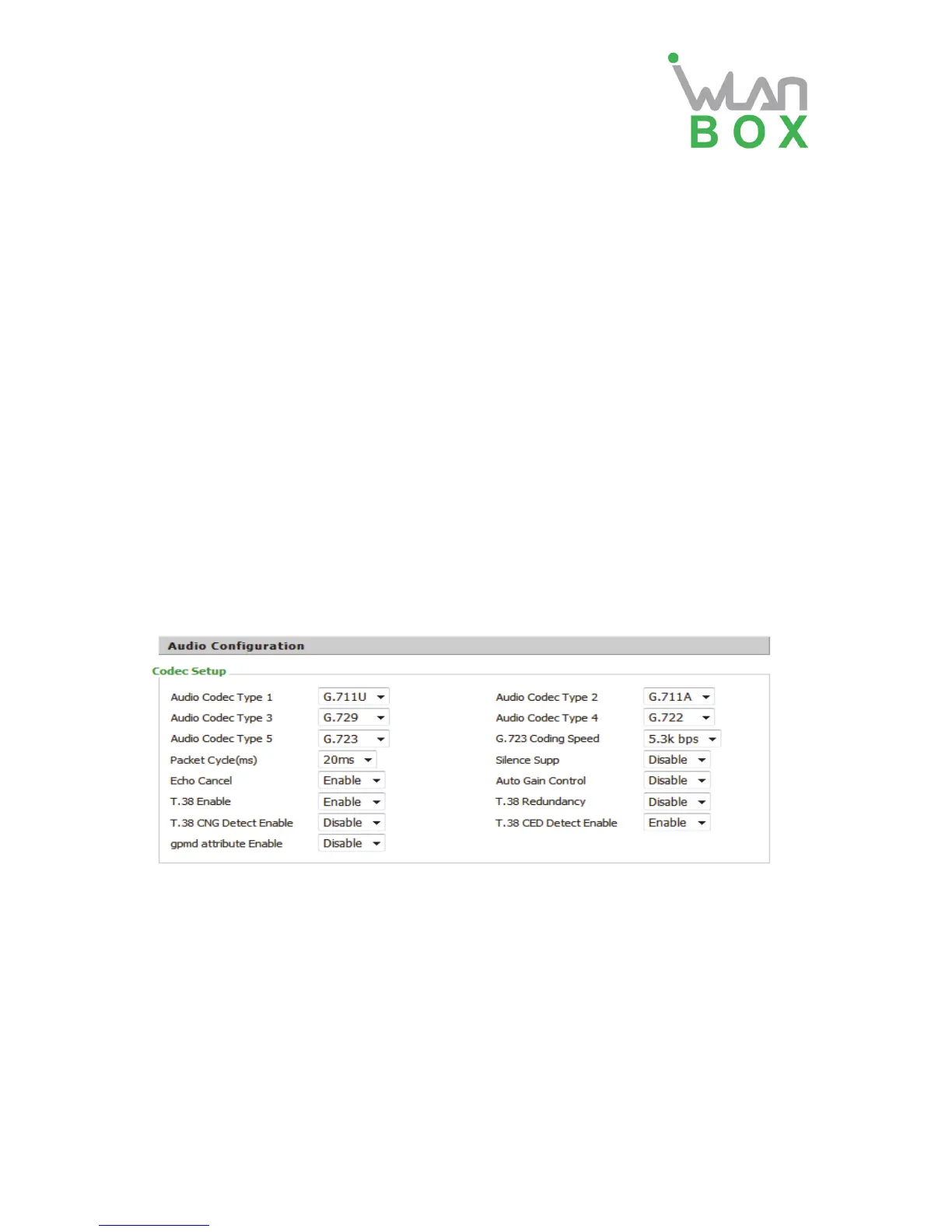
2) Audio Configuration
Field Name Description
Audio Codec Type1 Choose the audio codec type from G.711U, G.711A,
G.722, G.729, G.723
Audio Codec Type2 Choose the audio codec type from G.711U, G.711A,
G.722, G.729, G.723
Audio Codec Type3 Choose the audio codec type from G.711U, G.711A,
G.722, G.729, G.723
Audio Codec Type4 Choose the audio codec type from G.711U, G.711A,
G.722, G.729, G.723
Audio Codec Type5 Choose the audio codec type from G.711U, G.711A,
G.722, G.729, G.723
G.723 Coding Speed Choose the speed of G.723 from 5.3kbps and 6.3kbps
Packet Cycle The RTP packet cycle time, default is 20ms


 To Next Page