44 VoIPNetworkServicesGmbH,Justus‐von‐Liebig‐Str.26,31535Neustadt
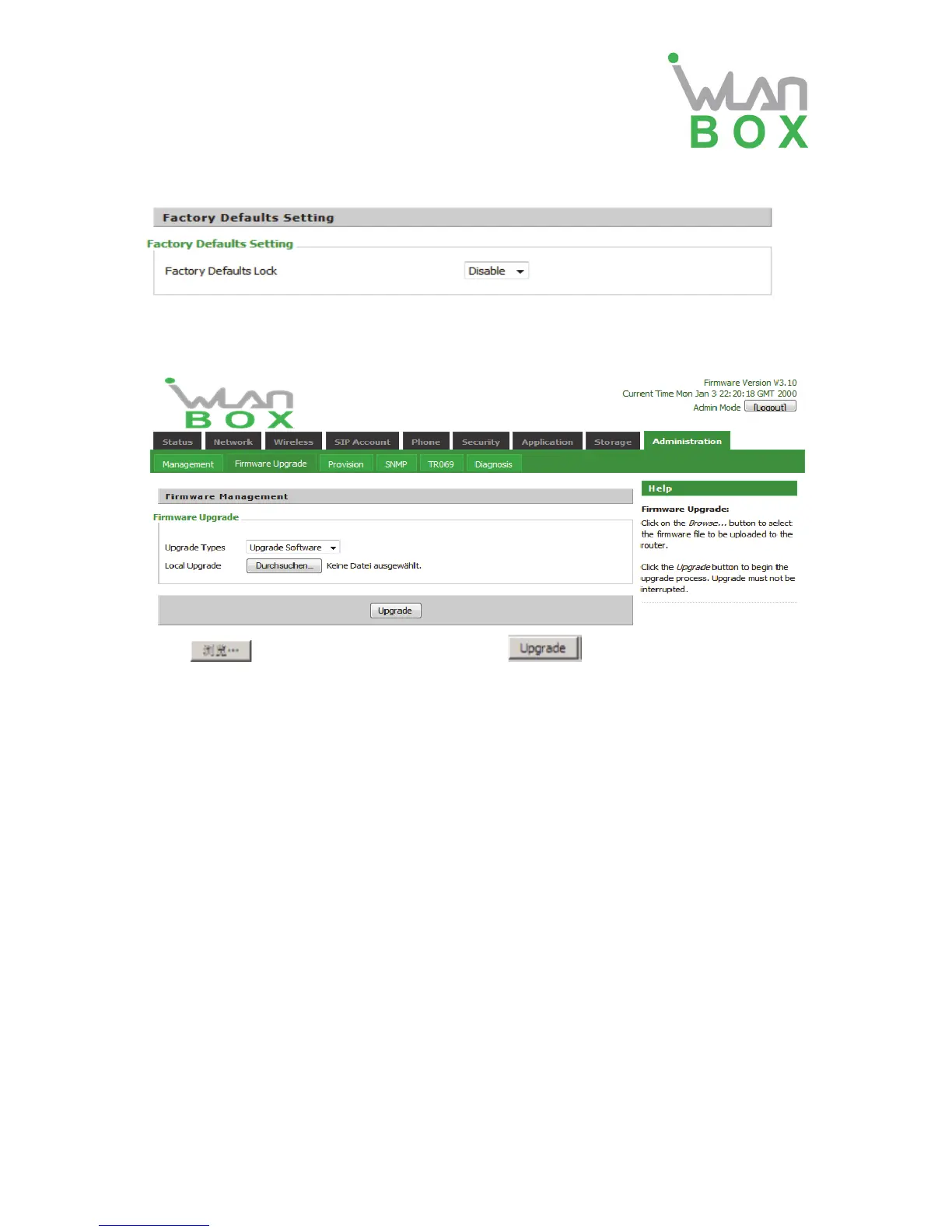
7) Factory settings
Click Factory Default to restore the residential gateway to factory settings.
4.7.2 Firmware Upgrade
Press to select the firmware file and press to upgrade the firmware.
4.7.3 Provision
Provisioning allows WB100A auto-upgrading and auto-configuring, this device support TFTP,
HTTP and HTTPs three ways.
Before testing or using TFTP, user should have tftp server and upgrading file and
configuring file.
Before testing or using HTTP, user should have http server and upgrading file and
configuring file.
Before testing or using HTTPS, user should have https server and upgrading file and
configuring file and CA Certificate file(should same as https server’s) and Client
Certificate file and Private key file(HTTPS provision will be supported soon)
User can uploading CA Certificate file and Client Certificate file and Private Key file in Security
page.


 To Next Page