30 VoIPNetworkServicesGmbH,Justus‐von‐Liebig‐Str.26,31535Neustadt
Primary SER Detect Interval Test interval of the primary server, the default value is 0, it
represents disable.
Max Detect Fail Count Interval of detection of the primary server fail; the default
value is 3, it means that if detect 3 times fail; the device will
no longer detect the primary server.
Keep-alive Interval (10-60s) The interval that the device will send an empty packet to
proxy.
Anonymous Call If or not enable anonymous call.
Anonymous Call Block If or not enable anonymous call block.
Proxy DNS Type Set the DNS server type, choose from A type and DNS
SRV.
Use OB Proxy In Dialog If or not use OB Proxy In Dialog.
Reg Subscribe Enable If enable, subscribing will be sent after registration
message, if not enable, do not send subscription.
Dial Prefix The number will be added before your telephone number
when making calls.
User Type Choose the User Type from IP and Phone.
Hold Method Choose the Hold Method from ReINVITE and INFO.
Request-URI User Check If or not enable the user request URI check.
Only Recv request from server If or not enable the only receive request from server.
Server Address The IP address of SIP server.
SIP Received Detection If or not enable SIP Received Detection, if enable, use it to
confirm the public network address of the device.
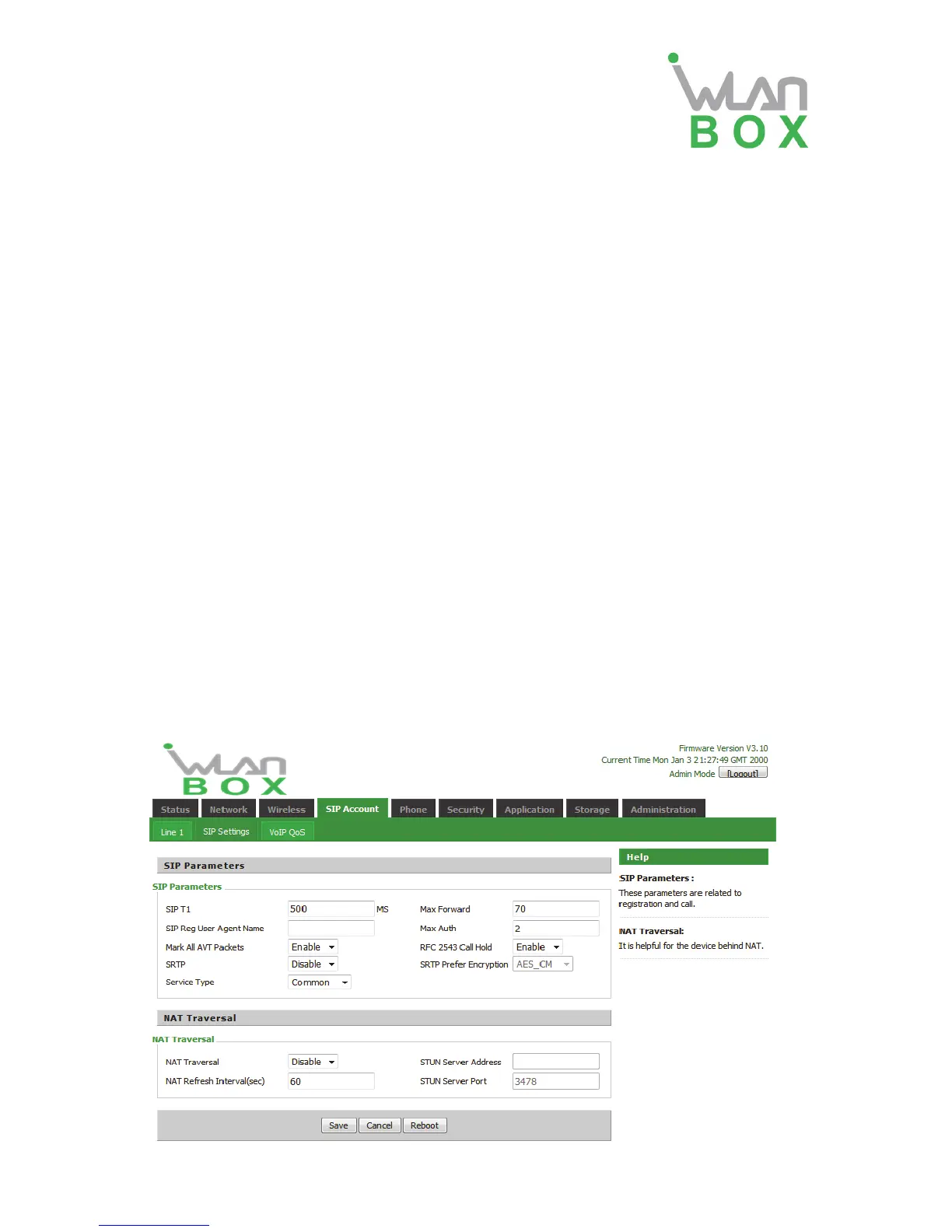
4.4.2 SIP setting
1) SIP Parameters:


 To Next Page