37 VoIPNetworkServicesGmbH,Justus‐von‐Liebig‐Str.26,31535Neustadt
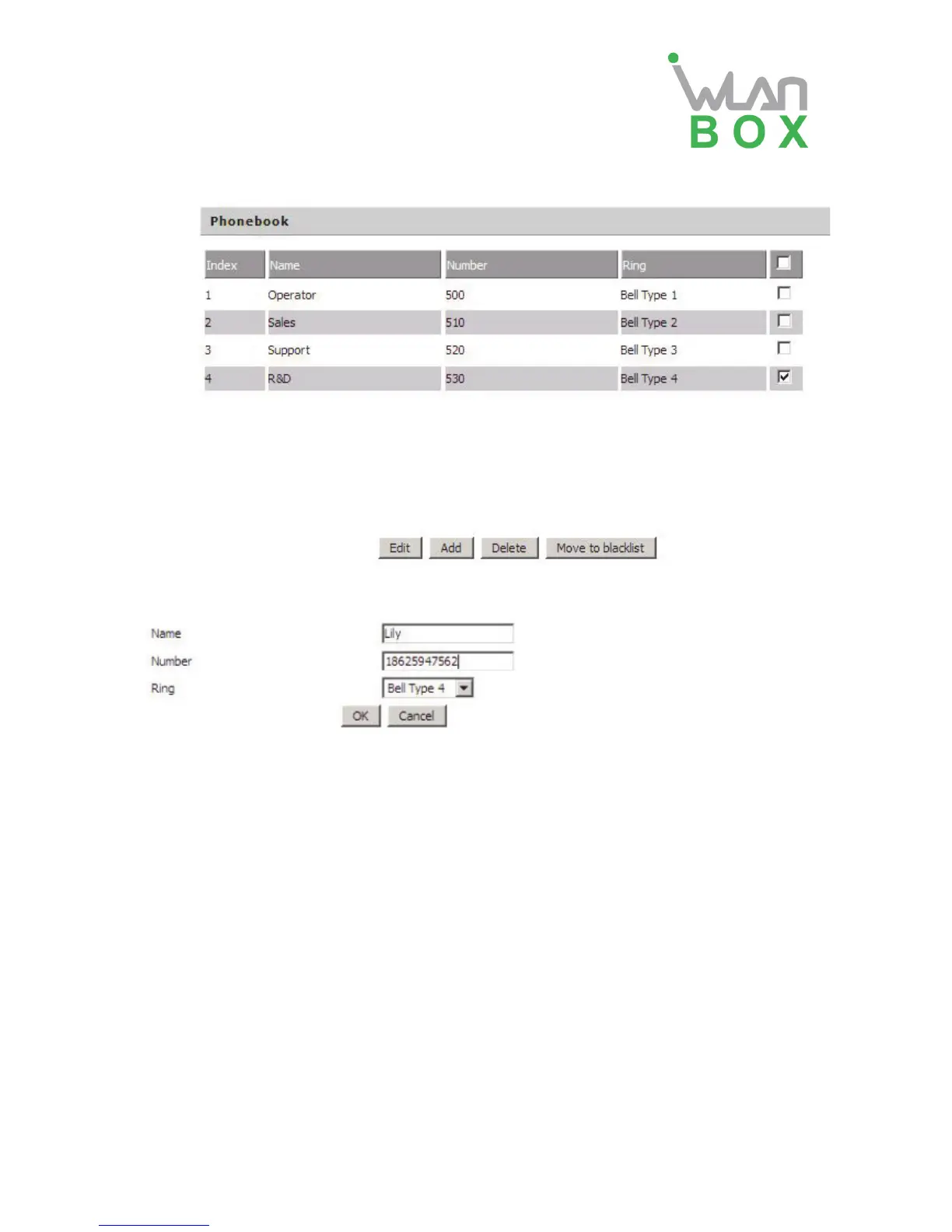
3) Phonebook
Select one contact, click Edit to edit it, click Delete to delete, and click Move to blacklist to move
the contact to blacklist.
Click Add, user can add one new contact, as the upon picture, enter the contact name and phone
number, and select one ring tone, there are ten kinds of different ring tones to choose, click OK to
confirm and click Cancel to cancel.


 To Next Page