42 VoIPNetworkServicesGmbH,Justus‐von‐Liebig‐Str.26,31535Neustadt
Field Name Description
User type Choose the user type from admin user and normal user and basic
user.
New User Name You can modify the user name, set up a new user name
New Password Input the new password
Confirm Password Input the new password again
Language Select the language for the web, the device support Chinese,
English, and Spanish and so on.
Remote Web Login If or not enable remote Web login
Web Port Set the port value which is used to login from Internet port and PC
port, default is 80.
Web Idle timeout Set the Web Idle timeout time. The webpage can be logged out
after Web Idle Timeout without any operation.
Allowed Remote IP Set the IP which can login the device remotely.
Remote Telnet If or not enable remote telnet login
Telnet Port Set the port value which is used to telnet the device.
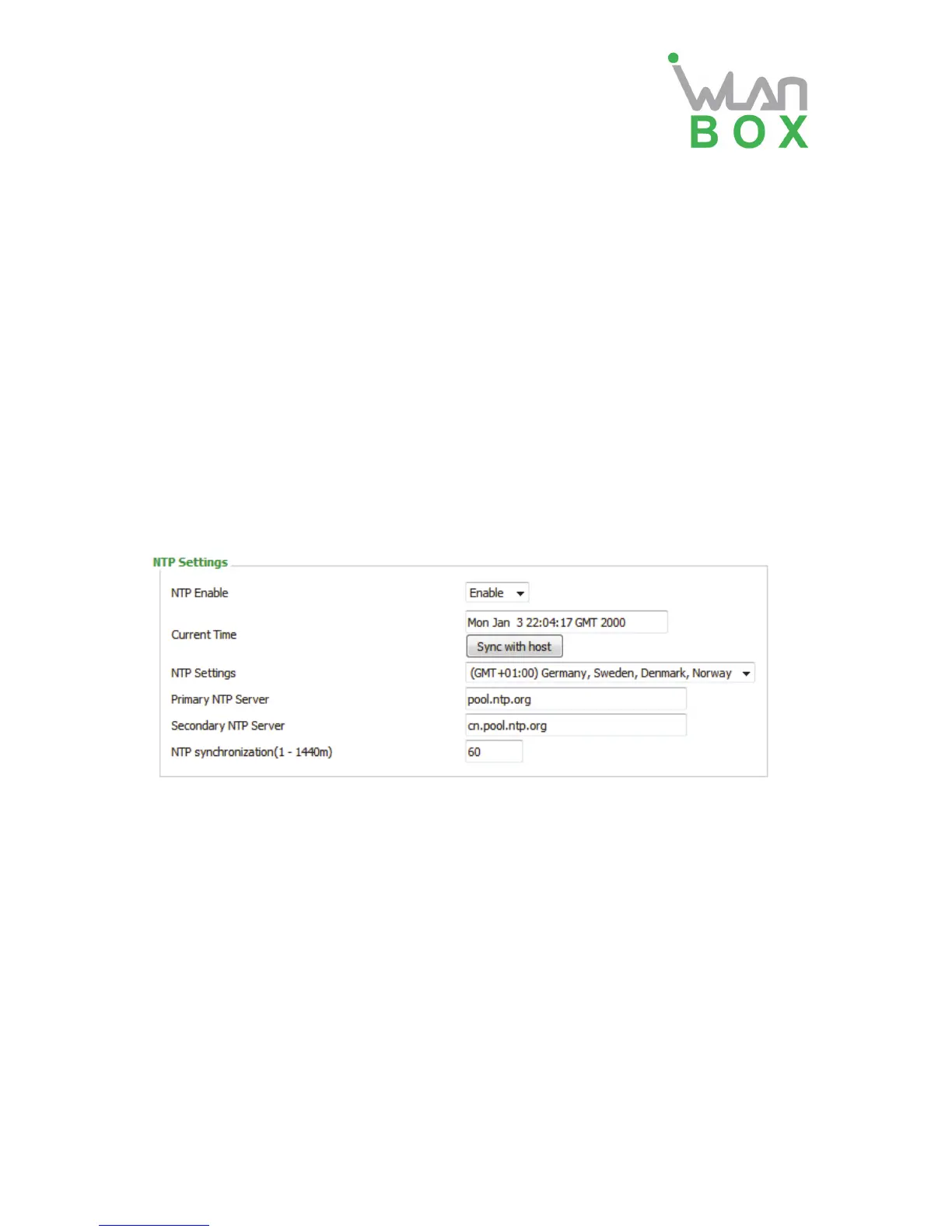
3) NTP settings
Field Name Description
NTP Enable If or not enable NTP
Current Time Display current time
NTP Settings Setting the Time Zone
Primary NTP Server Primary NTP server's IP address or domain name
Secondary NTP Server Options for NTP server's IP address or domain name
NTP synchronization NTP synchronization cycle, cycle time can be 1 to 1440 minutes in
any one, the default setting is 60 minutes


 To Next Page