WLKATA Mirobot Manipulator User Manual
Document version 1.0 User Manual Copyright© Beijing Tsinew Technologies Co., Ltd.
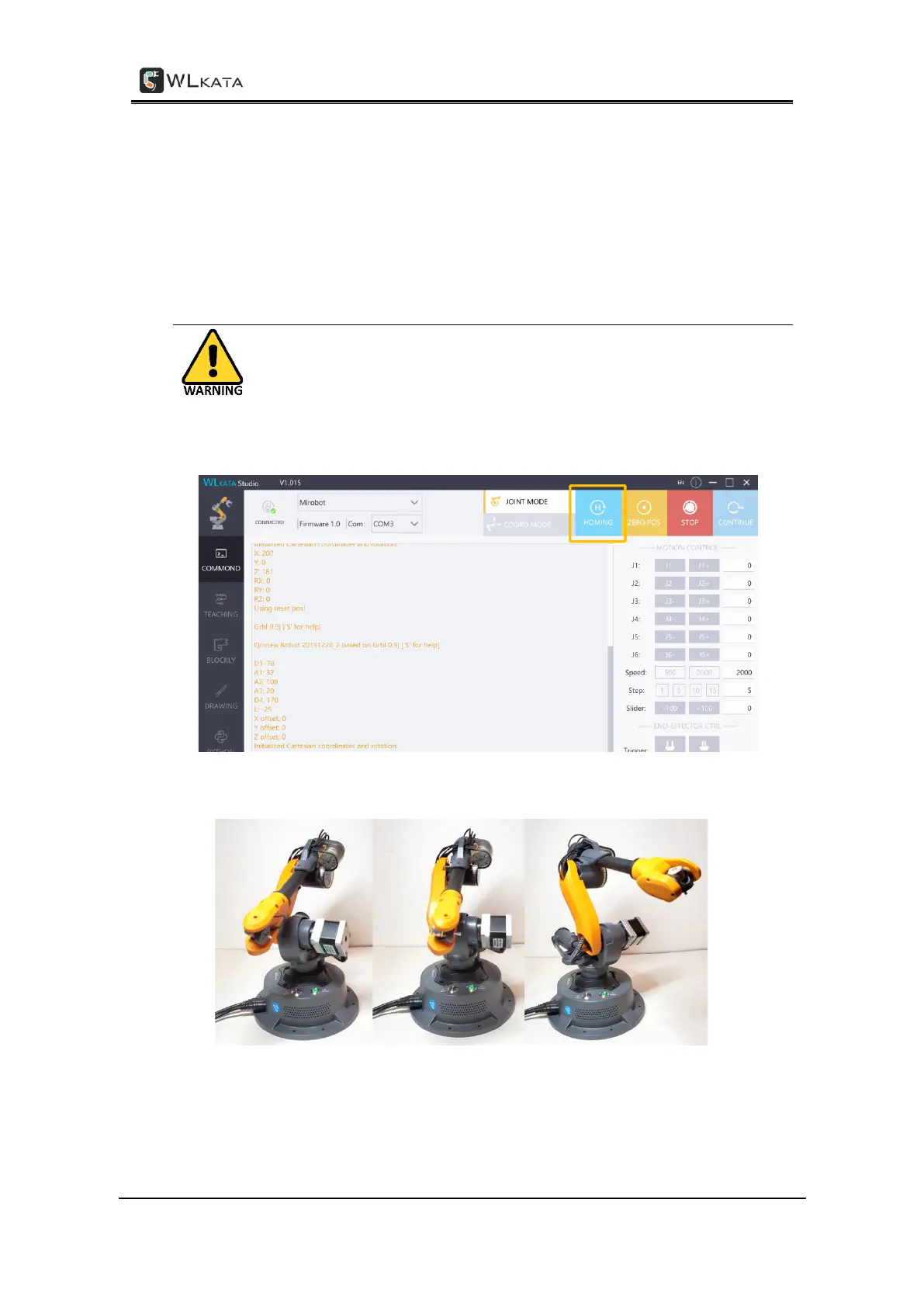
Before any operation, the manipulator must be homed to the pre-designed homing position.
Click the HOMING button in the WLKATA Studio. Wait for the manipulator to be homed.
Figures in below shows the manipulator during the homing process, and the correct position
of the manipulator after a successful HOMING action.
* Note: If the HOMING action is failed or interrupted, please reapply the power of
manipulator and repeat the HOMING action again.
The manipulator must be HOMING again on each time reapplying
power from a power failure or an emergency stop, or re-opened
the WLKATA Studio. One should wait for the HOMING action to be
fully completed before any further operation.
Doing the HOMING action each time powering on the manipulator
In the progress of HOMING the manipulator



 To Next Page