WLKATA Mirobot Manipulator User Manual
Document version 1.0 User Manual Copyright© Beijing Tsinew Technologies Co., Ltd.
(1) Power off the manipulator.
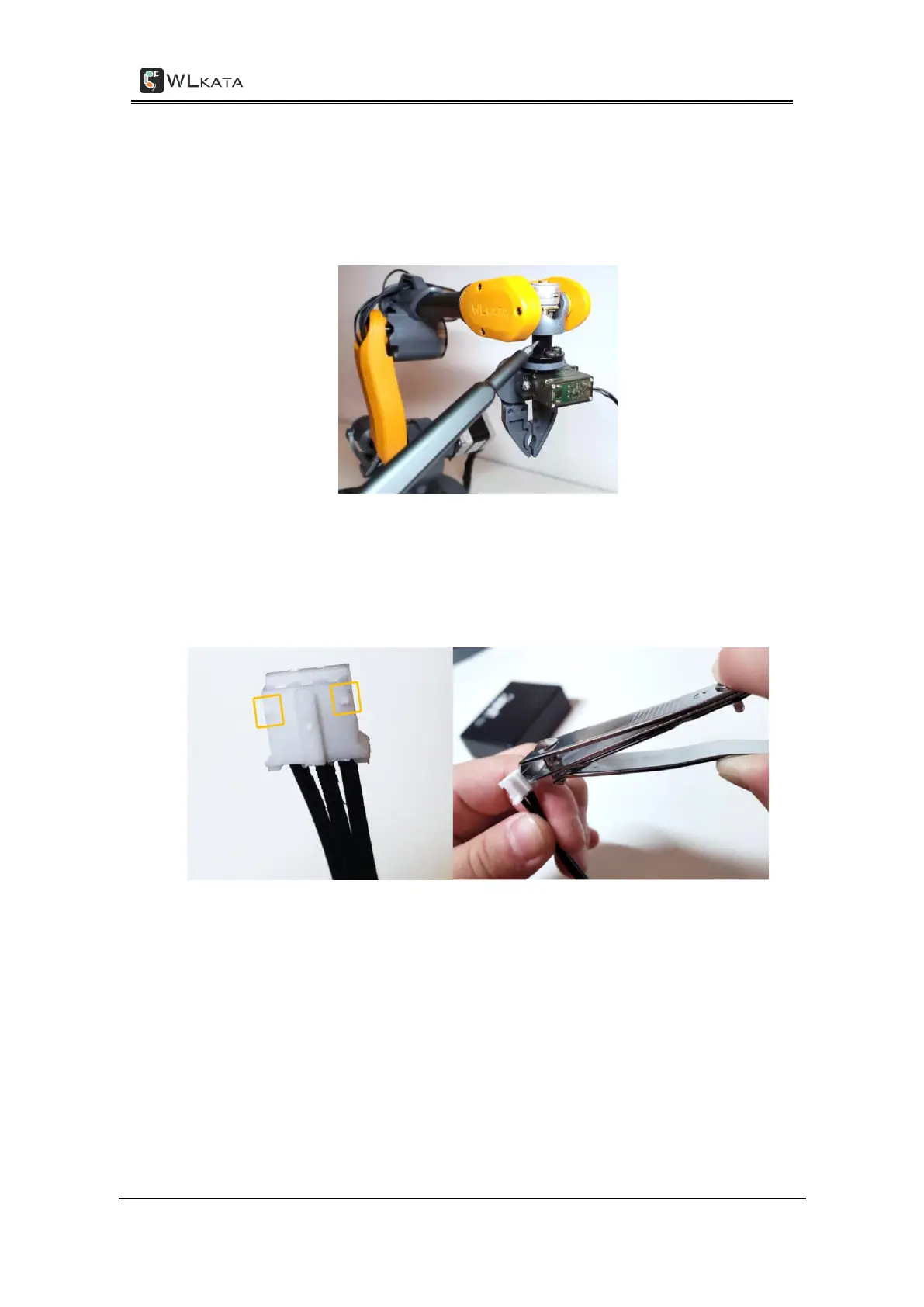
(2) Install the gripper module by screwing it on the end-effector with supplied hex
screwdriver.
Installing the gripper module by a hex screwdriver
(3) Before plug the gripper wire connector into the Extender Box unit, trim off the fix
protrusions on the wire connector to allow re-plug-in. Otherwise, the wire connector will be
hardly unplugged from the socket.
Trimming off the fix protrusions on the wire connector to allow re-plug-in
(4) Plug the gripper wire connector into the upper-second socket position (GRIPPER) on the
Extender Box unit. Link the Extender Box with the Mirobot by using the supplied IDC cable.



 To Next Page