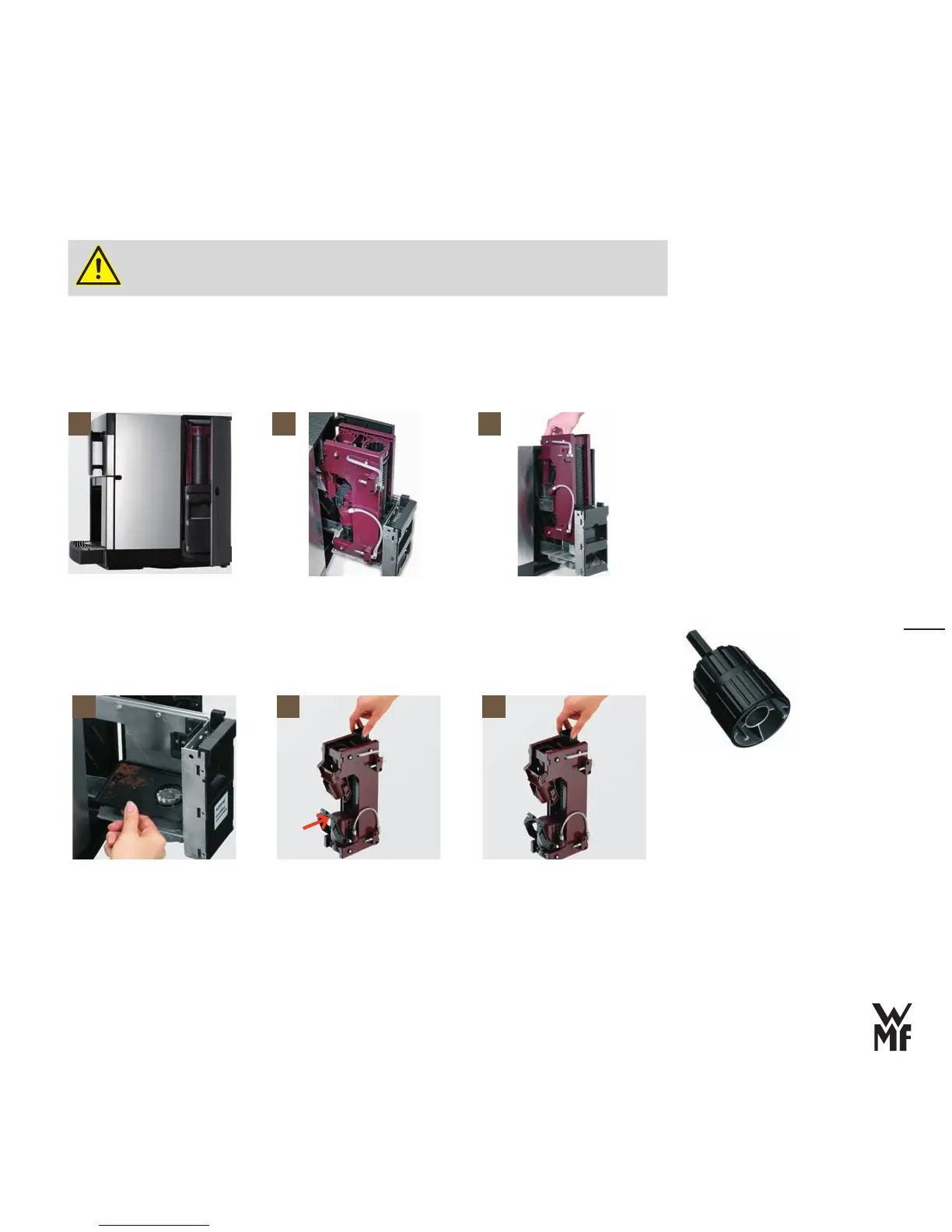
Clean the brewing unit
The brewing unit must cool off before cleaning
Switch‑off the coffee machine with the Off/C button, pull the mains connector
>
>
Open the side doors on the right [1]
Press the handle (marked “PRESS”) firmly downwards and pull the brewing unit out of the coffee
>
machine until it stops [2]
Tip the brewing unit slightly forwards and remove it upwards
> [3]
Remove the tray for coffee grounds under the brewing unit and clean it with hot water > [4]
Use the multitool from the accessories.
> Unscrew the thread on the brewing unit head with the multitool anticlockwise until the scraper
folds out forwards [5]
Tip the insertion unit approx. 45 degrees upwards until the brewing filter is visible
> [6]
If the brewer is difficult to remove, the
O-rings must be greased.
Grease O-rings,
see page 56
1 2 3
Multitool
4 5 6



 To Next Page