33
User Manual WMF9000 F VB
Software | “Ready to operate” display inself-service mode
4.2.3 Function bar
Storage urn shortcut button
A quick tap on the storage urn shortcut button opens
up the “Storage urn” menu.
Manual dispensing
An unmetered quantity of coffee can be dispensed
from the storage urn via manual dispensing.
4.3 “Ready to operate” display
inself-service mode
Display
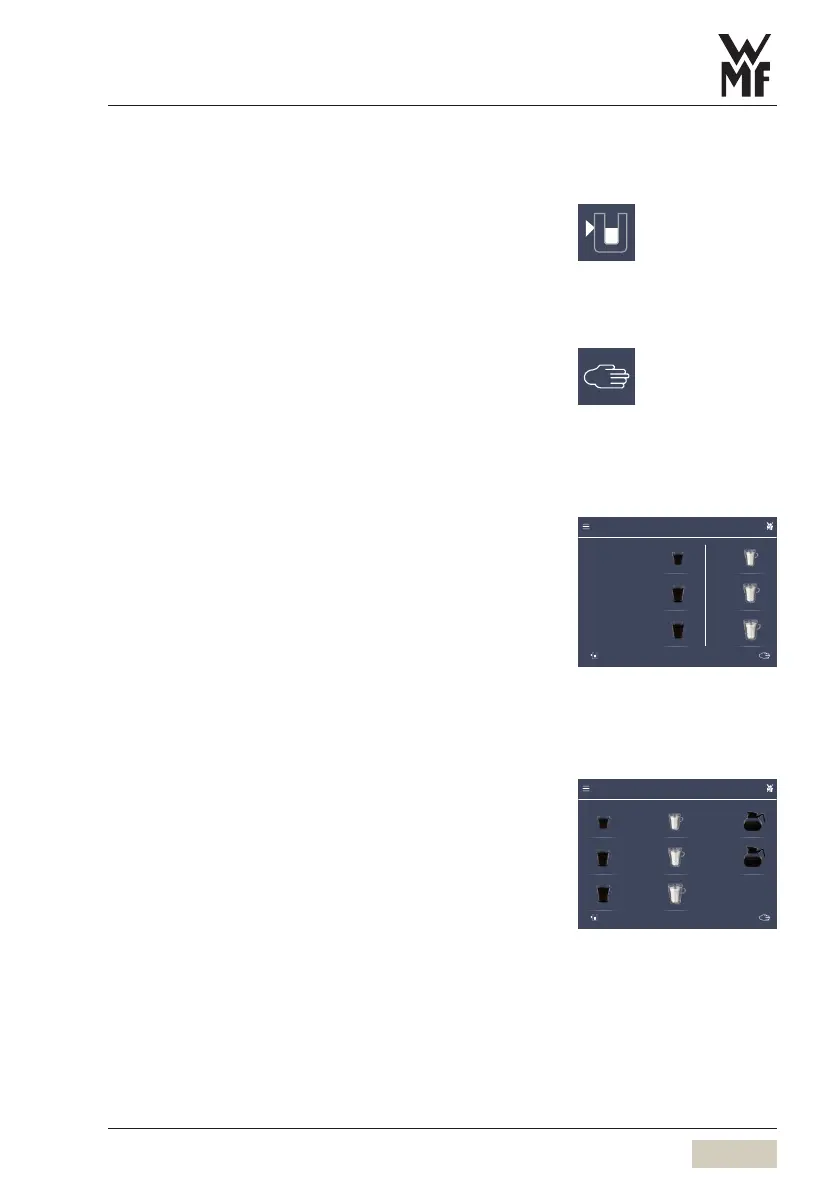
In self-service mode, the available beverages are
displayed on the “Ready to operate” display and match
up with the spouts.
(Coffee left/hot water right)
Dispensing options
Individual beverages can be dispensed. Pot brewing is
also possible.
Options: cup, mug, pot
Pot dispensing
The display shows the pot dispensing selection on the
next page by swiping right to left.
Set “Storage urn brewing batches”
w Operating options
page 41
Manual dispensing
w Operating options
page 42
Hot water
Hot water, large
Hot water, large
Cup
Large cup
Mug
0.0
9000F.
“Ready to operate” display in
self-service mode
w System
page 40
0.0
9000F.
Hot water
Hot water, large
Hot water, large
Cup
Large cup
Mug
1 liter brewing
2 liter brewing



 To Next Page