34
User Manual WMF950S
Operation | Drip tray
4.13 Drip tray
Scalding hazard
• The drip tray may contain hot liquids.
> Be careful when moving the drip tray.
> Replace carefully so that no water
accidentally drips down.
For coffee machines with no drain connection, the fill
level sensor indicates when the drip tray is full.
✻ Remove the drip tray carefully, empty it, and then
replace the drip tray
A sensor monitors whether the drip tray has been
inserted and the fill level. When the drip tray is
removed, dispensing is blocked.
The coffee machine will indicate on the display when
the maximum fill level is reached.
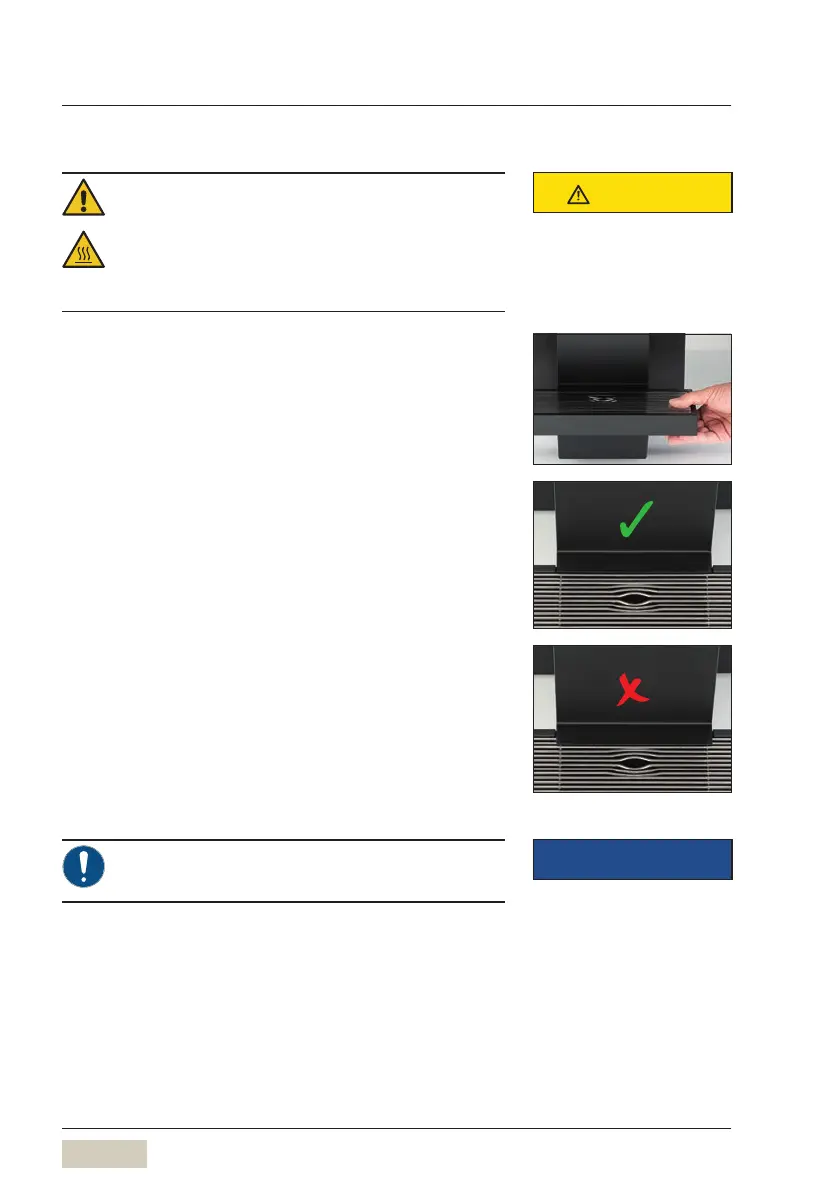
✻ When the message is displayed, carefully remove
the drip tray
✻ Remove grounds container and the cover
✻ Empty drip tray
✻ Place cover correctly
✻ Place the grounds container
✻ Replace drip tray with the grounds container
If the cover is not inserted correctly, the coffee
machine reports that no drip tray is inserted.
CAUTION
Follow the Safety chapter
w starting on page 7
Clean drip tray daily
w Care
page 68
IMPORTANT



 To Next Page