14
User Manual WMF cafemat!
Operation with SU
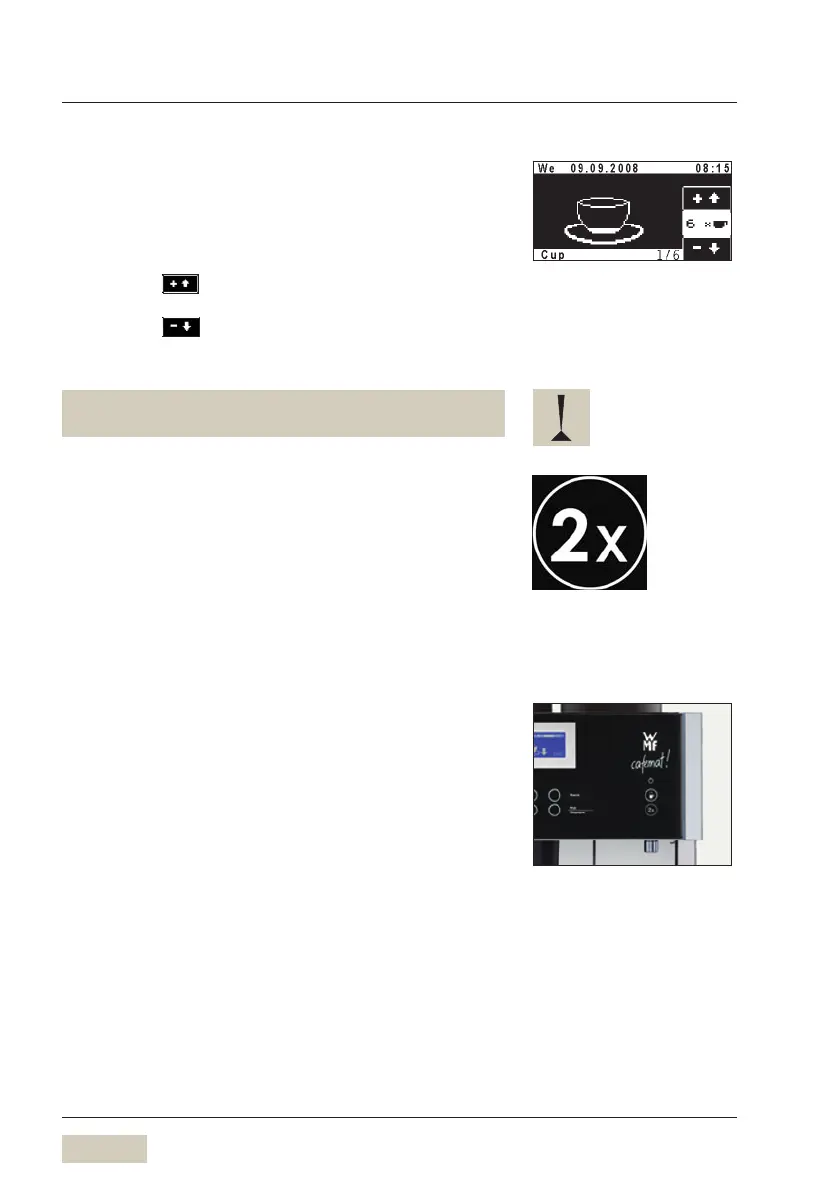
2/1.3 Multiple dispensing
During beverage dispensing, up to twelve times the
amount of the current dispense can be selected
Preselection for multiple dispensing
Increase the current quantity dispensed:
Touch the pad
Reduce the current quantity dispensed:
Touch the pad
The display shows the current preselection and the number
of beverages begun.
Use multiple dispensing for dispensing larger quantities,
such as for a pot of coffee.
2/1.4 Shift button (optional)
Each beverage button may be assigned to two different
functions.
Level 1 is always active.
Press the Shift button
Level 2 activated
Press desired beverage button
Level 1 is active again after dispensing a beverage at
Level 2.
The shift button can take on the function of a decaf
button, to select the decaf ground coffee hopper prior to
selecting a beverage with the beverage buttons.
Display Multiple Dispensing.
The example shows 6 cups.
Beverage 2 of 6 is currently being
dispensed. Up to 12 times the single
beverage amount can be dispensed.
Shift button (active/inactive):
w Settings
w Operating options


 To Next Page