61
User Manual WMF cafemat!
Software without SU
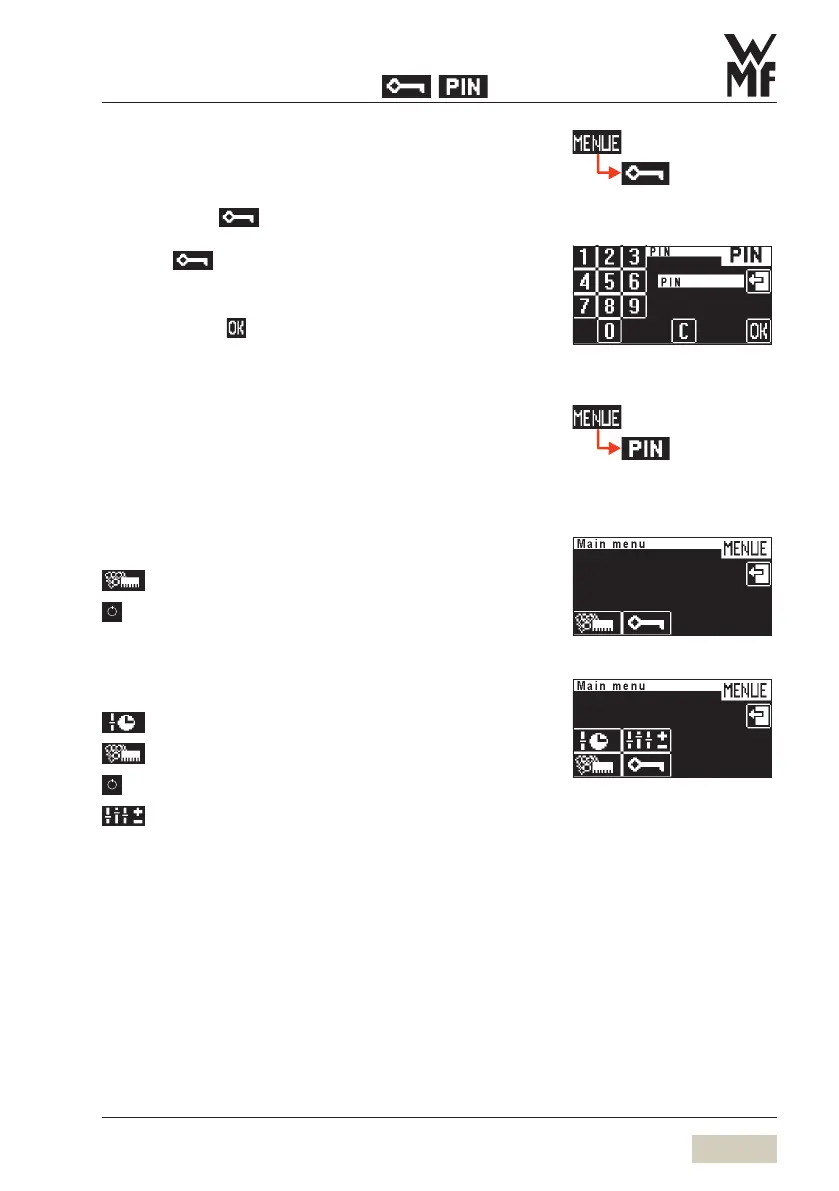
3/2.3.4 Enter PIN
Individual authorisation levels can be protected using
a PIN. For access to a PIN-protected level, the PIN must be
entered via the pad.
Touch in the main menu
Numerical keyboard display appears.
Enter required 4-figure PIN
Confirm with
Following entry of a valid PIN, the assigned functions are
available.
3/2.3.5 PIN rights access control
If a PIN has been assigned for a particular level, no access
will be granted without a PIN.
Cleaning level
On entering the valid PIN, access to:
=
Care
=
PIN-protected ON/OFF button
Setting level
On entering the valid PIN, access to:
=
Timer program
=
Care
=
PIN-protected ON/OFF button
=
Settings (beverage, general, others)
PIN-entry display
Cleaning level access
Settings level access


 To Next Page