7
6
8
4
5
Control part
Name Instructions for use
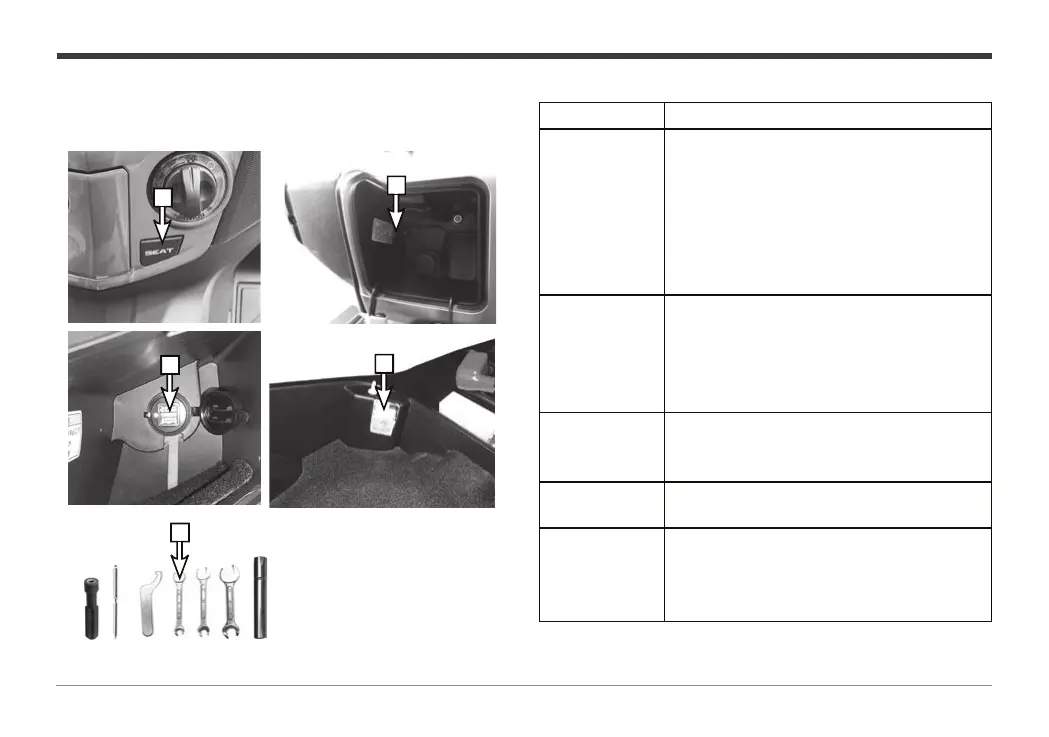
4. Seat cushion
switch
Press this button when the power is
turned on to open the seat cushion, If the
electronic switch cannot open the seat
cushion, use the key to open the cargo
box on the left side of the electronic
switch and pull the manual cable to open
the seat cushion.
5. Seat cushion
switch
If the electronic switch cannot open
the seat cushion, use the key to open
the cargo box on the left side of the
electronic switch and pull the manual
cable to open the seat cushion.
6. USB port
When the entire vehicle is powered on,
connect the phone charging cable to
charge the phone.
7. Glove box
lamp
Open the seat cushion to turn on the
glove box lamp under the cushion.
8. On-board
tools
On-board too
ls are placed in the glove
box under the seat cushion.
On-board tools can be easily adjusted
and maintained during use.


 To Next Page