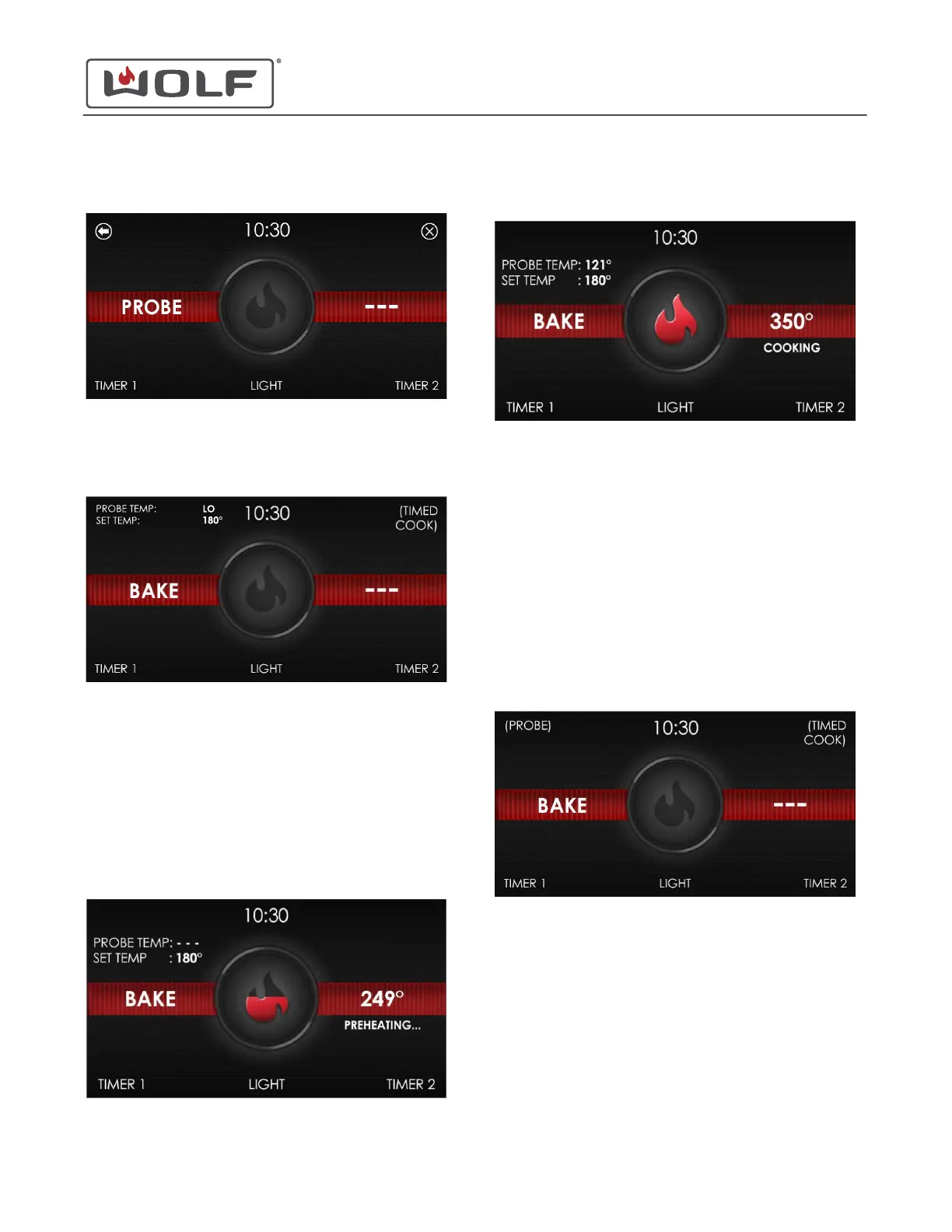
3 Touch OK or Start/Enter. The Set Probe screen appears.
4 Touch the control panel to enter the temperature. Then
touch Start/Enter.
5 Set the oven temperature.
• Touch the control panel to enter the temperature. Then
touch Start/Enter.
• Probe has been set for 180°F (82°C).
• Dashes after Probe Temp means the probe is not
inserted.
6 When cooking without preheat, insert the probe and place
the food in the oven.
7 If preheating the oven, insert the probe when placing the
food into the oven.
8 The oven enters preheat.
9
When cooking is in progress, the probe registers the internal
temperature of the food.
• When the probe temperature reaches 5°F (3°C) below
the set temperature, the oven chimes once.
• When set temperature is reached, the unit chimes and
flashes.
• The probe temperature range is 120°F (50°C) to 210°F
(100°C).
• Probe Temp appears as Lo when the probe
temperature is below 32°F (0°C).
• Probe Temp appears as Hi when the probe
temperature is above 250°F (121°C).
TIMED COOK
1 From a cooking mode or recipe, touch Timed Cook.
E Series Oven
Auxiliary Controls
PROBE (continued)
service.subzero.com
829345 REVA
28



 To Next Page