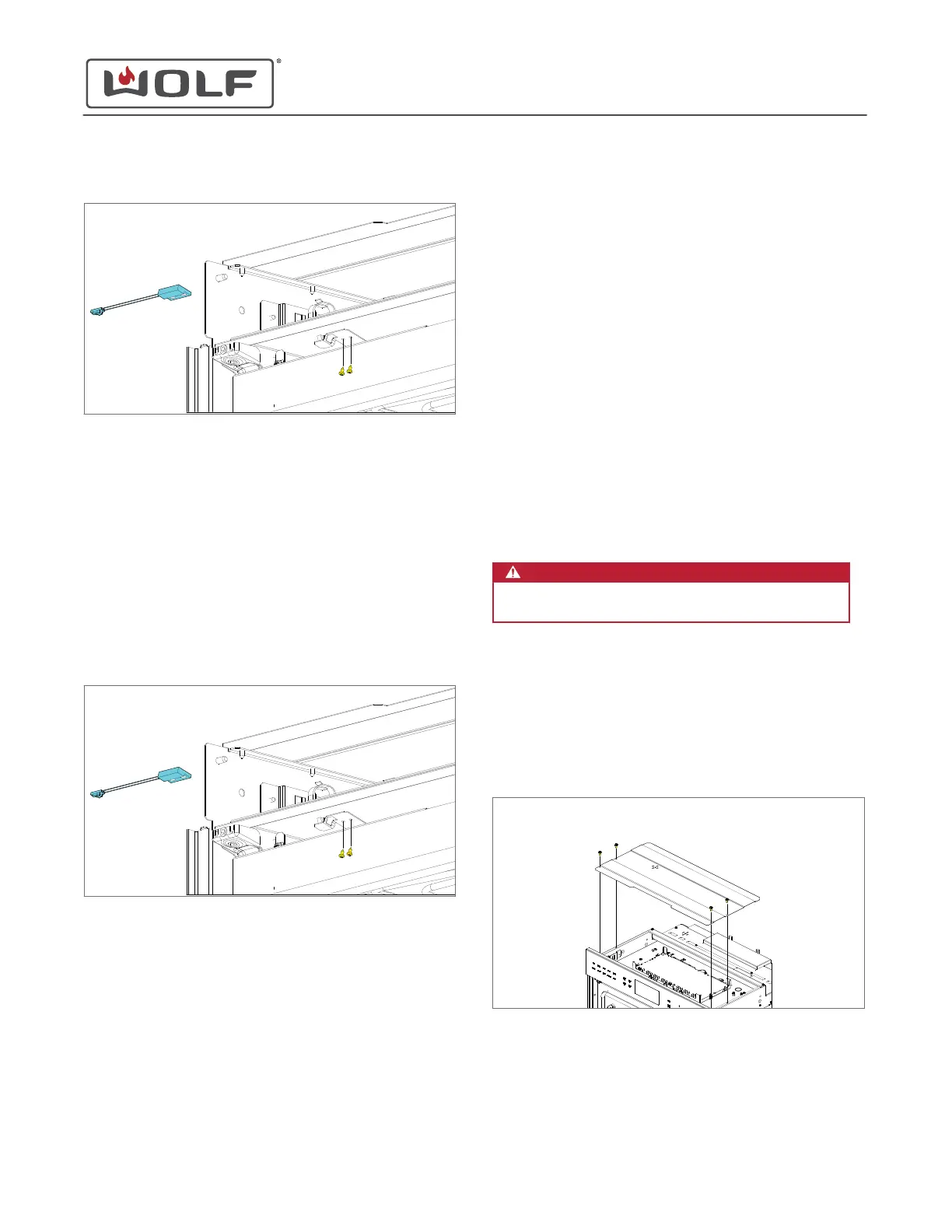
4 Remove the door switch assembly from the unit.
The upper oven is shown
Remove the Lower Door Switch Sensor
1 Open the lower oven door.
2 Use a T-10 Torx bit to remove the door switch sensor
mounting screws from the door switch bracket.
3 Disconnect the wire connectors from the door switch
sensor.
4 Pull the door switch sensor wire harness and connector
through the opening in the door switch bracket.
5 Remove the door switch assembly from the unit.
The upper oven is shown
DOOR SWITCH SENSOR INSTALLATION
After installing the door switch sensor on the single oven or
upper oven, install:
1
Upper air inlet cover
After installing the door switch sensor on the lower oven, install:
1
Middle air inlet cover
2 Upper
oven door
Install the Door Switch Sensor
1 Insert the door switch sensor wire harness and connector
through the opening in the door switch bracket.
2 Connect the door switch sensor wire harness.
3 Use a T-10 Torx bit to install the door switch sensor
mounting screws into the door switch bracket.
Install the Lower Door Switch Sensor
1 Insert the door switch sensor wire harness and connector
through the opening in the door switch bracket.
2 Connect the door switch sensor wire harness.
3 Use a T-10 Torx bit to install the door switch sensor
mounting screws into the door switch bracket.
ENCLOSURE COVER REMOVAL
WARNING
Disconnect the product from the power source
before starting this procedure.
To remove the enclosure cover, first
uninstall the unit
six to
seven inches.
Remove the Enclosure Cover
1 Use a T-20 Torx bit to remove the screws from the enclosure
cover.
2 Remove the enclosure cover.
ENCLOSURE COVER INSTALLATION
After installing the enclosure cover,
install the unit
.
E Series Oven
Top Component Removal and Installation
REMOVE THE DOOR SWITCH SENSOR (continued)
service.subzero.com
829345 REVA
45



 To Next Page