EasyManua.ls Logo

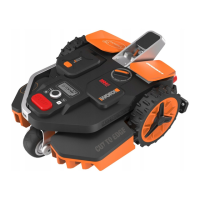
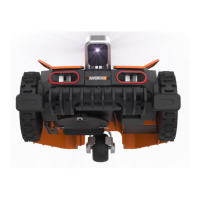
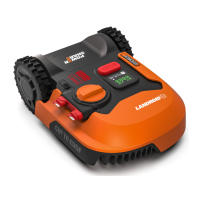
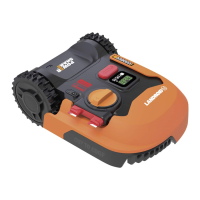
Worx WR206E - User Manual

Worx WR206E
41 pages
Print Icon
To Next Page IconTo Next Page
Loading...
Owner’s manual
WR206E
WR208E
WR213E
WR216E
Original instruction

Other manuals for Worx WR206E

Questions and Answers

  • B
    Brendan SanchezSep 6, 2025
    Why Worx WR206E secondary area is not mowed?
    • S
      Susan DavisSep 6, 2025
      If the secondary area isn't being mowed by your Worx Lawn Mower, ensure the RFIDs are installed and reprogrammed correctly. Remove any obstacles between the RFIDs in the pathway. Also, make sure there is no boundary curved within 1.5 m range of the boundary wire for the RFID.
  • M
    mdavisAug 22, 2025
    What to do if Worx WR206E Lawn Mower can't find the charging base?
    • D
      Dana ReyesAug 22, 2025
      If your Worx Lawn Mower can't find the charging base, ensure it docks right towards the base and departs in an anti-clockwise direction. Remove any obstacles within 2 meters in front of the charging base. Also, check that the QR code on the charging base is clear and unobstructed.
  • X
    xbridgesSep 3, 2025
    How to set the correct time on Worx Lawn Mower?
    • U
      ucoffeySep 4, 2025
      If your Worx Lawn Mower isn't operating at the correct time, ensure the clock is set correctly. Also, check and correct the programmed cutting times. If using the app, verify that the percentage of weekly operating time is set correctly.
  • A
    Alejandra KirkSep 2, 2025
    Why Worx WR206E Lawn Mower slips out of its working area?
    • S
      Sean MillerSep 2, 2025
      If your Worx Lawn Mower slips out of its working area, check if the wheels are clean and free of mud to ensure maximum grip. If the slope is steeper than 30% (17 degrees), exclude the sloped area using a magnetic strip or a non-grass pathway. Remove any obstacles causing recognition errors, and ensure grass height is below 15 cm, using magnetic strips or a non-grass pathway near steps, cliffs, or ponds.
  • K
    Kathleen RodgersSep 1, 2025
    Why Worx WR206E charging time is too long?
    • W
      Wendy MendezSep 1, 2025
      If your Worx Lawn Mower is taking longer to charge, clean the contact pins on the charging pile and the charging strip on the mower with a cloth, as debris can cause poor connection. Also, the charging protection program might be activated due to high temperature; place the charging base in a shady area or wait until it cools down.
  • N
    Nicole JonesAug 30, 2025
    Why does my Worx Lawn Mower collide frequently?
    • S
      Scott GordonAug 30, 2025
      Frequent collisions with your Worx Lawn Mower can happen if the grass is taller than 15 cm; trim it down. If there's grass around suspended objects like hanging fences or slides, lay magnetic strips or set up a 5 cm non-grass pathway around those areas.
  • J
    Jacob NguyenAug 29, 2025
    How to fix the LED light on the Worx WR206E charging pile when it doesn't turn on?
    • C
      christopher23Aug 29, 2025
      If the LED light on your Worx Lawn Mower's charging pile isn't turning on, the cause may be a lack of power. Ensure the charging base is correctly connected to the charger, and that the charger is properly connected to a functioning power supply.
  • C
    Carla PalmerAug 27, 2025
    What to do if Worx WR206E software upgrade fails?
    • M
      Matthew DouglasAug 28, 2025
      If the software upgrade fails on your Worx Lawn Mower, move closer to the router to strengthen the Wi-Fi signal. Also, ensure that the battery level is above 50% by placing the mower on the charging station.
  • R
    Roberta RichardsonAug 26, 2025
    Why Worx WR206E Lawn Mower cannot correctly dock with the charging pile?
    • R
      rhamptonAug 27, 2025
      If your Worx Lawn Mower isn't docking correctly, try restarting it, as environmental factors may be interfering. Also, clean the contact pins on the charging pile and the charging strip on the mower with a cloth to ensure good connection.
  • K
    kathleen89Aug 25, 2025
    Why does my Worx WR206E have shorter run-times?
    • K
      Kyle CamachoAug 25, 2025
      Shorter run times for your Worx Lawn Mower can be caused by several factors. Check the blade disc for clogs and clean it, especially if the grass is high or thick. Examine the blade disc and blades for debris and replace them if necessary, as an unbalanced disc can increase power consumption. The battery might also be old and need replacement, or the working time may need to be reset.

Worx WR206E Specifications

General IconGeneral
TypeRobotic lawn mower
BluetoothYes
Noise level59 dB
Display typeLCD
Cutting width180 mm
Product colorBlack, Orange, Red, Silver
Cutting systemRotary blades
Number of blades3
Number of wheels3 wheel(s)
Maximum lawn area600 m²
Mulching function-
Maximum cutting height60 mm
Minimum cutting height30 mm
Suitable for slope up to30 %
International Protection (IP) codeIPX5
Battery typeBuilt-in battery
Power sourceBattery
Battery capacity2 Ah
Weight and Dimensions IconWeight and Dimensions
Depth626 mm
Width460 mm
Height265 mm
Weight13500 g

Related product manuals