pH 330i/340i Operation
39
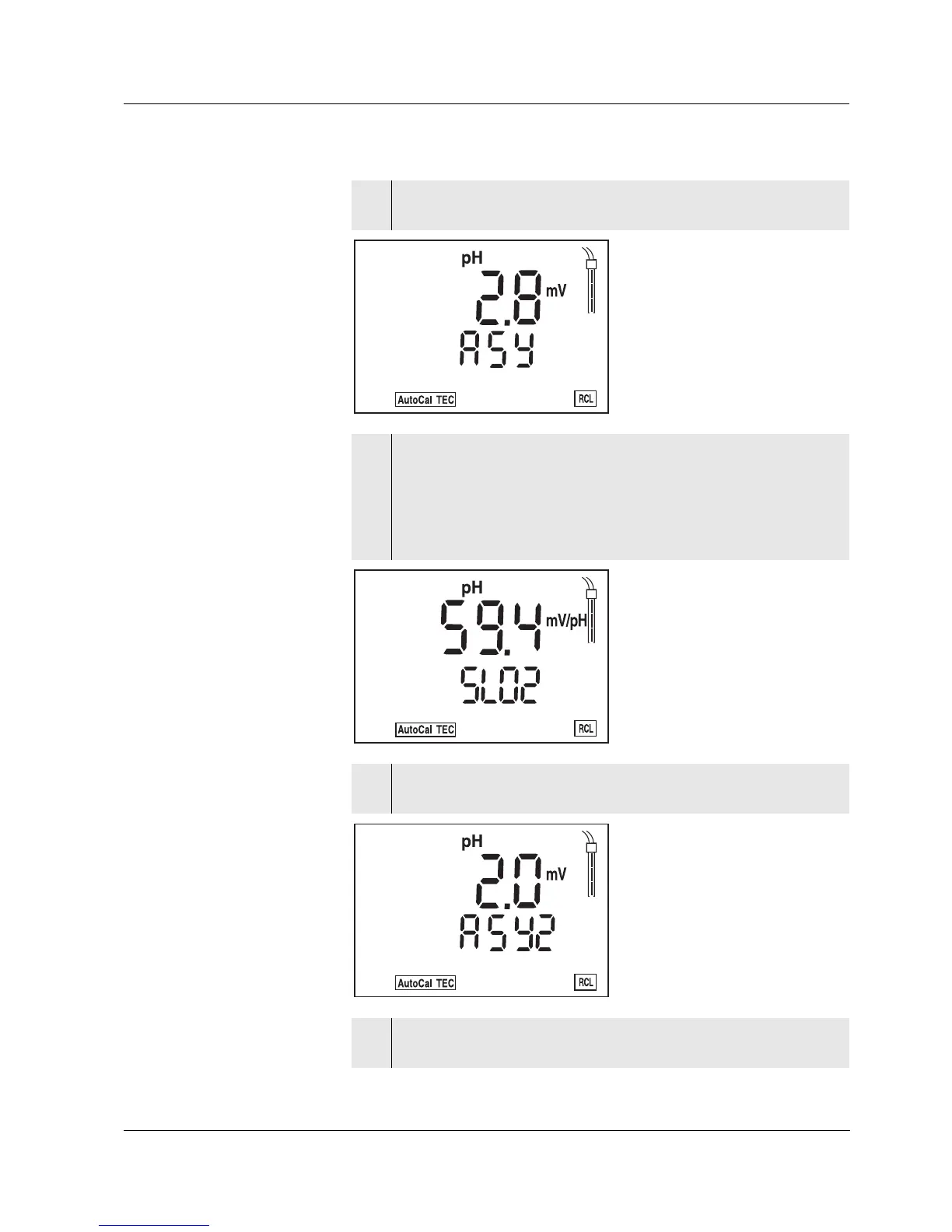
3 Press <RUN/ENTER> to display the value of the asymmetry
(mV) in the calibration range I.
4 In two-point calibration:
Using <M> or <RUN/ENTER>, you can switch back to the pH
measuring mode.
In three-point calibration:
Press <RUN/ENTER> to display the slope [mV/pH] in the cali-
bration range II (SLO2).
5 Press <RUN/ENTER> to display the value of the asymmetry
(mV) in the calibration range II (ASY2).
6 Using <M> or <RUN/ENTER>, you can switch back to the pH
measuring mode.



 To Next Page