Installation
18 975-0136-01-01
Testing Your Installation
After you have installed the Xanbus System, you should confirm that
your installation is operating correctly.
Verifying Power is Available
Each Xanbus-enabled device has an indicator light or display screen that
confirms that it is receiving power. See the Installation or Owner’s Guide
for each Xanbus-enabled device for information on verifying network
power.
Verifying Network Communications
You can confirm that a Xanbus-enabled device is properly installed and
communicating on the network by viewing its firmware revision number.
The firmware revision number is available on the System Control Panel
Device Information screen.
To view the firmware version for a device:
1. On the System Home screen, press Enter
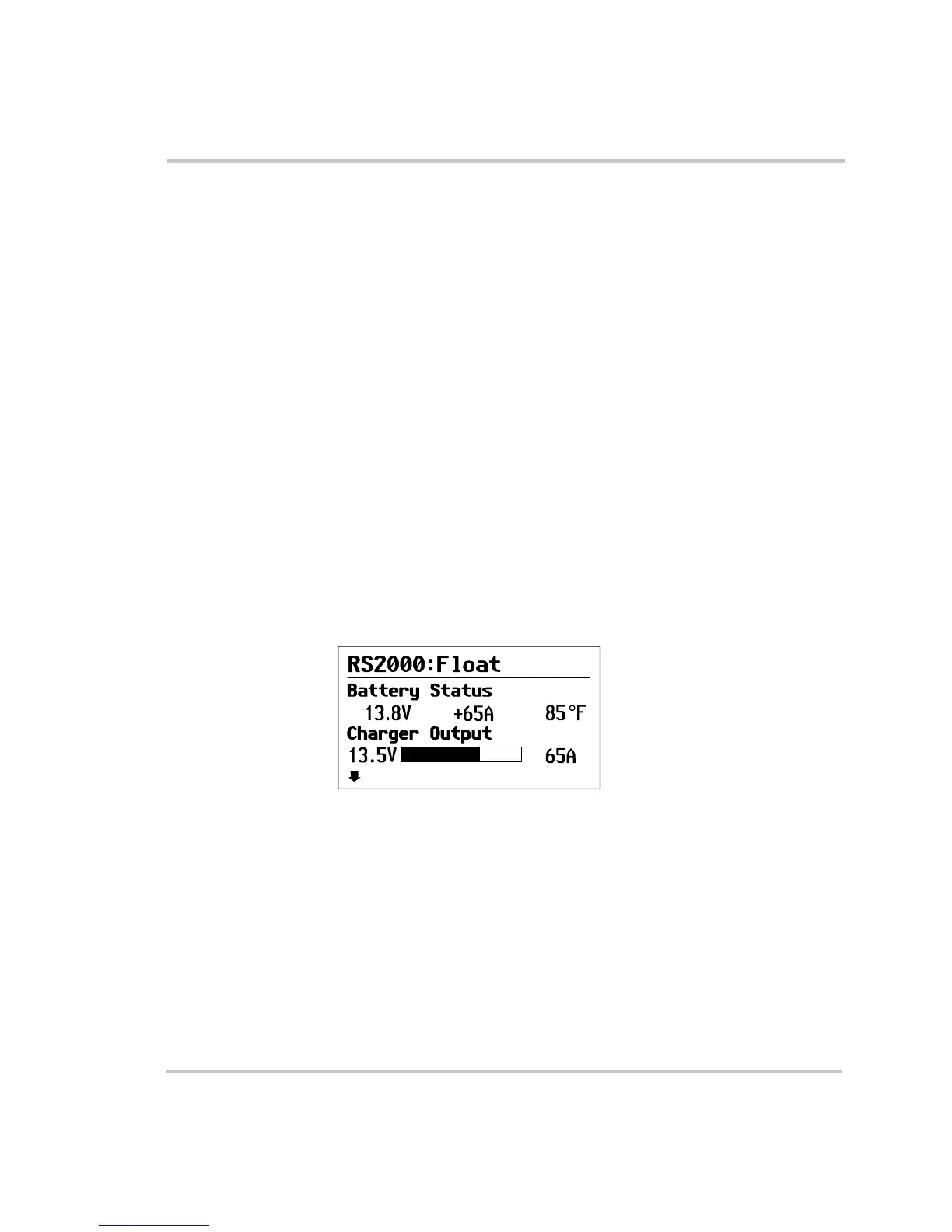
You can identify the System Home screen by the down-pointing
“menu” arrow on the bottom left corner of the screen. See Figure 13.
2. On the Select Device menu, use the down arrow button to highlight
System.
3. Press Enter.
4. On the System Settings menu, use the down arrow button to highlight
View Device Info, as shown in Figure 14.
Figure 13
System Home Screen
menu



 To Next Page
 Loading...