12. Settings
General Settings
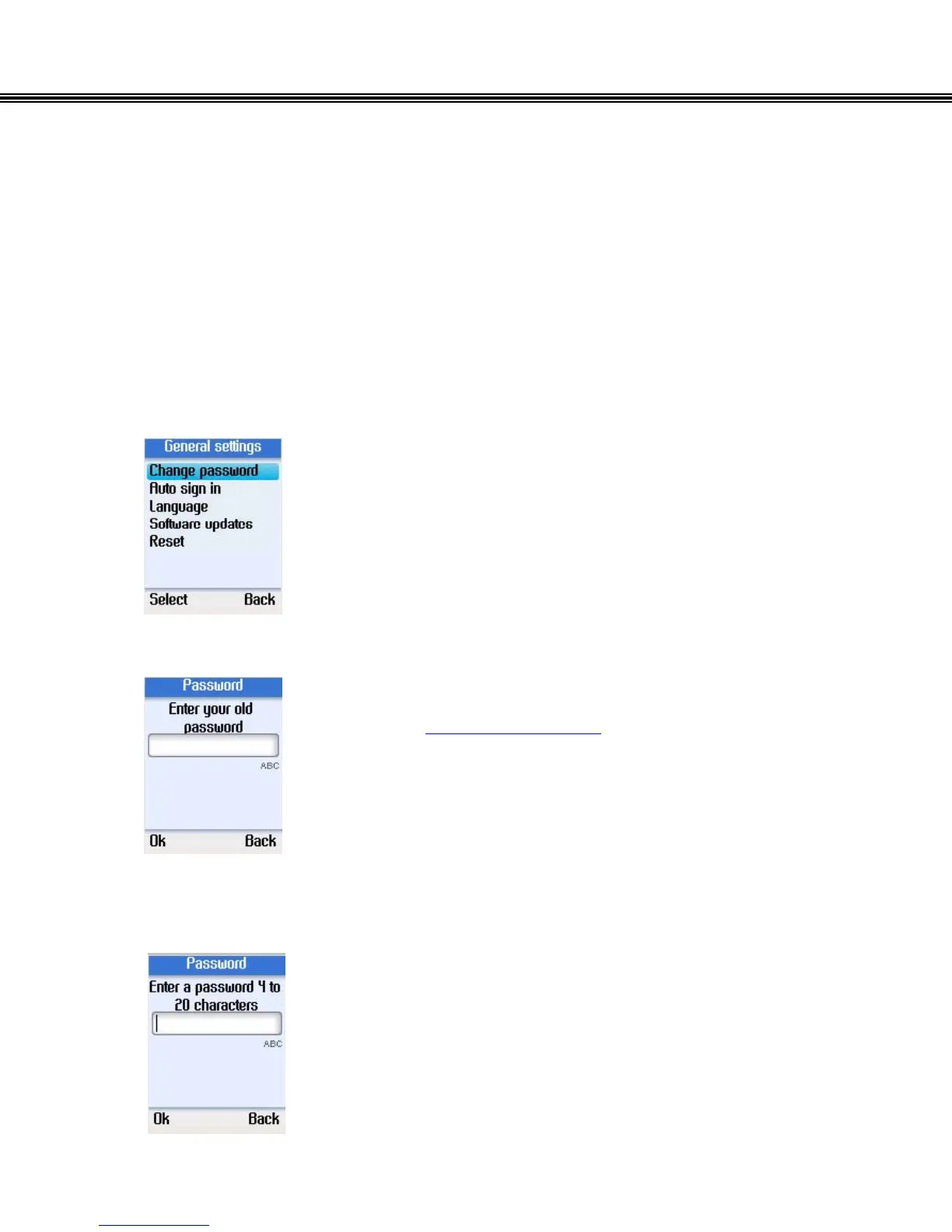
In the General settings menu, you can change your Skype password, set automatic
sign in, change language of user interface, update software, or reset the phone.
Change Password
• Use the navigation button to select Change password.
• Press the left soft button to continue.
• Enter the old password using the alphanumeric keypad.
(refer to alphanumeric keypad)
• Press the left soft button to continue.
• Enter a new password of 4 to 20 characters.
• Press the left soft button to continue.
- 35 -


 To Next Page
 Loading...



