• Reduce/Enlarge
• Paper Supply
• Copy Output
• 2-Sided Copying
• Original Type
• Lighten/Darken
The features displayed on the main Copy screen vary depending on how the main
Copy screen is configured by the administrator.
6. Enter the quantity.
7. Press Start.
Basic copy using the document glass
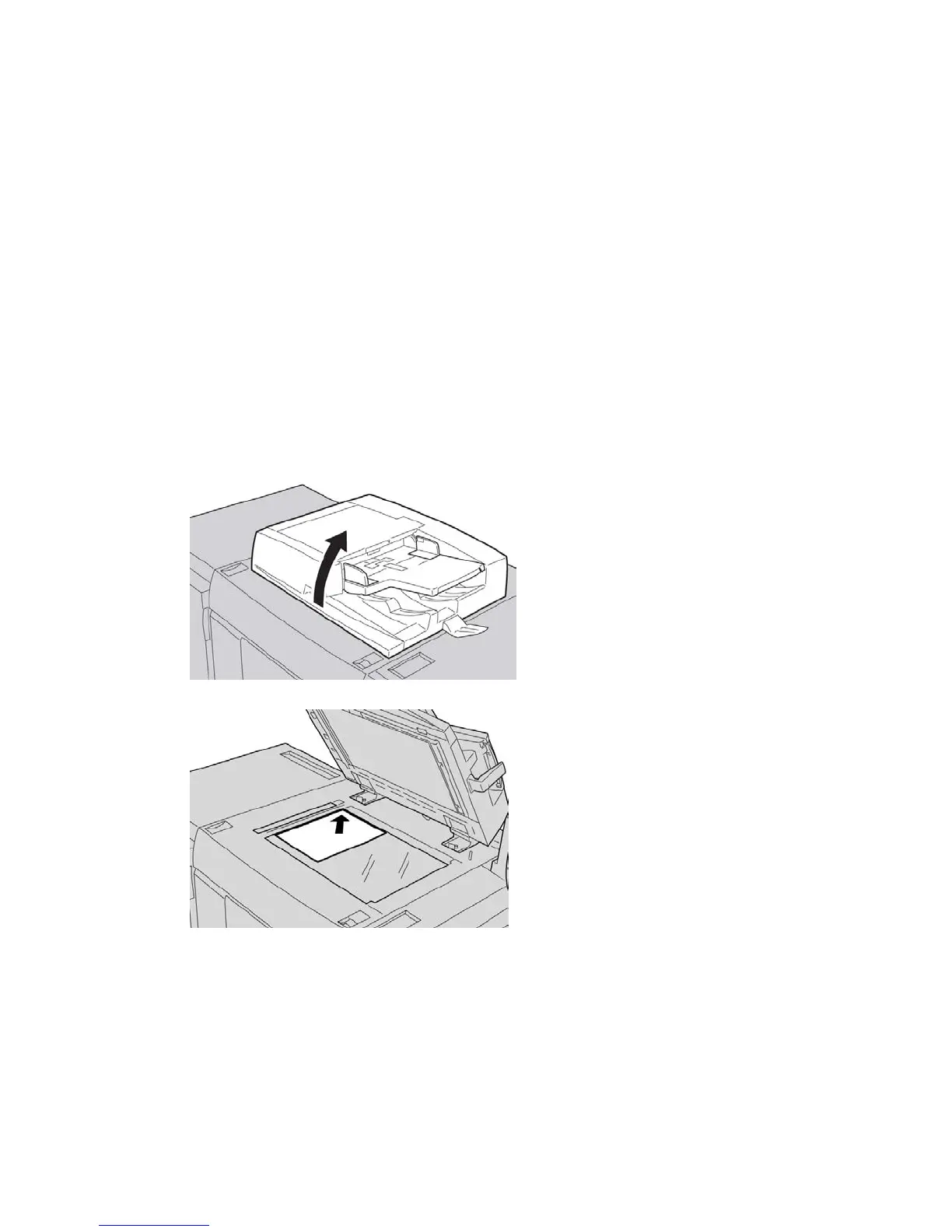
1. Open the document feeder.
2. Place the document face down by aligning it as shown in the illustration.
3. Press the Services Home button.
4. Select Copy on the Services Home screen.
5. From the Copy screen, select the desired features/options.
• Reduce/Enlarge
• Paper Supply
• Copy Output
User Guide4-2
Copy





 To Next Page