EasyManua.ls Logo

Xerox DocuPrint 203A - User Manual

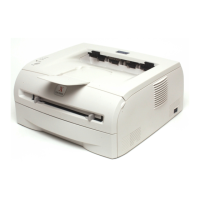
Xerox DocuPrint 203A
99 pages
Print Icon
To Next Page IconTo Next Page
Loading...
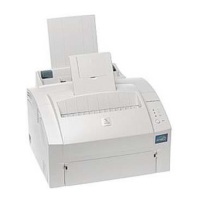
DocuPrint 203A
User's Guide
You must set up the hardware and install the driver before you can use the printer.
Please use the Quick Setup Guide to set up the printer. You can find a printed copy in the box.
Please read this User’s Guide thoroughly before you use the printer. Keep the CD-ROM in a
convenient place so you can use it quickly if you need to.
Please visit our web site at http://www.fxprinters.com
where you can get the latest Driver Updates.

Table of Contents

Questions and Answers

  • B
    Brittany NunezSep 4, 2025
    How do I fix the memory full error on my Xerox Printer?
    • J
      Joshua SmithSep 4, 2025
      Press the Go button to print the remaining data. If you prefer to delete the data, cancel the print job. Reduce the print resolution or reduce the complexity of your document.
  • D
    Deanna WelchSep 18, 2025
    What does 'Service Call' mean on my Xerox DocuPrint 203A Printer and what should I do?
    • B
      Bryan HodgesSep 18, 2025
      Check the LED indication to identify the error. See Service call indications on page 4-5.
  • D
    Donna GreenSep 16, 2025
    Why my headers or footers don't print on my Xerox DocuPrint 203A?
    • R
      Robert MillerSep 16, 2025
      Adjust the top and bottom margins of your document.
  • S
    sarah71Sep 14, 2025
    How to fix Xerox Printer front cover open error?
    • T
      Timothy BellSep 14, 2025
      Close the front cover of the printer.
  • J
    Juan BurgessSep 12, 2025
    How to fix Xerox DocuPrint 203A back cover open error?
    • C
      Christopher DunnSep 13, 2025
      Close the back cover of the printer.
  • D
    danielle98Sep 12, 2025
    Why does the error message occur on my PC: 'The printer cannot print. There was an error writing to LPT1:'?
    • E
      Elizabeth BraunSep 12, 2025
      Check that the printer cable is not damaged or broken. If you have an interface-switching device, make sure the correct printer is selected.
  • R
    Robert LutzSep 9, 2025
    Why does the Xerox Printer not appear in Chooser or Print Center?
    • J
      john30Sep 9, 2025
      Check that the printer is turned on. Ensure the USB interface cable is correctly connected. Verify the print driver is installed correctly.
  • E
    Edward ThompsonSep 7, 2025
    What to do if my Xerox Printer will not feed envelopes?
    • W
      wrojasSep 7, 2025
      The printer can feed envelopes from the manual feed slot. Ensure your application software is correctly set up to print on the envelope size you are using.
  • G
    Gabriella NewmanSep 5, 2025
    What to do if Xerox DocuPrint 203A shows 'Print Overrun'?
    • C
      Cassandra BrownSep 6, 2025
      Press the Go button to print the data left in the printer. Cancel the print job if you want to delete the data remaining in the printer. If this does not clear the error, reduce the complexity of your document or reduce the print resolution. Set page protection to AUTO by using the supplied Windows® driver.
  • M
    Michael RodriguezAug 21, 2025
    What to do if my Xerox DocuPrint 203A Printer does not feed paper?
    • L
      lgriffinAug 21, 2025
      Ensure the paper in the tray is straight. If the paper is curled, straighten it before printing. Try removing the paper, turning the stack over, and putting it back in the tray. Reduce the amount of paper in the tray. Also, check that manual feed mode is not selected in the print driver.

Summary

Before Using the Machine

Safety Notes and Precautions

Essential safety instructions, warnings, and symbols for safe printer operation.

Power and Electrical Safety

Guidelines for safe power connection, grounding, and handling power cords.

Operational and Component Safety

Safety warnings for machine operation, avoiding internal hazards, and handling parts.

About Your Printer

Printer Driver Management

Configuring Windows Print Drivers

Details settings within the Windows print driver's tabs for customization.

Configuring Macintosh Print Drivers

Guides users through page setup and print settings for Macintosh systems.

Control Panel Operations

Routine Maintenance Procedures

Toner Cartridge Replacement

Covers toner low/empty alerts and step-by-step replacement instructions.

Drum Unit Replacement

Information on drum unit lifespan and the procedure for replacement.

Troubleshooting Printer Problems

Printer Fails to Print

Troubleshooting steps for when the printer fails to respond to print commands.

Status Monitor and Printed Error Messages

Resolving errors reported by the status monitor and printed error messages.

Clearing Paper Jams Safely

Comprehensive guide on how to safely remove jammed paper from the printer.

Xerox DocuPrint 203A Specifications

General IconGeneral
Printer TypeLaser
Print Speed (Black)20 ppm
Max Resolution (BW)600 x 600 dpi
Processor266 MHz
RAM32 MB
Duplex PrintingManual
Paper Capacity250 sheets
ConnectivityUSB 2.0
Media SizesA4, A5, A6, B5, Letter, Legal, Executive
Supported Operating SystemsWindows, Mac OS

Related product manuals