16
2. Enter a Device Name for the AP radio in the text box on the “Main” screen and
press the “Save Device Name” button to save.
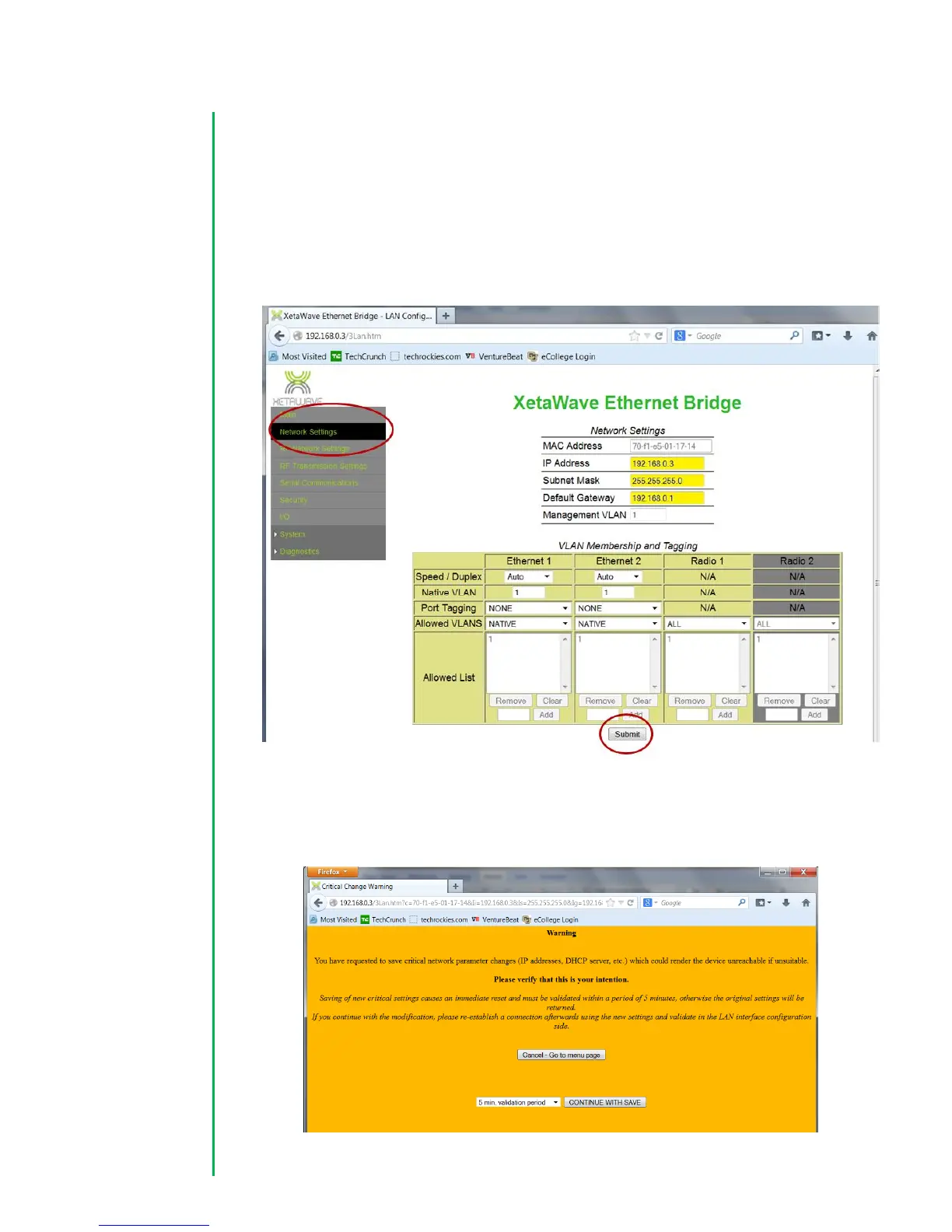
3. Navigate to the “Network Settings” page and configure the IP address, Subnet
Mask, and Default Gateway for the radio. VLAN settings can also be set on this
page if your organization utilizes VLANs. Press the “Submit” button to save your
changes.
4. Next an orange warning screen will appear as a safeguard from accidental
changes. Confirm your changes by selecting a validation period from the
dropdown box and press the “Continue with Save” button.



 To Next Page