Configuring 3-Way SLI
99
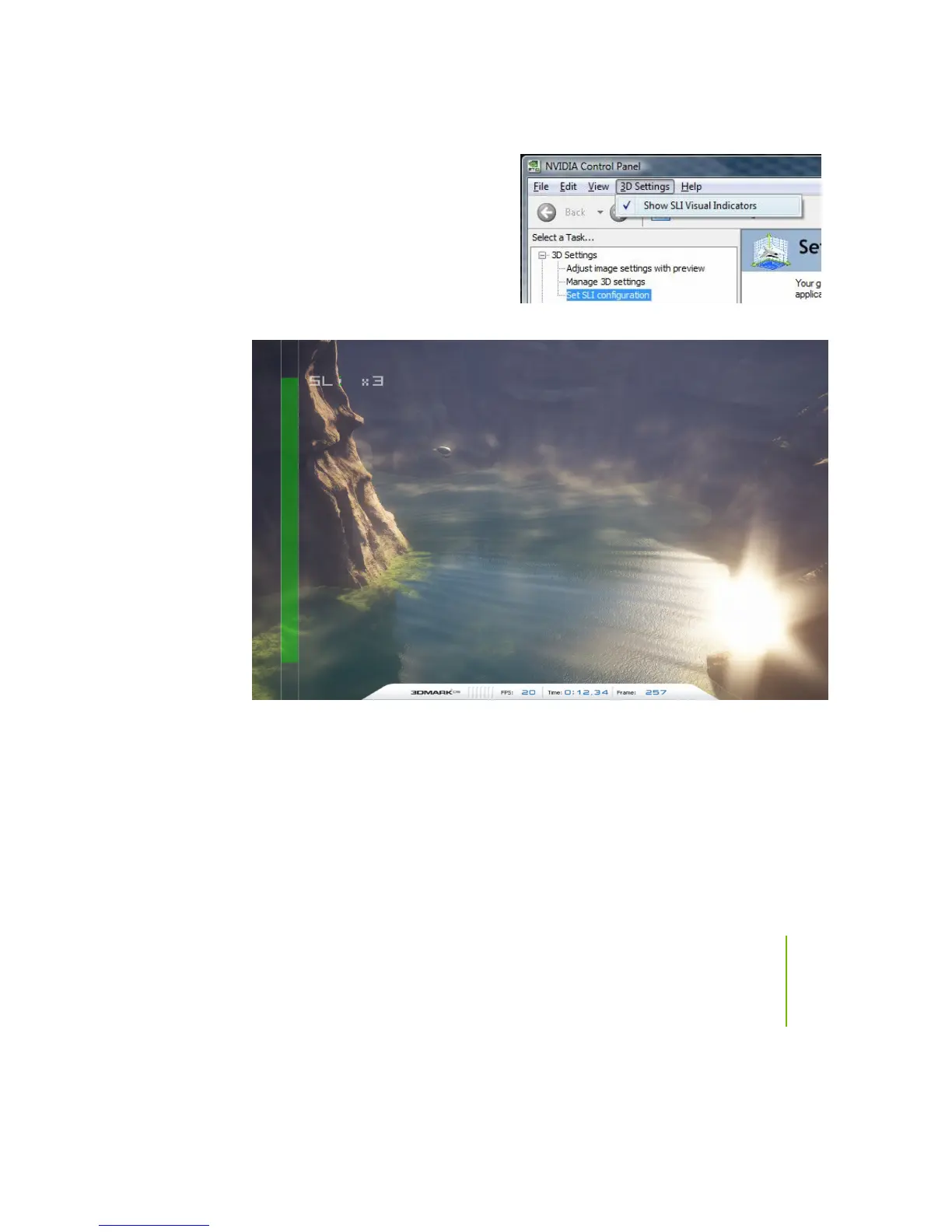
Before closing the NVIDIA Control Panel,
go to the top menu option labeled
3D Settings
and select
Show SLI Visual Indicators
.
This option overlays a text label of
SLI x3 and green SLI scaling bars in
fullscreen 3D applications, as seen in
Figure 20.
Figure 20. SLI Visual Indicators Operating in 3DMark2006


 To Next Page
 Loading...