Hardware Installation
15
Connecting Serial ATA Cables
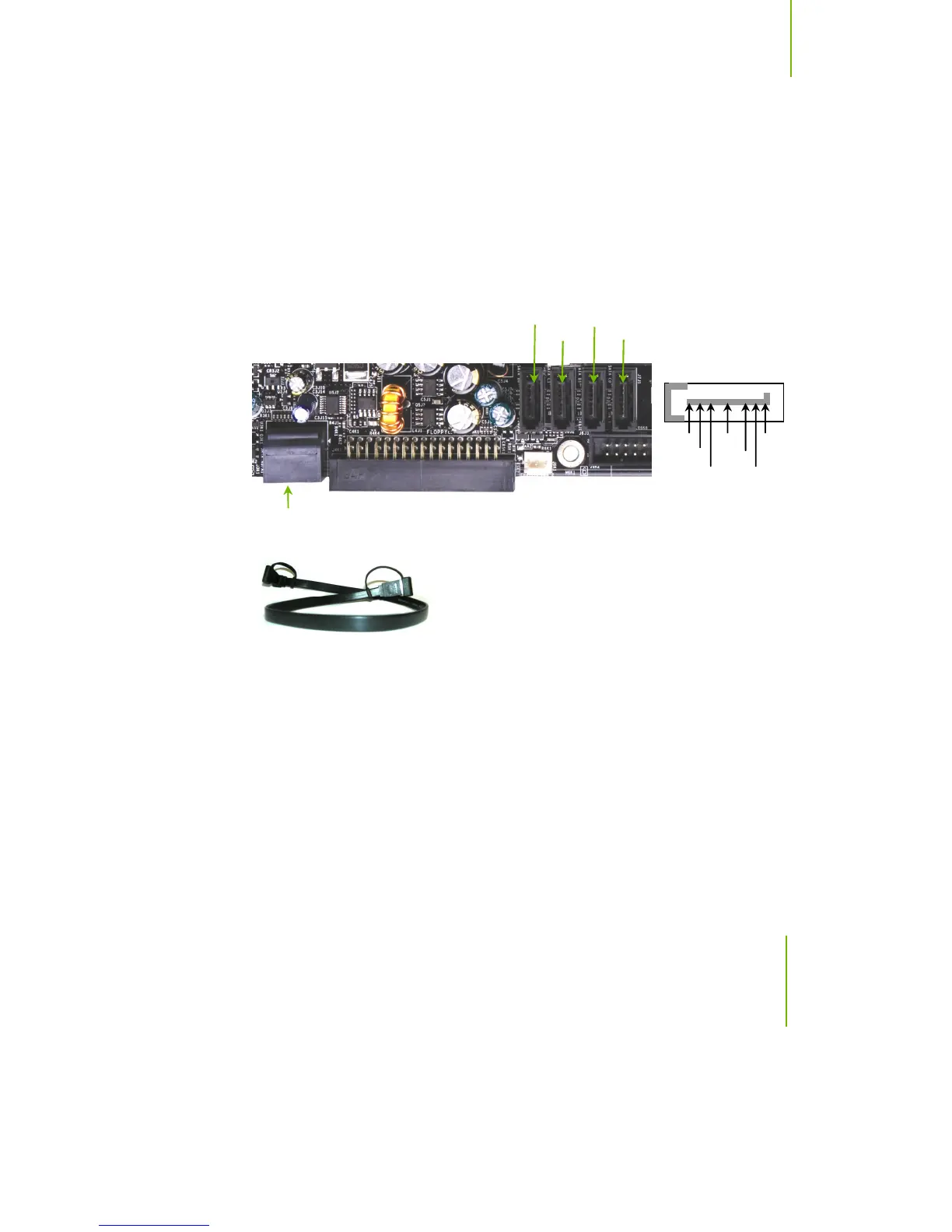
The Serial ATA II connector is used to connect the Serial ATA II device to the
motherboard. These connectors support the thin Serial ATA II cables for
primary storage devices. The current Serial ATA II interface allows up to
300MB/s data transfer rate.
There are six serial ATA connectors on the motherboard that support RAID 0,
RAID 1, RAID 5, RAID 0+1 and JBOD configurations.
SATA 3 SATA 4
SATA 6
SATA 5
GND GND GND
TX+ RX+
TX- TX-
SATA 1 (bottom)
SATA 2 (top)
Connect the locking cable end to the motherboard connector.
Connect the end without the lock to the drive.


 To Next Page
 Loading...