EasyManua.ls Logo

Xomax XM-DTSB1010 - User Manual

Xomax XM-DTSB1010
38 pages
Print Icon
To Next Page IconTo Next Page
Loading...
X
M
-D
T
S
B
1010
INSTALLATION MANUAL
CAR AUDIO/VIDEO SYSTEM
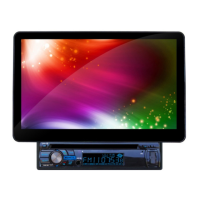
10.1 Inch Million Multi-color Illumination
TFT Touch Screen
Detachable Control Panel
Remote Control
Digital Video Disc Player
Control Panel USB Port and AUX Input
Memory Card Slot
AM/FM-RDS Digital PLL Tuning Radio
BT Compatible

Questions and Answers

Xomax XM-DTSB1010 Specifications

General IconGeneral
Display Size10.1 inches
Resolution1024 x 600 pixels
BluetoothYes
USB Ports2
SD Card SlotYes
Wi-FiYes
Audio Output4 x 45W
RAM1 GB
ROM16 GB
CPUQuad Core
TouchscreenYes
RadioFM/AM
Operating Voltage12V
Video FormatAVI/MKV/MP4
Audio FormatMP3, WMA
Image FormatJPEG, PNG, BMP, GIF
Supported Media FormatsMP3, WMA, WAV, MP4, AVI, JPEG

Summary

Precautionary Guidelines

Installation Safety

Safety precautions for installing the unit in the vehicle to prevent accidents.

Safety and Regulatory Information

Installation Procedures

Mounting Location Requirements

Recommendations for choosing a safe and optimal mounting location for the unit.

Unit Mounting and Assembly

Chassis Installation Steps

Detailed steps and diagrams for installing the main unit chassis.

Monitor Installation and Removal

Attaching the Monitor

Step-by-step guide on how to install the monitor onto its holder.

Detaching the Monitor

Instructions on how to safely remove the monitor from its holder.

Electrical Wiring Connections

Wiring Diagram and Connections

Visual guide for connecting power, speakers, and other components.

Remote Control Overview

Remote Control Functions

Remote Control Setup and Use

Battery Installation Guide

Instructions for inserting the battery into the remote control.

Remote Control Operation

Guidelines on how to properly aim and use the remote control.

Basic Operation and Menu Navigation

Main Menu Interface

How to access and navigate the main menu and source selection.

System Configuration Settings

Disc Playback Setup

Configuration options for disc format, TV type, and parental control.

Audio and Video Adjustments

Audio Quality Settings

Adjusting bass, treble, subwoofer, EQ, loudness, and fader/balance.

Video Picture Settings

Adjusting color, brightness, contrast, and tint for video playback.

System Reset and Camera Function

Resetting to Factory Defaults

Procedure for resetting the unit to its original factory settings.

Rear View Camera Integration

How the rear view camera display functions when the gear is shifted.

Control Panel Interface Guide

Unit Button Functions

Detailed explanation of each button on the control panel and their functions.

Control Panel Operations

Radio Band and Presets

How to switch radio bands and store/retrieve preset stations.

Control Panel Components

Touch Screen Radio Operation

Radio Feature Settings

Advanced Radio Features

Touch Screen Media Playback

Media Playback Controls

Icons and functions for controlling media playback (play, pause, skip, volume).

Media Playback Modes and Functions

Bluetooth Phone Pairing and Calls

Bluetooth Phone Interface Operations

Bluetooth Music Playback

AUX Input Connectivity and Control

AV Input Connectivity and Viewing

Media File Playback Options

Steering Wheel Control Configuration

Troubleshooting and Solutions

Related product manuals