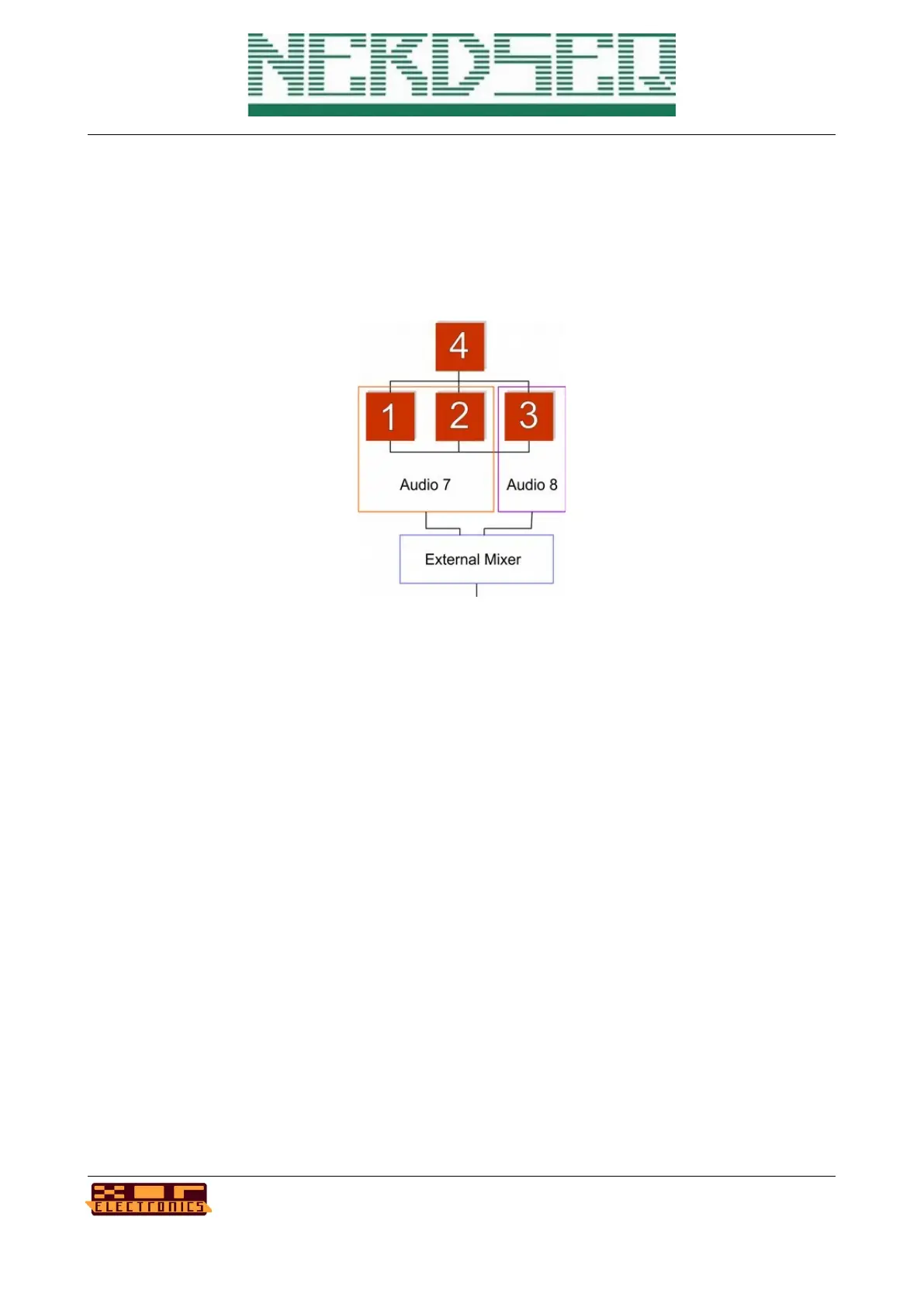
Keep in mind that when building algorithms, the audio from operators 1 + 2 will always be audible
on audio output 7 and operators 3 + 4 on output 8 (unless muted).
This is visualized in the following algorithm where 3 operators are routed directly to the audio
output. Since operators 1+2 will sound on audio output 7 here and Operator 3 on audio output 8,
you would need to use an external mixer and mix audio output 7+8.
As for release V1.26, there are no algorithm or instrument presets, but these are planned with high
priority for a later firmware.
Delay
Each audio track also has a delay unit (echo) as a last stage before the audio output.
The delay is a lo-fi delay implementation with 4 different timing possibilities:
- Short HQ → best quality but very short delay
- Lofi → lower quality, lower samplingrate but longer delay time
- More Lofi → lowest quality and samplingrate, but longest delay time
- Fast → Good quality, very short time (flanger kind of effect)
Additional delay parameters are:
- Delay time (where 0 is the shortest and 255 is the longest)
- Delay send → is the volume of the input (and so output) signal into the delay unit
- Delay feedback → is the intensity of the feedback into the delay unit. A setting of 15
means there is no loss in the volume and the delay signal stays in the delay-loop at full
volume.
Note that because of the nature of the delay implementation (the delay time setting changes the
size of the delay buffer) a change in the delay time can create audible artefacts, caused by old
delay data in the delay buffer.
NerdSEQ – a tracker based Eurorack sequencer Page 103
User Manual Revision V1.26 for Firmware V1.26 12 July 2022



 To Next Page