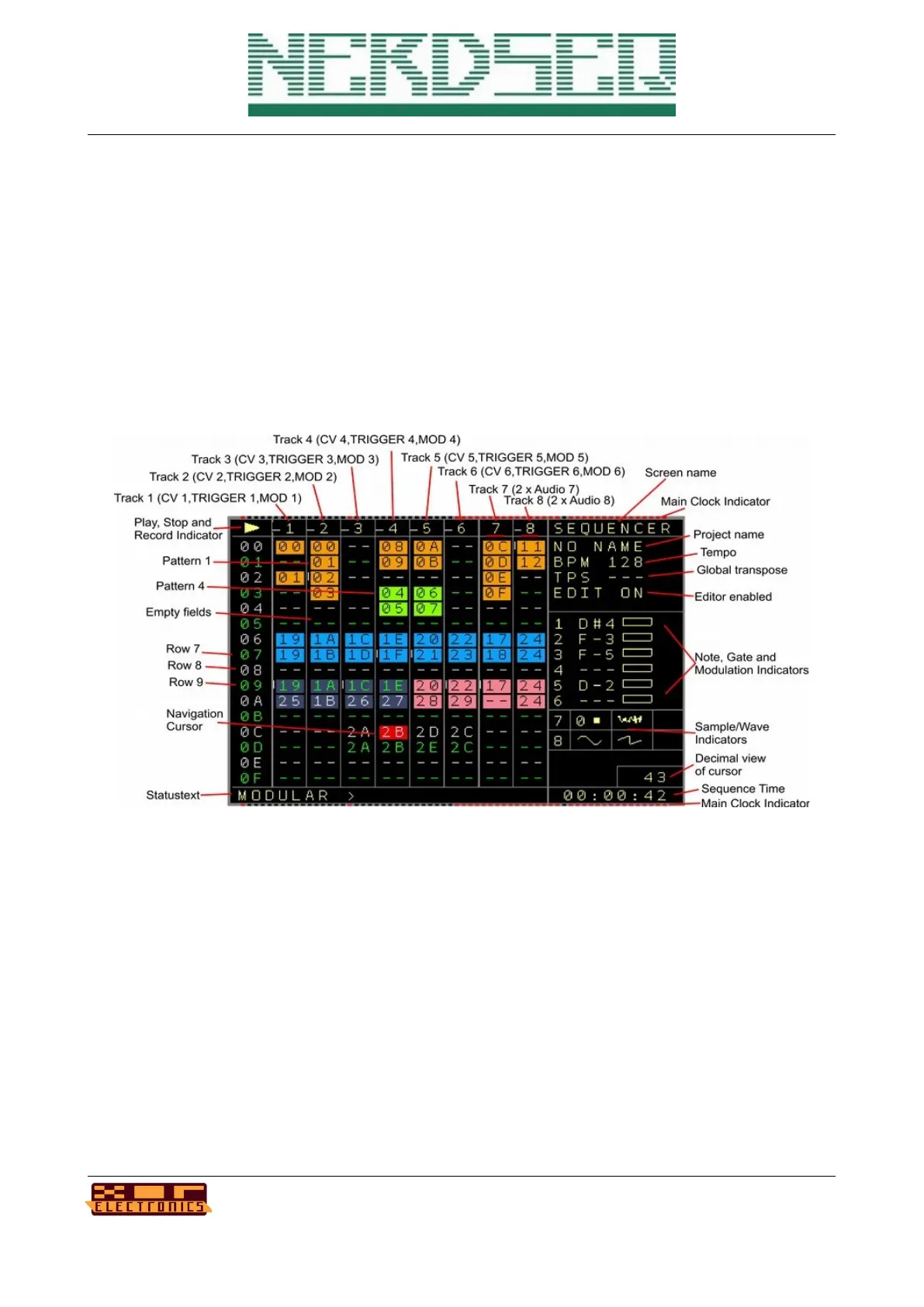
Sequencer Screen
In the sequencer screen you have different Rows and Columns. For the Columns there are 2
types. One for the indication of the row, and the others are the actual Tracks of the sequencer.
Each track is dedicated to one output channel -> Track 1 for CV1, Trigger1 and MOD1
With the NerdSEQ, by default, there are 6 CV/TRIGGER/MOD tracks and 2 Audio tracks (with
each audio track being able to play 2 samples or waveforms simultaneously, so 4
samples/waveforms in total at any one time).
The sequencer screen is for the general sequencing of the patterns. From here islands or chains of
patterns are combined to build up loops or songs. The first column show the row numbers. Those
go from 00 to FE (254 rows). The screen scrolls down on navigation. You can always see 16 rows
in the sequencer screen. The next 8 columns show the available tracks. Some are empty ( to be
recognized by a ‘--’. And some patterns are filled in. So for example on Track 1, the first row shows
a 00 which means that Pattern 00 is being set to this spot. The other numbers relate to different
patterns. You also see that Pattern 00 is filled in in both Track 1 and Track 2. That’s possible
because those tracks are from the same type. More of the same pattern number below each other
would play the same pattern multiple times.
Another possibility is the ‘**’ in a sequencer field which represents a function to stop a track.
NerdSEQ – a tracker based Eurorack sequencer Page 18
User Manual Revision V1.26 for Firmware V1.26 12 July 2022



 To Next Page