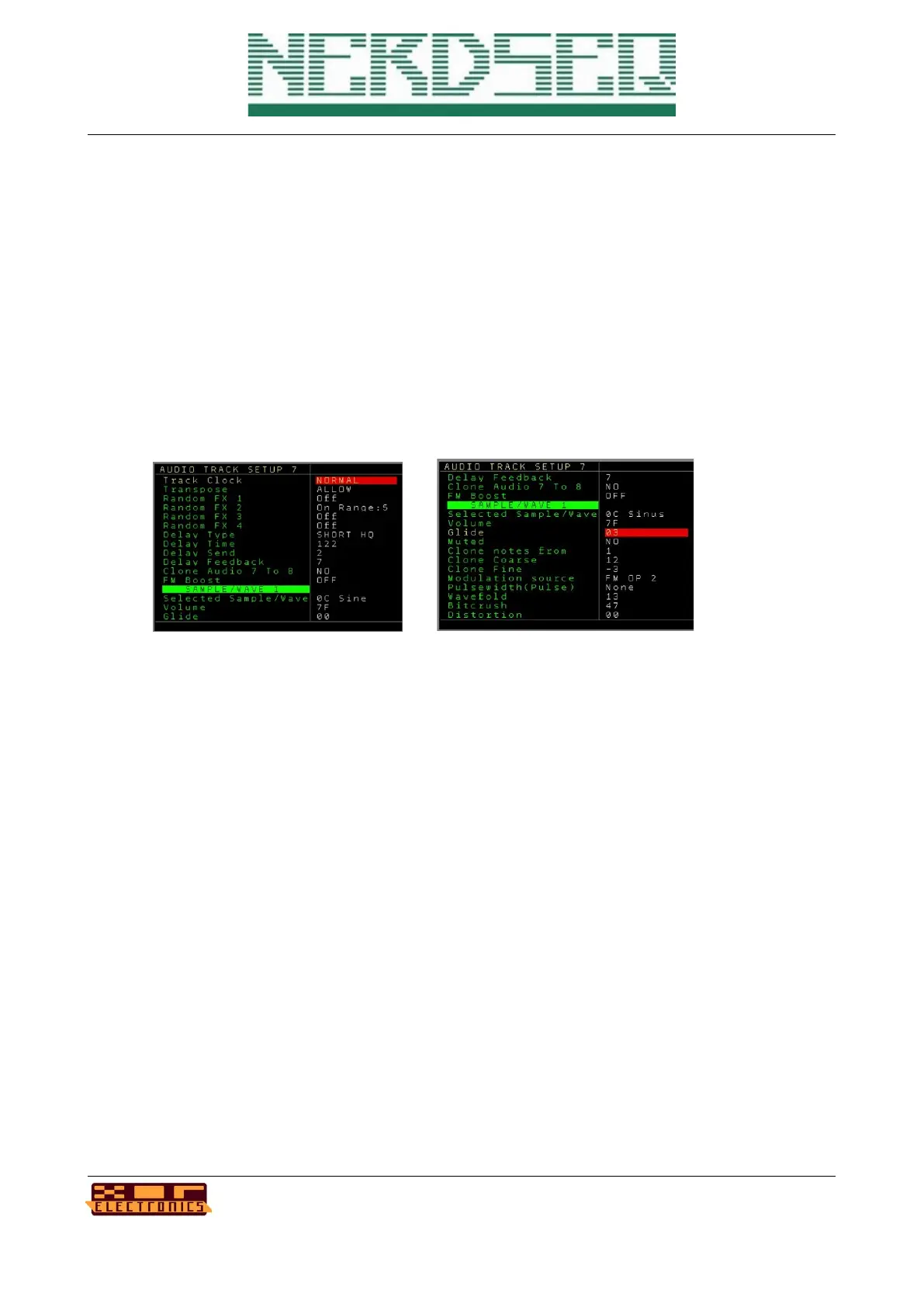
Track Setup (Audio Track)
- Track Clock → See track setup of the → Track Setup (CV/Gate Track).
- Transpose → Allow or avoid the transposing of the track. This is for the global and the
track transpose.
- Random FX1..4 → Enables randomized values for the selected FX. If turned on and a
range selected, all FX values in the selected FX will play with random values within the
selected ranges. This can be also enabled/disabled with the Random FX command
(RDMN) from the FX list. Press OK to get to the → Random Ranges Screen and change
the ranges.
For all following values, see the → Sample / Wave / Synthesis part of the manual for
details
- Delay Type → Sets the type of the audio delay for the track.
- Delay Time → Sets the amount/time of the delay buffer
- Delay Send → Sets the amount of the input amplitude for the delay
- Delay Feedback → Sets the amount of the delay feedback
- Clone Audio 7 to 8 → Clones and overwrites the audio stream of Track 7 into Track 8. The
audio stream is grabbed and included before the delay in the audio chain.
- FM boost → Global setting for the FM intensity
Sample Wave setting for the parts 1,2,3,4: (values can be edited here)
- Selected Sample/Wave → Is the current selected sample/waveform
- Volume → Volume/Amplitude of the Sample/Wave
NerdSEQ – a tracker based Eurorack sequencer Page 92
User Manual Revision V1.26 for Firmware V1.26 12 July 2022



 To Next Page